
Image Converter
The most elegant image converter with beautiful UI. Convert images to PNG, JPG, WebP, and AVIF formats in bulk with a single click.
As of May 2026, Image Converter has 178 users and a 5.00/5 rating from 3 reviews in the Developer Tools category.
Usersup 14.8 percent+14.8%
178
178
Ratingno change0%
5.00
3 reviews
Reviewsno change0%
3
Version
2.0.0
Manifest V3
History
1 snapshotsTracking since May 1, 2026.
View as table
| Date | Users | Rating | Reviews | Version |
|---|---|---|---|---|
| May 1, 2026 | 155 | 5.00 | 3 | 2.0.0 |
| Now | 178 | 5.00 | 3 | 2.0.0 |
Permissions & access
- Permissions
- None declared
- Host access
- None declared
Screenshots


About
Image Converter – Free, Fast & Unlimited Image Conversions & Editing

Transform your images instantly with this dynamic, free Chrome extension! Whether you’re converting formats or fine-tuning visuals, this tool delivers speed, flexibility, and creativity—all in one lightweight package. Perfect for design, web development, or personal projects, it’s your go-to for hassle-free image magic.

Key Features:
- Convert Images by URL or Upload – Effortlessly convert images from a link or your device in a snap.
- Supports Multiple Formats – Switch between JPG, PNG, WEBP, AVIF and HEIC with lightning speed.
- Unlimited Free Conversions – No caps, no costs—convert as many images as your heart desires!
- Bulk Image Conversion – Upload multiple images and process them together in one go.
- Fast & Lightweight – Sleek and efficient, with no bloat to slow you down.
- Simple & Intuitive UI – A breeze to use, whether you’re a beginner or a pro.
- No Quality Loss – Keep your images stunningly crisp and clear every time.
- Edit Like a Pro – Dive into the dazzling "Edit" tab! Adjust saturation, brightness, and contrast with precision, and watch your images pop. Preview your masterpiece in real-time—no guesswork, just instant visual brilliance!

Perfect for web developers, designers, or anyone craving quick, high-quality image transformations on the fly.

Why Use This Image Converter?
This isn’t just a converter—it’s your creative sidekick! Convert and download images in a flash with no need for clunky software or shady websites. Paste a URL or upload a file, pick your format, and voilà—done in one click.
But that’s not all: the "Edit" tab lets you tweak your images to perfection. Boost brightness for a sunny glow, dial up saturation for vibrant hues, or fine-tune contrast for that wow factor—all with live previews to see the magic unfold.
- No Limits – Convert and edit endlessly.
- No Sign-Ups – Jump in and start creating instantly.
- No Quality Loss – Your images stay sharp and stunning.


Feedback & Contributions
We’re all ears! Got feature ideas, bug reports, or suggestions? Share them here: https://forms.gle/dtsMQACmvWg6Zw81A

Love to code? Join the fun at our GitHub repo:
https://github.com/sanchxt/image-converter-extension

Star it, submit pull requests, or report issues to make this tool even better!

If this extension sparks joy, drop a review and rating—your support keeps it free and thriving for everyone! *And it motivates me to develop more features :)*

Unleash Your Creativity Now!
Convert, edit, and preview with the ultimate free image converter Chrome extension. Whether it’s a quick format swap or a custom edit, make every image your own—fast, free, and fabulous! ✨
Technical
- Version
- 2.0.0
- Manifest
- V3
- Size
- 961KiB
- Min Chrome
- 88
- Languages
- 1
- Featured
- No
Metadata
- ID
- gcekcldbeflpkgoedcjpafndgjkmpkdk
- Developer ID
- u4a931874f68441ecfaf439f667408ae4
- Developer Email
- [email protected]
- Created
- Sep 24, 2024
- Last Updated (Store)
- Mar 24, 2025
- Last Scraped
- May 30, 2026
- Website
- —
- Support URL
- https://forms.gle/dtsMQACmvWg6Zw81A
- Privacy Policy
- —
Similar extensions
Alternatives to Image Converter, ranked by description similarity.

WebP to JPG/PNG Converter
Convert WebP images to JPG or PNG format instantly. Free, fast, and private - all conversions happen locally in your browser.
110

Base64 Image Converter
Convert images to Base64 strings and Base64 to images with a professional interface.
6

Online Photo Tool - with Batch Download
Welcome to Online Photo Tool - with Batch Download! - Download photos in different formats via right-click menu and batch workspace
80.0K
★ 4.6

Image to WebP Converter
Convert common images (such as JPG & PNG) to WebP format locally. No internet needed & guaranteed privacy.
56
★ 5.0

Image Format Converter
Convert image files from one format to another
542
★ 5.0

New Instant Base64
Right-click on any image to copy its Base64 encoding to clipboard
98
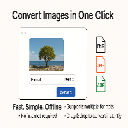
Image Converter Pro
Convert HEIC, JPG, PNG, GIF, and BMP images to your desired format locally.
—
★ 5.0

File Convert
Convert image files to different formats
8
★ 5.0
Data sourced from the Chrome Web Store · last verified May 30, 2026.