
WriteScholar Focus Mode
Block sites until you solve a puzzle or answer study questions. Earn your screen time. Free: 3, Pro: 20, Premium: unlimited.
As of June 2026, WriteScholar Focus Mode has 4 users in the Education category.
Usersup 100.0 percent+100.0%
4
4
Ratingno change0%
—
— reviews
Reviewsno change0%
—
Version
1.0.3
Manifest V3
History
7 snapshotsTracking since Apr 1, 2026.
View as table
| Date | Users | Rating | Reviews | Version |
|---|---|---|---|---|
| Apr 1, 2026 | 2 | — | — | 1.0.3 |
| Apr 16, 2026 | 4 | — | — | 1.0.3 |
| Apr 22, 2026 | 5 | — | — | 1.0.3 |
| Apr 27, 2026 | 4 | — | — | 1.0.3 |
| May 4, 2026 | 4 | — | — | 1.0.3 |
| May 10, 2026 | 6 | — | — | 1.0.3 |
| May 27, 2026 | 5 | — | — | 1.0.3 |
| Now | 4 | — | — | 1.0.3 |
Permissions & access
- Permissions
- storagedeclarativeNetRequestdeclarativeNetRequestWithHostAccessalarmstabs
- Host access
- https://*.writescholar.com/*, https://writescholar.com/*, http://localhost:5173/*, http://localhost:3000/*, http://localhost:3001/*, <all_urls>
Screenshots


About
WriteScholar Focus Mode blocks distracting websites until you answer study questions or solve a puzzle. You can't scroll until you've studied.

HOW IT WORKS

1. PICK SITES TO BLOCK — Choose any website to block. Free: 3 sites. Pro: 20 sites. Premium: unlimited.

2. ANSWER TO UNLOCK — When you try to visit a blocked site, you're redirected to unlock it. Solve a quick puzzle (Sudoku, Memory, or Pattern) or answer study questions from your own WriteScholar notes. Get enough right to unlock access.

3. ENJOY YOUR BREAK — The site stays unlocked for 5 minutes to 24 hours (you choose). When time's up, study again to earn more. The block returns automatically—no refresh needed.

FEATURES
• Chrome extension — works directly in your browser
• Two unlock options — puzzles (no notes needed) or study quiz from your WriteScholar material
• Custom timer — set unlock duration from 5 minutes to 24 hours
• Block any site — popular presets plus custom domains
• Customizable quiz — choose 5, 10, or 15 questions and set your pass threshold
• Settings sync — when signed in at writescholar.com, your block list and preferences sync across devices

Requires a WriteScholar.com account. Install the extension, log in at writescholar.com, and add your blocked sites.

Perfect for students who want to stay focused and earn their screen time.
Technical
- Version
- 1.0.3
- Manifest
- V3
- Size
- 1.46MiB
- Min Chrome
- 88
- Languages
- 1
- Featured
- No
Metadata
- ID
- nnbgfgoamjggdopaghfoijbohnkmkddj
- Developer ID
- u56afd81e9a64853e783ffd6f42c87b8b
- Developer Email
- [email protected]
- Created
- Mar 15, 2026
- Last Updated (Store)
- Mar 17, 2026
- Last Scraped
- Jun 9, 2026
- Website
- https://writescholar.com/
- Support URL
- https://writescholar.com/contact
- Privacy Policy
- https://writescholar.com/privacy
Similar extensions
Alternatives to WriteScholar Focus Mode, ranked by description similarity.

StudyShield - Stay Productive, Stay Safe
Block distracting websites, set focus timers, and boost productivity. Automatic adult content protection included. Stay focused!
1

StudyRabbit: College Habit Tracker
Build and maintain study habits with focus tools and progress tracking
20
★ 4.0

Focus Mode - Unbreakable Study Lock
Enterprise-grade focus enforcement. Timer-locked distraction blocker with unremovable protection.
4

Focus Mode
Block distracting sites during schedules or a timed focus session.
2
★ 5.0

Focus Timer
Block distracting sites and focus on your work.
—

Canvas Cracked
Prevents websites from detecting when you switch tabs.
344
★ 5.0
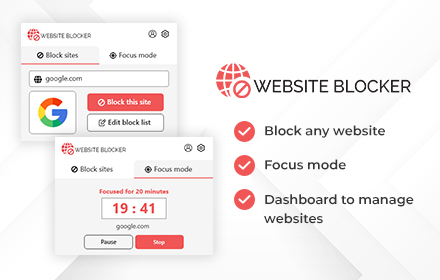
Website Blocker and Focus Mode
Site Blocker chrome extension and focus mode to increase productivity.
1.0K
★ 3.0

study-buddy
Focus and learn anything, blocks the distractions.
8
★ 5.0
Data sourced from the Chrome Web Store · last verified Jun 9, 2026.