
DocGenius from the Botgenius+ Family
The provided code snippet creates a button that enables users to upload and handle various file types, including PDF, Word…
As of May 2026, DocGenius from the Botgenius+ Family has 2 users in the Accessibility category.
Usersno change0%
2
2
Ratingno change0%
—
— reviews
Reviewsno change0%
—
Version
1.0
Manifest V3
History
2 snapshotsTracking since May 2, 2026.
View as table
| Date | Users | Rating | Reviews | Version |
|---|---|---|---|---|
| May 2, 2026 | 2 | — | — | 1.0 |
| May 31, 2026 | 1 | — | — | 1.0 |
| Now | 2 | — | — | 1.0 |
Permissions & access
- Permissions
- None declared
- Host access
- None declared
Screenshots
About
The provided code snippet creates a button that enables users to upload and handle various file types, including PDF, Word documents, and other common file formats. This functionality can be particularly useful in situations where users need to extract text from these files and incorporate it into a conversation or chat interface of ChatGPT.

By installing and utilizing this code, users gain the following benefits:

Convenient File Upload: The button provides an intuitive and user-friendly way to upload files from the local machine. Users can simply click the button and select the desired file, eliminating the need for complex file handling procedures.

Seamless Text Extraction: Once a file is uploaded, the code automatically extracts the text content from different file types. This process includes parsing PDF documents, Word files, and other files to retrieve the relevant textual information.

Streamlined Conversation Integration: The extracted text is then seamlessly integrated into a conversation or chat interface. Each chunk of text is submitted as a separate part of the ongoing conversation, making it easier for users to manage and interact with the extracted content.

Support for Multiple File Types: The code supports a wide range of file types, including PDF, Word documents (doc and docx), and other commonly used file formats like text files (txt), JavaScript (js), HTML, CSS, JSON, CSV, and more. This versatility ensures that users can handle and extract text from a variety of file sources.

Real-time Interaction with ChatGPT: The code includes a mechanism that waits for ChatGPT to be ready before submitting each chunk of text. This ensures that the conversation remains synchronized, allowing users to have a seamless interaction with the AI model without overwhelming it with multiple requests at once.

Overall, installing and utilizing this code provides users with a straightforward and efficient way to upload different file types, extract text content, and integrate it into ongoing conversations or chat interfaces. It simplifies the process of handling files and enhances the user experience by streamlining the interaction with ChatGPT.
Technical
- Version
- 1.0
- Manifest
- V3
- Size
- 531KiB
- Min Chrome
- 88
- Languages
- 1
- Featured
- No
Metadata
- ID
- nlphfcjibikbackjbkjljhongepkdboj
- Developer ID
- ue7c1091c0bf4c30d2f2c2e0d898f1fbc
- Developer Email
- [email protected]
- Created
- May 29, 2023
- Last Updated (Store)
- May 29, 2023
- Last Scraped
- May 31, 2026
- Website
- —
- Support URL
- —
- Privacy Policy
- https://www.botgeniusplus.ai/privacy
Similar extensions
Alternatives to DocGenius from the Botgenius+ Family, ranked by description similarity.

ChatGPT Continue Button
Add a continue button to ChatGPT
271

Spellbook for OpenAI Chat
Quickly cast a spell in chat
170

ChatGPT Dialogue Downloader
app to download chatgpt dialog
12
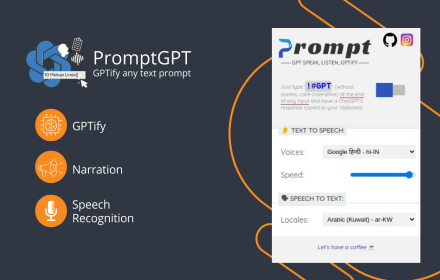
PromptGPT - Speak/Listen/GPTify
Turn any text field into a ChatGPT prompt and get the response right there, + Speaking and Listening abilities with ChatGPT web
13
★ 4.8

GPT Run-code
Easily preview your code in ChatGPT
13
★ 4.5

Chat GPT IA 2.0 PRO
Chat GPT IA 2.0 PRO
337
★ 4.5

ChatGPT Voice Assistant
The ChatGPT voice assistant can communicate with ChatGPT just like a human!
199

CodeGenius of BotGenius+ Family
This extension allows the user to input text through a popup and submit it to ChatGPT
7
Data sourced from the Chrome Web Store · last verified May 31, 2026.