
ChatGPT Continue Button
Add a continue button to ChatGPT
As of May 2026, ChatGPT Continue Button has 271 users in the Accessibility category.
Usersup 0.4 percent+0.4%
271
271
Ratingno change0%
—
— reviews
Reviewsno change0%
—
Version
1.0.0
Manifest V3
History
2 snapshotsTracking since Apr 25, 2026.
View as table
| Date | Users | Rating | Reviews | Version |
|---|---|---|---|---|
| Apr 25, 2026 | 270 | — | — | 1.0.0 |
| May 22, 2026 | 267 | — | — | 1.0.0 |
| Now | 271 | — | — | 1.0.0 |
Permissions & access
- Permissions
- None declared
- Host access
- None declared
Screenshots
About
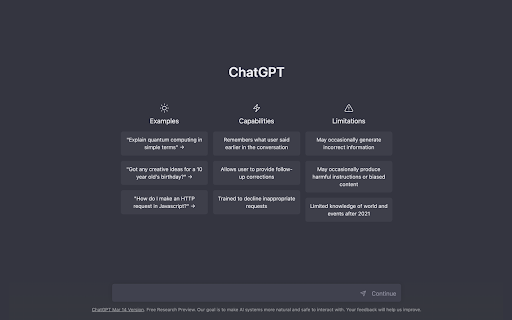
"ChatGPT Continue Button" is a Chrome extension that allows users to easily request the continuation of a response from ChatGPT in case it gets interrupted. This extension displays a "Continue" button right after the input field of ChatGPT, and by simply tapping the button, users can send the text "Continue" to ChatGPT.

The main benefits of this extension include:

- Users can easily request the continuation of a response, enabling them to get an immediate follow-up response even if the previous one got interrupted.
- By simply tapping the button, users can send the text "Continue," making it more convenient to use ChatGPT.
- This extension enhances the user experience of ChatGPT, making communication smoother and more seamless.

In summary, "ChatGPT Continue Button" is a very useful Chrome extension that improves the user experience of ChatGPT.
Technical
- Version
- 1.0.0
- Manifest
- V3
- Size
- 651KiB
- Min Chrome
- 88
- Languages
- 1
- Featured
- No
Metadata
- ID
- fnjdboejkfbaeijiogeaickgfmjopdno
- Developer ID
- u831a89c3dd5594569c2747e299bae35c
- Developer Email
- [email protected]
- Created
- Mar 28, 2023
- Last Updated (Store)
- Mar 28, 2023
- Last Scraped
- May 22, 2026
- Website
- —
- Support URL
- —
- Privacy Policy
- https://taishin-miyamoto.com/PrivacyPolicy.html
Similar extensions
Alternatives to ChatGPT Continue Button, ranked by description similarity.
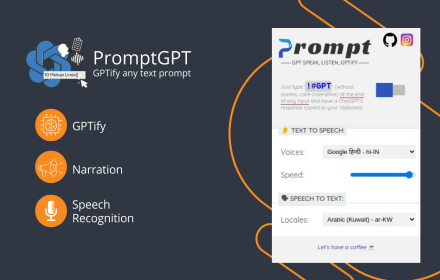
PromptGPT - Speak/Listen/GPTify
Turn any text field into a ChatGPT prompt and get the response right there, + Speaking and Listening abilities with ChatGPT web
13
★ 4.8

ChatGPT Side Panel - Tabbee
Use ChatGPT applications visible on every page in the side panel.
94
★ 4.5

ChatGPT is Everywhere
Universal paste functionality for ChatGPT
1

ChatGPT Voice Assistant
The ChatGPT voice assistant can communicate with ChatGPT just like a human!
199

Blue ChatGPT Theme
Make ChatGPT look amazing!
82

chatGPT notification
Get a sound notification when a chatGPT generation is done
553
★ 2.7

ChatGPT Dialogue Downloader
app to download chatgpt dialog
12

TalkToGPT
A simple extension that allows the user to talk to ChatGPT. Click the microphone button and begin talking.
1.0K
★ 1.0
Data sourced from the Chrome Web Store · last verified May 22, 2026.