
Chrome Snapshot
Easily answer "how to take screenshot" with Chrome Snapshot. Instantly capture full page screen capture chrome.
As of June 2026, Chrome Snapshot has 504 users and a 5.00/5 rating from 1 reviews in the Productivity category.
Usersup 65.2 percent+65.2%
504
504
Ratingno change0%
5.00
1 reviews
Reviewsno change0%
1
Version
1.0.2
Manifest V3
History
11 snapshotsTracking since Apr 1, 2026.
View as table
| Date | Users | Rating | Reviews | Version |
|---|---|---|---|---|
| Apr 1, 2026 | 305 | 5.00 | 1 | 1.0.2 |
| Apr 8, 2026 | 318 | 5.00 | 1 | 1.0.2 |
| Apr 19, 2026 | 351 | 5.00 | 1 | 1.0.2 |
| Apr 25, 2026 | 379 | 5.00 | 1 | 1.0.2 |
| May 2, 2026 | 405 | 5.00 | 1 | 1.0.2 |
| May 8, 2026 | 436 | 5.00 | 1 | 1.0.2 |
| May 13, 2026 | 467 | 5.00 | 1 | 1.0.2 |
| May 19, 2026 | 495 | 5.00 | 1 | 1.0.2 |
| May 25, 2026 | 496 | 5.00 | 1 | 1.0.2 |
| Jun 1, 2026 | 534 | 5.00 | 1 | 1.0.2 |
| Jun 7, 2026 | 515 | 5.00 | 1 | 1.0.2 |
| Now | 504 | 5.00 | 1 | 1.0.2 |
Permissions & access
- Permissions
- activeTabstoragescripting
- Host access
- None declared
Screenshots

About
📸 Full page snapshots are the sole purpose of this extension. This chrome snapshot tool is designed to save the entire vertical layout of a website in one action, focusing only on results without distractions or extra options. If you need a reliable way to preserve long layouts, articles, or dashboards exactly as they appear, this approach keeps everything simple and consistent.

🧭 Built for clarity, the workflow is intentionally minimal. With this scrolling screen capture chrome extension, the process follows a clear logic that helps users understand how to ss without learning extra steps:

* Open the website you need
* Trigger the chrome extension screen capture
* Receive a complete full page capture result

🖥️ Capturing long layouts is the core advantage. Unlike partial views, this chrome snapshot whole page solution records all visible and off visiable content in a single output, making it ideal for documentation, research, or archiving. It functions as focused screen capture software chrome users can trust for uninterrupted vertical results.

📄 Consistency across different site lengths matters. Whether the content is short or requires scrolling, the full page screen capture chrome extension produces a single continuous image that reflects the entire structure.

🛠️ Simplicity helps reduce errors during use. This chrome add on screen capture avoids complexity by offering one clear outcome, which is especially helpful for users searching for how to take screenshot solutions that do not overwhelm them with choices:
• One action per result
• One complete output
• One clear purpose

🔍 Search driven users often want straightforward answers. Many people looking for how to ss on chromebook or how do you take a screenshot prefer tools that do exactly what is promised. This screen capture google chrome option aligns with common expectations around full screen results without altering content or structure.

💻 Platform flexibility is important for everyday tasks. Users searching for take screenshot windows or how to screen shot on computer can rely on this chrome full page screen capture plugin to deliver consistent results across different systems while staying focused on entire layout preservation.

📱 Chromebook users benefit from the same clear approach. For queries like how to screenshot on a chromebook, screenshot on chromebook, or how do i take a screenshot on a chromebook, this tool provides a dependable method that focuses on complete vertical output rather than partial views.

📚 Educational and professional use cases rely on accuracy. Teachers, students, and analysts often need chrome screen capture entire page results for reference. Common scenarios include:
1️⃣ Saving long articles
2️⃣ Preserving reports
3️⃣ Recording web based documentation

🧠 Clear intent improves usability. People asking how to screenshot on chrome or how do you screenshot on a chromebook are usually looking for direct results. This full page screen capture for chrome keeps expectations aligned by doing one thing well and avoiding confusion.

📊 Predictable behavior builds trust over time. Even users familiar with scrolling screen capture stopped chrome extension searches will appreciate a tool that focuses only on full page continuity and avoids unexpected behavior during the process.

✅ A single purpose tool can still be powerful. By centering entirely on take a screenshot workflows and full screen results, this chrome snapshot solution delivers dependable outcomes for anyone who needs complete visual records without extra complexity.

❓ How do I take a full page screenshot using this extension?
💡 Click the extension icon. The extension will automatically start scrolling the entire page and generate a full page screenshot.

❓ Where is the screenshot saved after capture?
💡 The completed screenshot is downloaded directly to your computer through Chrome’s standard Downloads folder. A preview window also opens, allowing you to view the image and copy it to your clipboard.

❓ Does the extension capture content that loads infinitely while scrolling?
💡 No, the full page screen capture includes only the part of the page that is already loaded to prevent endless scrolling.

❓ Can I use this extension on any website
💡 It works on most standard web pages that are fully loaded, as long as the content is accessible through normal scrolling.

❓ Does the extension capture what is visible on screen or the entire page?
💡 It captures the entire vertical page, not just the visible area, resulting in a complete full page screen capture.
Technical
- Version
- 1.0.2
- Manifest
- V3
- Size
- 164KiB
- Min Chrome
- 88
- Languages
- 52
- Featured
- No
Metadata
- ID
- nlglaaocepkemmkohklibkppiblagfoh
- Developer ID
- u7221baaa3f73008d4b8eb609b640bcc3
- Developer Email
- [email protected]
- Created
- Mar 2, 2026
- Last Updated (Store)
- Mar 20, 2026
- Last Scraped
- Jun 7, 2026
- Website
- —
- Support URL
- —
Similar extensions
Alternatives to Chrome Snapshot, ranked by description similarity.

Full Page Screenshot
Capture full-page, visible-area or selected-page screenshots. Edit, save as PNG/JPEG/PDF, copy or share with consent.
1.0K
★ 4.1
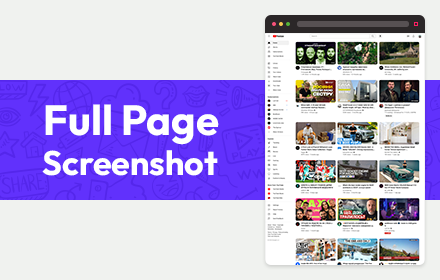
Full Page Screenshot
Full page screen capture is a simple extension that lets you capture the entire screen in one click. Get an entire page screenshot.
30.0K
★ 4.6

Screenshot Entire Webpage
Capture a full page screenshot easily with the Screenshot Entire Webpage extension. Perfect for whole page screen capture.
30.0K
★ 4.7

Screen Capture
Use Chrome Screen Capture for fast screen capture Chrome extension, full web page screen capture Chrome, scrolling screenshot tool
1.0K
★ 5.0

Full Page Snap - Capture Full Page Screenshots
Quickly capture entire web pages with Full Page Snap. Save full-page screenshots as high-quality images easily.
820
★ 4.5

Full Page Capture
Capture the entire scrollable page as a single PNG image.
7

Web screenshot for chrome
Activate this extension to take screenshot of any webpage or any articles with just one click
10

FullCapture
Capture full webpage screenshots with ease
174
★ 5.0
Data sourced from the Chrome Web Store · last verified Jun 7, 2026.