
Page Assassin
Assassinate anything on the web! Just turn on the assassinator, point, and click! Click the 'undo' button or press ctrl + z to undo.
As of May 2026, Page Assassin has 3 users in the Workflow & Planning category.
Usersdown 25.0 percent−25.0%
3
3
Ratingno change0%
—
— reviews
Reviewsno change0%
—
Version
0.0.1
Manifest V3
History
1 snapshotsTracking since Apr 30, 2026.
View as table
| Date | Users | Rating | Reviews | Version |
|---|---|---|---|---|
| Apr 30, 2026 | 4 | — | — | 0.0.1 |
| Now | 3 | — | — | 0.0.1 |
Permissions & access
- Permissions
- activeTabstorage
- Host access
- None declared
Screenshots

About
The world's most notorious html content assassin.

Assassinate anything on the web! Just turn on the assassinator, point and click! If you need anything back, just click the 'undo' button or press ctrl + z.

Point and Click:
The assassin's easy-to-use point-and-click interface will have your undesired page content sleeping with the fishes. Simply hover the assassin cursor over the content you want to 'take care of' and click to make the assassin do the job.

Undo:
Unlike a real assassin, this assassin's jobs can be undone. Click the 'undo' button on the the assassin interface, or simply press ctrl + z if your assassin get's carried away. The page content will instantly re-appear.

Enable/Disable:
You don't always want to assassinate everything on the page. The assassin switch makes it simple to decide when you want to employ the services of the assassin.

PLEASE NOTE: This extension is not effective against ads. If your intention is to remove ads from a website, I would recommend an ad-blocking extension, which can be used in tandem with the Page Assassin.
Technical
- Version
- 0.0.1
- Manifest
- V3
- Size
- 3.26MiB
- Min Chrome
- 88
- Languages
- 2
- Featured
- No
Metadata
- ID
- njbiciakcgpjgigmpdhkbgnemabdbhii
- Developer ID
- u58abb57ae56f7625b00e02f95a5b0046
- Developer Email
- [email protected]
- Created
- Sep 17, 2021
- Last Updated (Store)
- Sep 21, 2021
- Last Scraped
- May 27, 2026
- Website
- —
- Support URL
- —
- Privacy Policy
- —
Similar extensions
Alternatives to Page Assassin, ranked by description similarity.

Hide It
Clear all unwanted popups (invasive and overlay ads, banners) just in one click.
54
★ 5.0

Ad blocker
Removes the ads
4.0K
★ 3.3

ChadGuard
Reveal your inner chad with ChadGuard, an AI powered website blocker.
1.0K
★ 4.8

Absolute Enable Right Click & Copy
Absolute Enable Right Click & Copy on all websites, including those that block it.
80.0K
★ 4.7

Continue Without Supporting
Browser extension that auto-clicks on "continue without supporting"/similar phrases when given a popup about disabling ad blocking.
208
★ 5.0
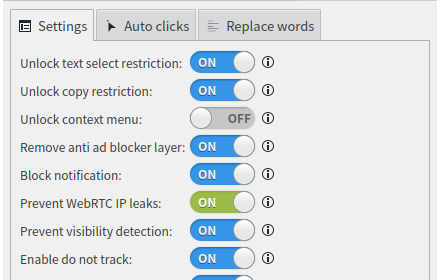
Web Optimizer
Unlock restrictions, protect your privacy, remove annoying elements, auto clicks, and replace disliked words.
1.0K
★ 4.3
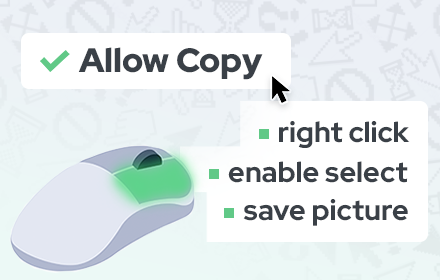
Allow Copy - Select & Enable Right Click
Enable copy on protected websites: allow right click, unblock context menu. Enable text highlight and allow copy.
200.0K
★ 4.4

Deactivator (Manifest V3)
Cease all scripts activity on the page, thus saving CPU, memory, and network.
49
★ 3.0
Data sourced from the Chrome Web Store · last verified May 27, 2026.