Web Optimizer
Unlock restrictions, protect your privacy, remove annoying elements, auto clicks, and replace disliked words.
As of May 2026, Web Optimizer has 1,000 users and a 4.33/5 rating from 3 reviews in the Workflow & Planning category.
Usersup 1.8 percent+1.8%
1.0K
1,000
Ratingno change0%
4.33
3 reviews
Reviewsno change0%
3
Version
1.1.1
Manifest V3
History
3 snapshotsTracking since Apr 1, 2026.
View as table
| Date | Users | Rating | Reviews | Version |
|---|---|---|---|---|
| Apr 1, 2026 | 982 | 4.33 | 3 | 1.1.1 |
| Apr 20, 2026 | 993 | 4.33 | 3 | 1.1.1 |
| May 5, 2026 | 997 | 4.33 | 3 | 1.1.1 |
| Now | 1.0K | 4.33 | 3 | 1.1.1 |
Permissions & access
- Permissions
- tabscontextMenusstorageprivacycontentSettingsscriptingwebNavigation
- Host access
- <all_urls>, *://*/*, http://*/*, https://*/*
Screenshots

About
(This project is no longer being maintained.)


Unlock restrictions, protect your privacy, remove annoying elements, auto clicks, and replace disliked words.

Features:
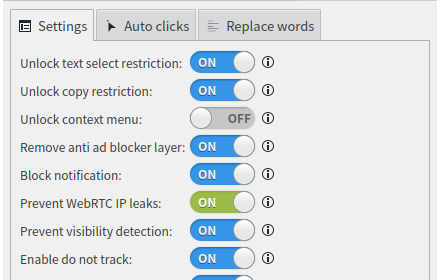
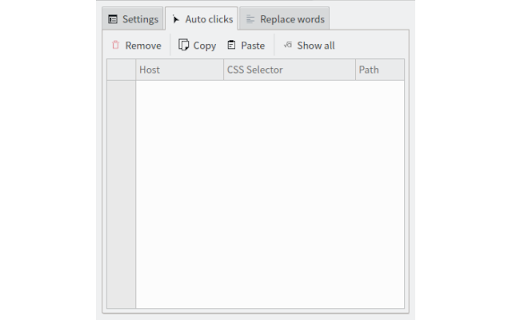
Auto click elements from web pages
(Such as expander, close .....)

Replace disliked words from web pages
Unlock text select restriction
Unlock copy restriction
Unlock context menu
Remove anti ad blocker layer
Block notifications

Prevent WebRTC IP leaks
(WebRTC will leak your real IP address even if you are using a proxy or VPN.)

Prevent visibility detection
(Websites can track your visibility. For instance, they may make you watch Ads for 60 seconds before allowing you to view the video. If you minimize your browser or switch to a different tab, the website can detect it and pause the countdown. (This feature probability won't work.))

Enable do not track
(Tell websites not to track you. (it still can))

Disable third party cookies
(A third-party cookie is placed on a website by someone other than the owner (a third party) and collects user data for the third party. As with standard cookies, third-party cookies are placed so that a site can remember something about the user at a later time. Third-party cookies, however, are often set by advertising networks that a site may subscribe to in the hopes of driving up sales or page hits.)

Disable leave site alert
Technical
- Version
- 1.1.1
- Manifest
- V3
- Size
- 386KiB
- Min Chrome
- 88
- Languages
- 6
- Featured
- No
Metadata
- ID
- cnhiehgbljjkkiibdfochmcffldemhph
- Developer ID
- u464f1d77f5197e683ed3e1d13720c43c
- Developer Email
- [email protected]
- Created
- Apr 10, 2023
- Last Updated (Store)
- Jun 26, 2025
- Last Scraped
- May 30, 2026
- Website
- —
- Support URL
- https://github.com/filecxx/WebOptimizer
- Privacy Policy
- —
Similar extensions
Alternatives to Web Optimizer, ranked by description similarity.

Stop Reclame
Get rid of ads for free!
20.0K
★ 4.7

Blockberry - Focus Booster
Simple, privacy-focused, open-source extension that blocks websites based on a your list. Does not track or collect your data.
25
★ 5.0

Website Blocker
Block Addicting Websites
—

Absolute Enable Right Click & Copy
Absolute Enable Right Click & Copy on all websites, including those that block it.
80.0K
★ 4.7

Free Adblocker for Chrome by Open Adblocker
Free Adblocker for Chrome by Open Adblocker
100.0K
★ 4.8

Right Click & Copy Enabler
Enables right-click context menu and text selection on websites that disable these features.
3.0K

Benevolent Blocker
Block distractions with customizable presets, point-and-click element hiding, and password-protected willpower locks.
8
★ 5.0

Auto-Close Distractions
This tool automatically closes any distracting websites you visit. Use it to become more productive and waste less time online!
493
★ 4.6
Data sourced from the Chrome Web Store · last verified May 30, 2026.