DiscordMic
Shortcuts for full control over an audio channel in Discord and quick access button next to the address bar. Enables you to…
As of May 2026, DiscordMic has 131 users and a 5.00/5 rating from 2 reviews in the Communication category.
Usersup 22.4 percent+22.4%
131
131
Ratingno change0%
5.00
2 reviews
Reviewsno change0%
2
Version
0.0.2
Manifest V3
History
3 snapshotsTracking since Apr 1, 2026.
View as table
| Date | Users | Rating | Reviews | Version |
|---|---|---|---|---|
| Apr 1, 2026 | 107 | 5.00 | 2 | 0.0.2 |
| Apr 30, 2026 | 109 | 5.00 | 2 | 0.0.2 |
| May 27, 2026 | 124 | 5.00 | 2 | 0.0.2 |
| Now | 131 | 5.00 | 2 | 0.0.2 |
Permissions & access
- Permissions
- tabs
- Host access
- *://discord.com/*
Screenshots


About
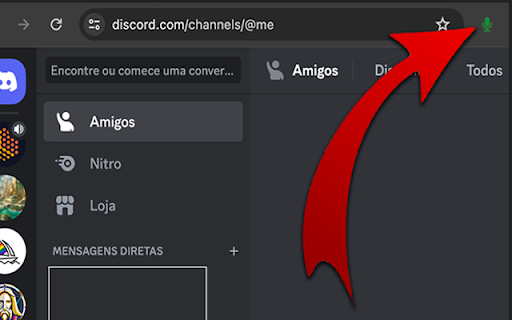
Shortcuts for full control over an audio channel in Discord and quick access button next to the address bar.

Enables you to activate, deactivate and toggle the microphone.
Enables you to activate, deactivate and toggle the sound.
Disconnect from an audio channel.

Attention: After installation, you need to reload the Discord page for it to work properly.

Unfortunately it is only possible to enable 4 global shortcuts, but the others can be used within the browser.

To configure the shortcuts do the following:

1. In your Chrome browser.
2. Click on the three-dot menu in the top-right corner of your Chrome window.
3. Go to "More tools” -> "Extensions."
4. In the Extensions page, look for a menu or hamburger icon (three lines) on the top-left and click on it.
5. Now select "Keyboard shortcuts."
6. Find the extension “DiscordMic"
7. Click in the field where it says "Activate the extension" or a similar command.
8. Press the keys for your desired shortcut (like Ctrl+Shift+Y).
9. Make sure the "In Chrome" dropdown is selected if you want it to work globally (across all of Chrome).
10. Click 'Save' or just close the tab, and your global shortcut should now be set!

Pull requests are welcome: https://github.com/christianoguedes/DiscordMute

This extension is not a Discord partner, so any update may stop working.

Discord is a registered trademark of Discord Inc.
Technical
- Version
- 0.0.2
- Manifest
- V3
- Size
- 24.59KiB
- Min Chrome
- 88
- Languages
- 1
- Featured
- No
Metadata
- ID
- niaimikeenadjnnphckiphohaafickoe
- Developer ID
- u48285f54ccc07268c03b2308b89b01b4
- Developer Email
- [email protected]
- Created
- Mar 26, 2024
- Last Updated (Store)
- Apr 15, 2024
- Last Scraped
- May 27, 2026
- Website
- —
- Support URL
- —
- Privacy Policy
- —
Similar extensions
Alternatives to DiscordMic, ranked by description similarity.

Hyper Meet Mute
Fast and global mute toggling for Google Meet.
18
★ 5.0

Discord Link Redirect
Redirects Discord channel links to the app
8

Global Google Meet Hotkeys
A simple extension that allows you to toggle your microphone and camera globally.
309
★ 4.5

Meet Shortcuts
Global shortcuts for Google Meet
37
★ 5.0

Teams Audio Controller
Control Microsoft Teams audio volume and mute status
60
★ 5.0

Google Meet Push-to-Talk
Hold a button (or a key) to talk in Google Meet.
14

Nextologies Meet Mic Controller
Nextologies Mic Controller for Google Meet and NextoTalk
41
★ 5.0

Discord for Web
Enhance Discord Web with desktop notifications, quick controls and a floating toolbar.
105
Data sourced from the Chrome Web Store · last verified May 27, 2026.