
html2md
Convert Selected HTML to Markdown
As of May 2026, html2md has 133 users and a 5.00/5 rating from 2 reviews in the Workflow & Planning category.
Usersdown 0.7 percent−0.7%
133
133
Ratingno change0%
5.00
2 reviews
Reviewsno change0%
2
Version
1.0.4
Manifest V3
History
3 snapshotsTracking since Apr 1, 2026.
View as table
| Date | Users | Rating | Reviews | Version |
|---|---|---|---|---|
| Apr 1, 2026 | 134 | 5.00 | 2 | 1.0.4 |
| Apr 30, 2026 | 132 | 5.00 | 2 | 1.0.4 |
| May 27, 2026 | 126 | 5.00 | 2 | 1.0.4 |
| Now | 133 | 5.00 | 2 | 1.0.4 |
Permissions & access
- Permissions
- None declared
- Host access
- <all_urls>
Screenshots

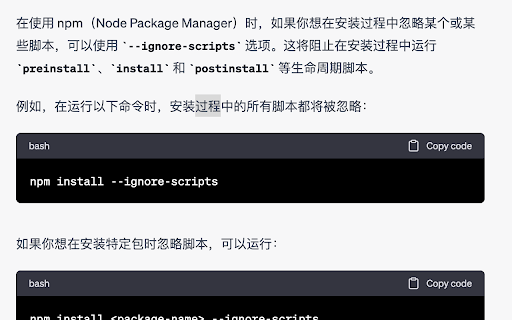
About
Easy-to-use keyboard shortcut: Ctrl + Alt (Windows/Linux) or Command + Option (Mac).
v1.0.0 Convert selected HTML to Markdown (GFM).
v1.0.1 Support for converting KaTeX to Markdown.
v1.0.2 Slim package.
v1.0.3 Some exceptions are compatible.
v1.0.4 Utilize absolute URLs instead of relative URLs for images.

GitHub: https://github.com/powerfulyang/html2md
Technical
- Version
- 1.0.4
- Manifest
- V3
- Size
- 153KiB
- Min Chrome
- 110
- Languages
- 1
- Featured
- No
Metadata
- ID
- nhphileonjdmmeijobgabiajckecckjj
- Developer ID
- ue2c5503bfe8e3315446d3a625db8fca7
- Developer Email
- [email protected]
- Created
- May 12, 2023
- Last Updated (Store)
- Aug 29, 2023
- Last Scraped
- May 27, 2026
- Website
- powerfulyang.com
- Support URL
- https://powerfulyang.com
- Privacy Policy
- —
Similar extensions
Alternatives to html2md, ranked by description similarity.

Plain Markdown
Convert any webpage to clean Markdown with one click
—
★ 5.0

selection-to-markdown
A browser extension that converts selected text to markdown format and downloads it as a .md file
42
★ 5.0

Clipboard Format Conversion
Convert clipboard text between Markdown, HTML, and RTF with one click.
7
★ 5.0

Copy as Markdown
Copy Link or Image as Markdown code
30.0K
★ 4.3

Markdown Preview Plus
Converts and previews markdown files (.md, .markdown) to HTML(include TOC) right inside Chrome and support live reload
90.0K
★ 4.1

Copy as Markdown
Convert and copy text as Markdown with formatting preserved
201
★ 5.0

Markie - Copy as Markdown
It's super simple. Copy any selected content as Markdown.
89

Toolbox
Chrome Toolbox, Useful tool set. Commonly used text processing tools. ps:sorting, de-emphasis, trimming, md5, sha1, Code format
3.0K
★ 3.2
Data sourced from the Chrome Web Store · last verified May 27, 2026.