
YouTube Caption Custom Position
Reposition YouTube captions directly below the player.
As of May 2026, YouTube Caption Custom Position has 201 users and a 5.00/5 rating from 3 reviews in the Functionality & UI category.
Usersup 3.1 percent+3.1%
201
201
Ratingno change0%
5.00
3 reviews
Reviewsdown 25.0 percent−25.0%
3
Version
1.0
Manifest V3
History
3 snapshotsTracking since Apr 1, 2026.
View as table
| Date | Users | Rating | Reviews | Version |
|---|---|---|---|---|
| Apr 1, 2026 | 195 | 5.00 | 4 | 1.0 |
| Apr 30, 2026 | 185 | 5.00 | 4 | 1.0 |
| May 27, 2026 | 196 | 5.00 | 4 | 1.0 |
| Now | 201 | 5.00 | 3 | 1.0 |
Permissions & access
- Permissions
- None declared
- Host access
- None declared
Screenshots


About
Move captions below the YouTube player for a clearer view of both video and captions. Easily switch between caption locations with "CP" for Custom Position and "DP" for Default Position, directly integrated into the YouTube player.
Technical
- Version
- 1.0
- Manifest
- V3
- Size
- 1.89MiB
- Min Chrome
- 88
- Languages
- 1
- Featured
- No
Metadata
- ID
- nhkanklokiiabfecgbocmieegandhmff
- Developer ID
- ud71578f6a1bb35978e79aa99b7af5009
- Developer Email
- [email protected]
- Created
- Apr 25, 2024
- Last Updated (Store)
- Apr 25, 2024
- Last Scraped
- May 27, 2026
- Website
- —
- Support URL
- —
- Privacy Policy
- —
Similar extensions
Alternatives to YouTube Caption Custom Position, ranked by description similarity.

CCOff
Hides closed captions on YouTube homepage/video-card hover previews.
1

Youtube Show Comments Overlay
Watch YouTube videos while reading the comments.
121
★ 3.9

OwlTube
Read YouTube videos instead of watching them.
—
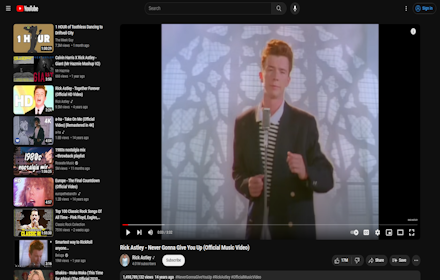
YouTube Layout Flip
Flips the layout of YouTube when clicked so the player is on the right side of the screen.
154
★ 5.0

AlwaysVisible
Chrome Extension that makes YouTube video controls always visible
43

PYCUI for Youtube
Pinned Youtube Comments UI
유튜브 영상과 댓글을 편하게 같이 시청해보세요!
영상을 기본 보기로 설정하면 댓글이 우측에 고정된 UI로 변경됩니다.
영상과 댓글을 같이 볼 수 있고 댓글이 바로 로딩됩니다.…
327
★ 4.6

hyde — hide the YouTube video player controls
Press Ctrl+M to hide or show the YouTube video player controls.
90.0K
★ 4.2

Bye (Better YouTube Experience)
"YouTube Title and SeekBar Hider" is now "Bye (Better YouTube Experience)."
238
★ 4.3
Data sourced from the Chrome Web Store · last verified May 27, 2026.