
ConnectWise Tab Renamer
Renames ConnectWise manage tabs according to the contents of the banner
As of May 2026, ConnectWise Tab Renamer has 11 users in the Functionality & UI category.
Usersup 120.0 percent+120.0%
11
11
Ratingno change0%
—
— reviews
Reviewsno change0%
—
Version
1
Manifest V3
History
3 snapshotsTracking since Apr 1, 2026.
View as table
| Date | Users | Rating | Reviews | Version |
|---|---|---|---|---|
| Apr 1, 2026 | 5 | — | — | 1 |
| Apr 30, 2026 | 8 | — | — | 1 |
| May 27, 2026 | 6 | — | — | 1 |
| Now | 11 | — | — | 1 |
Permissions & access
- Permissions
- activeTabstorage
- Host access
- None declared
Screenshots

About
This extension is open-source, aimed to create an easy to install solution for all ConnectWise Manage users.

!!! You will need to specify the domains you want this to run on before it will rename any tabs. No wildcards are needed. !!!

From Manage Extensions

    1. Open your extensions
    2. Find ConnectWise-Tab-Renamer
    3. Click Details
    4. Click Extension options
    5. Specify your domain. ex: firefox.com
    6. Save

From taskbar

    1. Click the extensions icon
    2. Find ConnectWise-Tab-Renamer
    3. Click the three dots
    4. Click Options
    5. Specify your domain. ex: firefox.com
    6. Save

Source: https://github.com/DominickCobb-rs/ConnectWise-Tab-Renamer
Technical
- Version
- 1
- Manifest
- V3
- Size
- 104KiB
- Min Chrome
- 88
- Languages
- 1
- Featured
- No
Metadata
- ID
- nhhajnakhiilajkbpgikcbbekeelloln
- Developer ID
- u1e7d022d513ea70b2d7c4ed0f65375a1
- Developer Email
- [email protected]
- Created
- Aug 9, 2024
- Last Updated (Store)
- Aug 9, 2024
- Last Scraped
- May 27, 2026
- Website
- —
- Privacy Policy
- —
Similar extensions
Alternatives to ConnectWise Tab Renamer, ranked by description similarity.

TabNamer
Renames Tabs. What did you expect it to do?
2

TadiTabs
Auto-close inactive tabs and mark important ones.
1
★ 5.0

My Tab Manager
Organize tabs by root domain, highlight duplicates, and close them easily.
3
★ 5.0

Tab Namer
Renames tabs to: "<index> <original_name> <hostname>".
33
★ 3.7
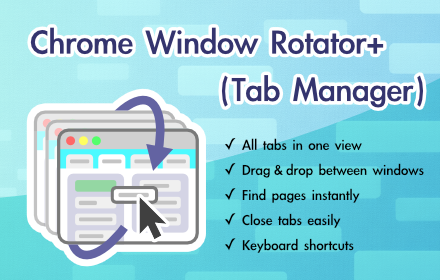
Chrome Window Rotator+ (Tab Manager)
View all tabs across windows. Find and access pages instantly. Organize with drag & drop.
108
★ 5.0

Just Enough Tabs
Prevents websites form opening new tabs each time you click a link.
—

Tab Title Renamer
Tab Title Renamer allows you to rename the titles of your browser tabs instantly, helping you stay organised and focused while…
8

AutoTab - Auto Group Tabs by Domain
Automatically organize tabs into groups by domain name
12
★ 4.0
Data sourced from the Chrome Web Store · last verified May 27, 2026.