
Area Hider
Hide any area on a website by selecting it
As of June 2026, Area Hider has 8 users in the Productivity category.
Usersup 33.3 percent+33.3%
8
8
Ratingno change0%
—
— reviews
Reviewsno change0%
—
Version
1.0.1
Manifest V3
History
6 snapshotsTracking since Apr 1, 2026.
View as table
| Date | Users | Rating | Reviews | Version |
|---|---|---|---|---|
| Apr 1, 2026 | 6 | — | — | 1.0.1 |
| Apr 11, 2026 | 7 | — | — | 1.0.1 |
| Apr 20, 2026 | 8 | — | — | 1.0.1 |
| Apr 25, 2026 | 7 | — | — | 1.0.1 |
| May 31, 2026 | 8 | — | — | 1.0.1 |
| Jun 9, 2026 | 7 | — | — | 1.0.1 |
| Now | 8 | — | — | 1.0.1 |
Permissions & access
- Permissions
- activeTabstoragecontextMenus
- Host access
- <all_urls>
Screenshots

About
Have you ever wanted to clean up cluttered web pages?
With Area Hider, you can easily hide any distracting area on a webpage, giving you a more comfortable browsing experience.

🔻Perfect for
・Hiding annoying sidebars or sticky elements
・Removing unnecessary headers, footers, or pop-ups
・Making cluttered web pages easier to read
・Creating a focused reading environment
・Customizing your favorite websites to suit your preferences

🔻Features
・Simple point-and-click interface
・Works on dynamically loaded content
・Right-click the icon to manage hidden settings from the options page
・Toggle visibility or delete individual items
・Multi-language support (English/Japanese)
・Settings are stored locally in your browser — no server, no data collection
・No tracking or analytics, so you can use it with peace of mind

🔻How to Use
1: Left-click the extension icon to enter selection mode (the icon will change)
2: Hover over the area you want to hide (it will be highlighted)
3: Use the mouse wheel to expand or shrink the selection
4: Left-click to confirm and hide the area (right-click to cancel)
* This does not apply to special pages such as chrome:// or edge://.
Technical
- Version
- 1.0.1
- Manifest
- V3
- Size
- 23.26KiB
- Min Chrome
- 88
- Languages
- 2
- Featured
- No
Metadata
- ID
- nfiinkepgjoboehhejfkadmalkiggnfk
- Developer ID
- ua792c0c25cdad6c5ff3f724d8cb60a71
- Developer Email
- [email protected]
- Created
- Jan 20, 2026
- Last Updated (Store)
- Jan 21, 2026
- Last Scraped
- Jun 9, 2026
- Website
- —
- Support URL
- https://cyclops.swtks.com/
- Privacy Policy
- https://swtks.com/pp_extension/
Similar extensions
Alternatives to Area Hider, ranked by description similarity.

ElementHider
Hide page elements with a DevTools-like picker
2

Remove Overlays
Remove annoying overlays.
268
★ 5.0

Element Hider
Select and hide elements on web pages.
11

Item Remover
Hide page elements with inspect mode and manage them with checkboxes
7
★ 5.0

Smart Hide
A smart way to hide elements on web pages with layout preservation
54
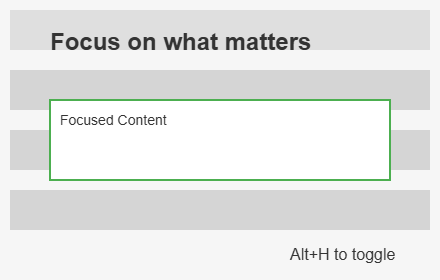
Hide Everything Else
Focus on specific web elements by hiding others. Supports overlay/removal modes, multi-select & hover highlighting.
9
★ 5.0

ElementHider: Hide Content & Spoilers
Automatically hide or blur unwanted text, spoilers, and distracting page elements using your own custom keywords
8.0K
★ 4.4

Web Cleaner - Hide & Block Elements
Right-click to hide any unwanted website element. Remove ads, popups, and clutter for distraction-free browsing.
667
★ 3.6
Data sourced from the Chrome Web Store · last verified Jun 9, 2026.