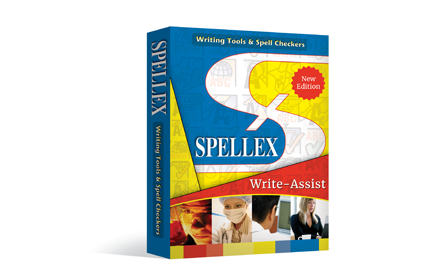
Spellex Write-Assist for Chrome
Spellex for Chrome is a complete assistive technology literacy toolbar to help improve reading, writing, and speech comprehension.
As of June 2026, Spellex Write-Assist for Chrome has 369 users and a 3.67/5 rating from 3 reviews in the Accessibility category.
Usersdown 5.1 percent−5.1%
369
369
Ratingno change0%
3.67
3 reviews
Reviewsno change0%
3
Version
1.7.2
Manifest V3
History
5 snapshotsTracking since Apr 20, 2026.
View as table
| Date | Users | Rating | Reviews | Version |
|---|---|---|---|---|
| Apr 20, 2026 | 389 | 3.67 | 3 | 1.7.2 |
| May 5, 2026 | 402 | 3.67 | 3 | 1.7.2 |
| May 15, 2026 | 391 | 3.67 | 3 | 1.7.2 |
| May 28, 2026 | 376 | 3.67 | 3 | 1.7.2 |
| Jun 9, 2026 | 391 | 3.67 | 3 | 1.7.2 |
| Now | 369 | 3.67 | 3 | 1.7.2 |
Permissions & access
- Permissions
- storagetabsactiveTabwebRequestwebNavigationclipboardWritecontextMenusnotifications
- Host access
- <all_urls>
Screenshots


About
Spellex Write-Assist – Empowering Every Writer
Spellex Write-Assist is an all-in-one Chrome extension designed to enhance writing, reading, and research for students, professionals, and individuals with learning differences.

This powerful assistive technology toolbar includes:

Advanced Spell Checking
Custom vocabularies for healthcare, legal, biosciences, veterinary studies, and more—perfect for specialized writing.

Word Prediction
Increase typing efficiency with intelligent word suggestions tailored to your writing context.

Real-Time Speech-to-Text
Dictate with ease using advanced AI-powered voice recognition, offering:
 • Ultra-accurate transcription with support for 40+ languages and dialects
 • Robust performance in noisy environments
 • Automatic punctuation and intelligent formatting
 • Fast, low-latency results ideal for seamless web-based dictation

Text-to-Speech with Human Voices
Highlight any text to hear it read aloud naturally—improve comprehension and editing flow.

Note Highlighting & Organization
Highlight, color-code, and save notes directly as PDFs—locally or to the cloud—for later review.

Word Definitions & Audio Pronunciations
Instantly access definitions with etymology and hear how words are pronounced.

Screen Masking & Magnification Ruler
Enhance focus and readability with tools that isolate and enlarge text as you read.

Dyslexia-Friendly Font
Read and write more comfortably with a font designed to support users with dyslexia.

Picture Dictionary
Visual word support to boost understanding and vocabulary retention.

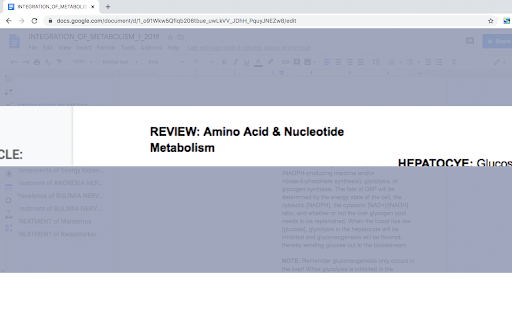
Collaborative Audio Notes in Google Docs
Record and share audio notes seamlessly within your documents.

PDF Tools with OCR
Interact with scanned PDFs using built-in Optical Character Recognition.

Translation Support
Highlight and instantly translate text into Spanish, German, or French.

Quick Research Tools
Search the web efficiently without distractions—ideal for studying and focused research.

Try Spellex Write-Assist Free for 14 Days!
Get full access to all premium features at no cost and discover how much easier writing and reading can be.
Technical
- Version
- 1.7.2
- Manifest
- V3
- Size
- 3.68MiB
- Min Chrome
- 88
- Languages
- 1
- Featured
- Yes
Metadata
- ID
- nclbdenibannopngkgdpemcmleninpdp
- Developer ID
- u7155378c43dedb5620773c122f1b88d0
- Developer Email
- [email protected]
- Created
- May 14, 2020
- Last Updated (Store)
- Jul 10, 2025
- Last Scraped
- Jun 9, 2026
- Website
- spellex.com
- Support URL
- https://spellex.com/support/kb/faq.php?cid=4
- Privacy Policy
- https://www.spellex.com/privacy-policy
Similar extensions
Alternatives to Spellex Write-Assist for Chrome, ranked by description similarity.
ClaroRead Chrome
Speaks aloud text in web pages
70.0K
★ 3.3

Read&Write for Google Chrome™
Boost reading and writing confidence across all types of content and devices, in class, at work, and at home.
9.0M
★ 3.4

Dislexia
A Chrome extension to assist users with dyslexia by providing TTS and STT functionalities.
53
★ 5.0

Read Write ReadAssist Pro
Boost reading and writing confidence across all types of content and devices with AI-powered tools
119

FluentScribe
Write better with smart predictions, text-to-speech, speech-to-text & reading mode by AIO.com.ai
3

Easily App
Dyslexia-friendly reading tool with customizable fonts, colors, and text-to-speech
21

Dyslexia Write
Confidence support for dyslexic writers — write anywhere with the right tools.
4

Helperbird: Accessibility & Productivity App
Improve your reading, writing & accessibility. Including Immersive Reader, Summarize, Dyslexia support and more.
300.0K
★ 4.6
Data sourced from the Chrome Web Store · last verified Jun 9, 2026.