
CSS Finder
Inspect CSS classes on hover.
As of June 2026, CSS Finder has 185 users and a 1.00/5 rating from 1 reviews in the Developer Tools category.
Usersdown 7.0 percent−7.0%
185
185
Ratingno change0%
1.00
1 reviews
Reviewsno change0%
1
Version
2.0
Manifest V3
History
3 snapshotsTracking since Apr 23, 2026.
View as table
| Date | Users | Rating | Reviews | Version |
|---|---|---|---|---|
| Apr 23, 2026 | 199 | 1.00 | 1 | 2.0 |
| May 13, 2026 | 191 | 1.00 | 1 | 2.0 |
| Jun 8, 2026 | 198 | 1.00 | 1 | 2.0 |
| Now | 185 | 1.00 | 1 | 2.0 |
Permissions & access
- Permissions
- storagecontextMenus
- Host access
- None declared
Screenshots


About
CSS Finder Extension: Uncover Web Styling with Ease

Are you fascinated by the intricate styles and designs of your favorite websites? Dive deep into the world of web styling with our CSS Finder extension. More than just a Font Finder, this tool allows you to explore and understand the CSS properties that shape the visual appeal of web elements.

Key Features:

Comprehensive Styling Details:
1. Activate the extension with a double-click and start exploring CSS details on any webpage.
2. Hover over elements to reveal intricate information about fonts, sizes, colors, borders, and more.

User-Friendly Interface:
1.Navigate effortlessly through a simple and intuitive design.
2. Receive clear and concise information displayed in an interactive tooltip.

Toggle On/Off:
1. Double-click to activate the extension; double-click again to deactivate.
Seamlessly switch between browsing with and without CSS Finder as per your needs.

Visualize Styles:
Gain insights into font styles, sizes, colors, borders, and other CSS properties.
Understand the visual composition of any webpage with a simple hover.

Why Choose CSS Finder?
Holistic Design Exploration: Go beyond fonts and delve into the comprehensive world of CSS styling.
Ideal for Developers: Perfect for web developers, designers, and enthusiasts interested in web design intricacies.
User-Friendly: An easy-to-use interface for a hassle-free exploration experience.
Customizable: Toggle the extension on and off to suit your browsing preferences.
Download CSS Finder now and elevate your web exploration experience. Uncover the complete spectrum of web styling with a simple double-click!
Technical
- Version
- 2.0
- Manifest
- V3
- Size
- 11.81KiB
- Min Chrome
- 88
- Languages
- 1
- Featured
- No
Metadata
- ID
- mkoneficlblckjmejdflbhibemdebceh
- Developer ID
- u0634a22bdde5b23dff20030ff96f465b
- Developer Email
- [email protected]
- Created
- Dec 19, 2023
- Last Updated (Store)
- Dec 31, 2023
- Last Scraped
- Jun 8, 2026
- Website
- —
- Support URL
- —
Similar extensions
Alternatives to CSS Finder, ranked by description similarity.

View CSS
A Chrome extension to view the CSS of any website.
1.0K
★ 4.7

Font Detective
Hover over text to see font style, size, weight, and other typography details
5

CSS Inspector
Click the extension icon or press Cmd+Shift+C to activate, then hover any element to inspect its computed CSS.
14

CSSpy
Ein einfacher Web Inspector, um HTML-Elemente und deren CSS-Eigenschaften auf Webseiten anzuzeigen.
21
★ 5.0

Font Finder
Easily identify and analyze fonts on any webpage. Get font family, size, weight, style, color, and more.
20
CSS Peeper
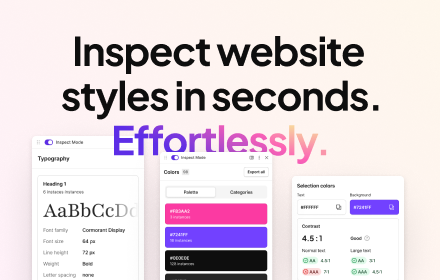
Inspect website styles in seconds. Supercharge your workflow, and save hours of work.
500.0K
★ 4.1

CSS Insight
CSS Insight — quick CSS inspection, analysis, adding and one-click copying on any webpage. The perfect tool for web developers.
11
★ 5.0

Font Detector
Detects font details on any webpage to find Fonr family, height and more
77
★ 1.0
Data sourced from the Chrome Web Store · last verified Jun 8, 2026.