
Mercury Clipboard
Fluid & Secure Clipboard Manager.
As of June 2026, Mercury Clipboard has 2 users and a 5.00/5 rating from 5 reviews in the Workflow & Planning category.
Usersdown 50.0 percent−50.0%
2
2
Ratingno change0%
5.00
5 reviews
Reviewsno change0%
5
Version
1.0
Manifest V3
History
4 snapshotsTracking since Apr 2, 2026.
View as table
| Date | Users | Rating | Reviews | Version |
|---|---|---|---|---|
| Apr 2, 2026 | 4 | 5.00 | 5 | 1.0 |
| Apr 17, 2026 | 3 | 5.00 | 5 | 1.0 |
| Apr 27, 2026 | 3 | 5.00 | 5 | 1.0 |
| May 25, 2026 | 3 | 5.00 | 5 | 1.0 |
| Now | 2 | 5.00 | 5 | 1.0 |
Permissions & access
- Permissions
- clipboardReadclipboardWritestorage
- Host access
- None declared
Screenshots


About
Stop Switching Tabs. Start Flowing.

We are honored to contribute a new chapter to your legendary Ctrl + C & Ctrl + V journey. Mercury Clipboard isn't just a tool; it's a muscle memory upgrade for your workflow.

🚀 Say Hello to Your New Favorite Shortcut: Alt + V (Mac Users: Option + V)

Forget about reaching for the top-right corner of your browser to click a tiny icon. That’s the old way. With Mercury, your clipboard history appears instantly, right where your focus is.

✨ Modern, Liquid, & Fast We hated clunky, boring extension popups too. That’s why we built Mercury with a "Liquid Flow" interface. It’s designed to feel native, smooth, and incredibly fast.

Smart Selection: Mercury intelligently highlights the item you likely need (the previous one), so you can just hit Enter and keep working.

Visual Feedback: No guessing. See exactly what you are pasting.

🔒 Your Data, Your Device (Zero Cloud) In an era of data leaks, we chose the radical path: Privacy First.

Local Storage: Your clipboard history is stored securely on your local device. It never touches our servers.

Ghost Mode (RAM Only): For the ultra-paranoid and security professionals, Mercury operates in RAM. Once you close the browser, your history vanishes forever. No trace left on the disk.

🛡️ Open Source & Auditable True privacy requires transparency. We have nothing to hide. Mercury is fully Open Source. You are invited to review the source code and verify our security promises directly via our official website.

How It Works:

Copy text as usual (Ctrl + C / Cmd + C).

Press Alt + V (or Option + V on Mac).

Select from your recent history and paste instantly.

Simple. Fast. Secure. Welcome to the Mercury flow.
Technical
- Version
- 1.0
- Manifest
- V3
- Size
- 24.52KiB
- Min Chrome
- 88
- Languages
- 1
- Featured
- No
Metadata
- ID
- mimmgdgebihdmnobinnjbnebghknihle
- Developer ID
- ua792c09cb4770d74a0f9354a06c2bec8
- Developer Email
- [email protected]
- Created
- Jan 30, 2026
- Last Updated (Store)
- Feb 10, 2026
- Last Scraped
- Jun 4, 2026
- Support URL
- https://mercury.furowlan.com/
- Privacy Policy
- https://mercury.furowlan.com/privacy.html
Similar extensions
Alternatives to Mercury Clipboard, ranked by description similarity.

ClipFlow — Clipboard History
Save your copy history. Search, manage, and recover text easily. Local storage only.
1

Copy Text Easily
Extension that lets you view and reuse clipboard history with drag and drop, and copy text with one click
30.0K
★ 3.9

WherePaste?
Never lose track of what you've copied again!
—

CopyDrop
Drag, drop, and store text & images in a private sidebar. Stay in flow, feel the focus.
7

Teleport Paste
Alt+Click to arm a box. Alt+Double Click to split screen. Select text anywhere to teleport it. Hold Ctrl/Cmd to Append.
7
★ 5.0

Clipboard History + Smart Paste
Never lose what you copied. Searchable clipboard history with smart paste options.
14
Allow Copy
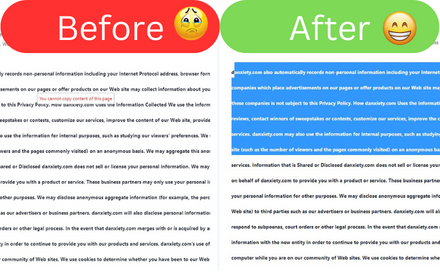
Allow Copy on every websites
353

Clipboard Manager (Multi copy & paste)
Copy multiple items to the clipboard and view them easily.
165
★ 5.0
Data sourced from the Chrome Web Store · last verified Jun 4, 2026.