
Teleport Paste
Alt+Click to arm a box. Alt+Double Click to split screen. Select text anywhere to teleport it. Hold Ctrl/Cmd to Append.
As of June 2026, Teleport Paste has 7 users and a 5.00/5 rating from 3 reviews in the Workflow & Planning category.
Usersno change0%
7
7
Ratingno change0%
5.00
3 reviews
Reviewsno change0%
3
Version
1.2
Manifest V3
History
6 snapshotsTracking since Apr 18, 2026.
View as table
| Date | Users | Rating | Reviews | Version |
|---|---|---|---|---|
| Apr 18, 2026 | 7 | 5.00 | 3 | 1.2 |
| Apr 28, 2026 | 7 | 5.00 | 3 | 1.2 |
| May 7, 2026 | 8 | 5.00 | 3 | 1.2 |
| May 15, 2026 | 7 | 5.00 | 3 | 1.2 |
| May 24, 2026 | 8 | 5.00 | 3 | 1.2 |
| Jun 3, 2026 | 6 | 5.00 | 3 | 1.2 |
| Now | 7 | 5.00 | 3 | 1.2 |
Permissions & access
- Permissions
- storage
- Host access
- <all_urls>
Screenshots


About
Stop repetitive copy-pasting and boost your productivity with Teleport Paste! This extension creates a direct link between browser tabs, allowing you to move text instantly without ever touching your clipboard.

Perfect for data entry, research, e-commerce resellers, and anyone who works across multiple windows.

**Key Features & How to Use:**

* **🎯 Instant Text Teleportation:**
    1.  To "arm" a target, hold `Alt` (or your chosen hotkey) and **Click** on any input field.
    2.  *For Google Sheets: Click the cell once to select it, then Alt+Click to arm it.*
    3.  Once armed (glowing green), go to any other page and select text. On mouse release, the text instantly teleports to the target!

* **➕ Smart Append Mode:**
    * Doing research? Hold `Ctrl` (or `Cmd` on Mac) while selecting text to **append** it to the existing content in your armed box, instead of replacing it. Great for compiling notes.

* **🖥️ Instant Split-Screen:**
    * Hold `Alt` and **Double-Click** on any input field to instantly snap your current tab to the right and tile your other windows to the left. Your perfect data-entry workspace is ready in a second.

* **⚙️ Customizable:**
    * Easily toggle the extension ON/OFF from the popup menu.
    * Change your preferred modifier key (Alt, Ctrl, Shift, or Command) in the settings.

Say goodbye to `Ctrl+C` and `Alt+Tab` fatigue. Start teleporting your text today!
Technical
- Version
- 1.2
- Manifest
- V3
- Size
- 50.34KiB
- Min Chrome
- 88
- Languages
- 1
- Featured
- No
Metadata
- ID
- cklckcpdbgapbjkibpeabalflejepcik
- Developer ID
- ue2a5688c8122f68cf671baa2b34c84fa
- Developer Email
- [email protected]
- Created
- Dec 17, 2025
- Last Updated (Store)
- Dec 17, 2025
- Last Scraped
- Jun 3, 2026
- Website
- —
- Support URL
- —
Similar extensions
Alternatives to Teleport Paste, ranked by description similarity.

Copy Text Easily
Extension that lets you view and reuse clipboard history with drag and drop, and copy text with one click
30.0K
★ 3.9

WherePaste?
Never lose track of what you've copied again!
—

.lazyPaste: Copy/Paste made easy
Easy COPY/PASTE for social network and personalized fields to store your favorite texts. Alt + C opens the extension pop-up.
22
★ 5.0

Instant ClipBoard
A powerful clipboard manager with a floating button that works on any tab
3
★ 5.0
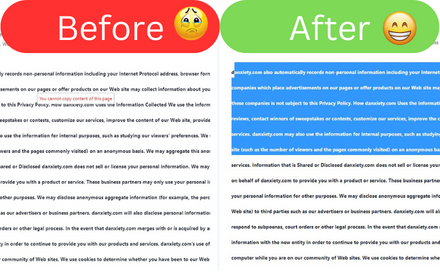
Allow Copy
Allow Copy on every websites
353

MultiCopyPaste
Numbered clipboard manager with 9 snippet slots and hotkey support
12

Copy Multiple Tab Links
Copy URLs (and titles) for highlighted tabs, all tabs in this window, or all windows—formatted as plain text, Markdown, or HTML.
152
★ 5.0

HandyPaste
HandyPaste, a versatile browser extension, streamlines text-pasting for commonly used content like emails, addresses, and more.
5
★ 5.0
Data sourced from the Chrome Web Store · last verified Jun 3, 2026.