Full Page Screenshot for Google Chrome™
Free! Quickly capture full pages with just 1 click.
As of May 2026, Full Page Screenshot for Google Chrome™ has 10,000 users and a 3.59/5 rating from 222 reviews in the Workflow & Planning category.
Usersno change0%
10.0K
10,000
Ratingup 0.3 percent+0.3%
3.59
222 reviews
Reviewsup 1.4 percent+1.4%
222
Version
3.0.1
Manifest V3
History
2 snapshotsTracking since Apr 24, 2026.
View as table
| Date | Users | Rating | Reviews | Version |
|---|---|---|---|---|
| Apr 24, 2026 | 10.0K | 3.58 | 219 | 3.0.1 |
| May 19, 2026 | 10.0K | 3.59 | 221 | 3.0.1 |
| Now | 10.0K | 3.59 | 222 | 3.0.1 |
Permissions & access
- Permissions
- scriptingactiveTab
- Host access
- None declared
Screenshots
About
Want to take a screenshot of the entire web page?

Install our software today and you can take complete page screenshots.

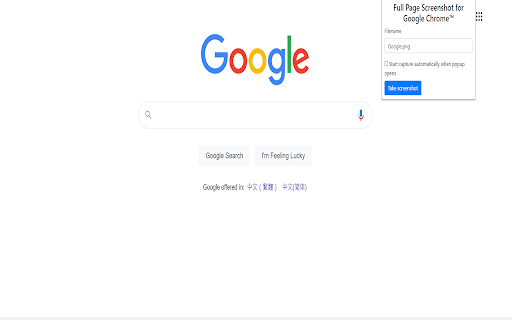
Please note if the web page is very long, dont move the mouse after clicking on the "take screenshot" button as our software will need to scroll down the page and take the screenshots & combine the screenshots together into one final screenshot image.

Our software is extremely easy to use, simply click on the extension icon and choose "take screenshot" after you are on the web page you wish to take a screenshot of.

Try using this 100% free screenshot software today! Our software does NOT save any data/capture any data about our users. The only permissions required are Downloads => needed for users to save the screenshots they take onto their own computer and Storage permissions to save the user settings for this software extension.

You can also rate our extension using the rate us button.

Disclaimer: Please note this extension is NOT made by Google and is made by an independent development team. All copyrights belong to their respective owners. Google doesn’t endorse or sponsor this extension. Full Page Screenshot for Google Chrome™ is not owned by, is not licensed by and is not a subsidiary of Google Inc.
Technical
- Version
- 3.0.1
- Manifest
- V3
- Size
- 207KiB
- Min Chrome
- 88
- Languages
- 39
- Featured
- No
Metadata
- ID
- mieibeigpaehbjcbibakjcmkocngijjl
- Developer ID
- u166bd082be0f354d408324a44e36fea5
- Developer Email
- [email protected]
- Created
- Apr 6, 2021
- Last Updated (Store)
- Feb 1, 2025
- Last Scraped
- May 19, 2026
- Website
- —
- Support URL
- —
- Privacy Policy
- https://save-photos.freebusinessapps.net/privacy-policy
Similar extensions
Alternatives to Full Page Screenshot for Google Chrome™, ranked by description similarity.

Full Page Screenshot
Capture full-page screenshots of any webpage
687
★ 1.0

Full Page Screenshot - Screen Capture
Screenshot tool for making a full page or partial screen capture with further edit, text adding and download.
3.0K
★ 4.3

webpage screenshots
One-click generation of webpage screenshots
122

Full Webpage Screenshot
Our Full-Page Screenshot Capture Extension offers a solution to the tedious process of capturing multiple screenshots of long…
336
★ 1.0

Full Page Screen Capture
Enable this extension to capture screenshots whether it's a visible screen, crop capture andfull-page screen
70.0K
★ 3.9
Full Page Screenshot: ScreenTool.io
Take Full Page Screenshots effortlessly, snip specific areas, and share in seconds.
9.0K
★ 3.9

Easy Screenshot
Capture full-page screenshots instantly. Manually select any part of the page to capture exactly what you need.
4

Snapper
An easy to use extension for taking screenshots in the browser
112
Data sourced from the Chrome Web Store · last verified May 19, 2026.