
Context Capture Saver
Save page content and YouTube transcripts as JSON files or SQLite.
As of June 2026, Context Capture Saver has 1 users in the Productivity category.
Usersno change0%
1
1
Ratingno change0%
—
— reviews
Reviewsno change0%
—
Version
1.4.2
Manifest V3
History
3 snapshotsTracking since Apr 17, 2026.
Not enough history yet for this metric — the chart fills in as we collect more snapshots.
View as table
| Date | Users | Rating | Reviews | Version |
|---|---|---|---|---|
| Apr 17, 2026 | — | — | — | 1.4.2 |
| Apr 27, 2026 | — | — | — | 1.4.2 |
| Jun 4, 2026 | — | — | — | 1.4.2 |
| Now | 1 | — | — | 1.4.2 |
Permissions & access
- Permissions
- activeTabclipboardReadcontextMenusnotificationsoffscreenscriptingstorage
- Host access
- <all_urls>
Screenshots


About
Capture useful context from websites, PDFs, and YouTube transcripts into local JSON, Markdown, and/or SQLite storage you control.

Context Capture Saver is designed for research and AI workflows where you want structured, provenance-aware data instead of ad hoc copy/paste.


Key Features

- Capture article-focused page content, not raw HTML.
- Save with notes, highlights, and queued highlight workflows.
- YouTube transcript capture with transcript-only, timestamped-segments-only, or both.
- Bubble menu support on YouTube selections, including transcript save actions.
- PDF extraction with metadata and selection-aware capture support.
- Local storage backends: `JSON` (default), `Markdown`, `SQLite`, and `JSON + SQLite` (write both).
- JSON output is always written under `json/` inside the selected folder.
- Optional structured JSON chunks (`content.chunks`) in addition to full `documentText`.
- SQLite backend uses a graph-ready schema for analytics and AI agent workflows.
- Automatic migration of legacy SQLite databases (`captures`-only schema) to the latest schema.
- Pending highlights/notes panel now shows queued annotations on-page with delete controls before save.


Capture Workflows

Websites

Use right-click menus, shortcuts, popup, or bubble actions:
- Save content
- Save content with note
- Save content with highlight
- Highlight
- Highlight with note

YouTube

On supported YouTube video pages:
- Save transcript
- Save transcript with note
- Selection bubble includes YouTube transcript actions

Transcript storage modes:
- plain transcript text
- timestamped transcript segments
- both

PDFs
- Extracts text + metadata
- Supports capture and highlight actions
- Browser PDF viewer behavior can still affect some selection UX


Data Storage Overview

JSON Mode
- Default mode.
- Writes one capture file per save.
- All JSON files are written under `json/` in the selected folder.
- Optional setting can include `content.chunks` for agent-ready chunked retrieval while keeping full text.

Markdown Mode
- Writes one `.md` file per capture with YAML frontmatter metadata.
- Body contains the core document text (no structured chunks or timestamped segments).
- Highlights and notes use footnote-style anchors (`[^hl-N]`) placed inline where the highlighted text appears, with a "Highlights & Notes" footer section.
- Markdown files follow the same folder organization options as JSON (date/type grouping).
- Markdown is a lossy format compared to JSON/SQLite -- optimized for human readability, not round-trip data interchange.

SQLite Mode
- Writes/updates a single `context-captures.sqlite` file in the selected folder.
- Uses SQL.js (no external DB server).
- Automatically upgrades legacy DBs in place.

JSON + SQLite Mode

- Writes both outputs in the same save operation.
- If one backend fails and the other succeeds, successful output is preserved and surfaced.

Privacy
- Data is written only to your selected local folder.
- No required remote backend.
- No cloud dependency in capture flow.

Open Source
The plugin is open source and you can see the source code here: https://github.com/stigoleg/Context-Capture-Saver
Technical
- Version
- 1.4.2
- Manifest
- V3
- Size
- 1.15MiB
- Min Chrome
- 88
- Languages
- 2
- Featured
- No
Metadata
- ID
- mgjjihmaehpdeenemaacmijliigolido
- Developer ID
- uf62dc4a7aaab75c00f71555d9a5b3268
- Developer Email
- [email protected]
- Created
- Feb 25, 2026
- Last Updated (Store)
- Mar 9, 2026
- Last Scraped
- Jun 10, 2026
- Website
- —
- Support URL
- —
Similar extensions
Alternatives to Context Capture Saver, ranked by description similarity.

ContextClip
Research-grade text capture with context extractionand highlighting, metadata, projects, versioning, and academic export formats.
4
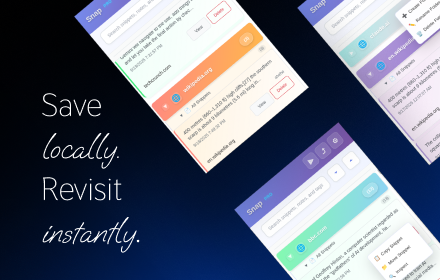
Snap - Smart Text Snippet Manager
Highlight and save text snippets with professional note-taking capabilities. Privacy-first, local storage.
14

Context Saver
Automatically save the URL, page title, and timestamp whenever you copy text from a webpage
—

ExportContext
Universal page to AI-ready data transformer. Export web content in optimized formats.
8
★ 5.0

Sidepad
Compose structured documents from LLM conversations
5

Capture & Save Web Pages
Save the current tab into a local collection with one click or Alt+P.
64

KlipCeeper Lite
Capture, annotate, and organize knowledge from the web into topic-centric streams. Export to Obsidian & Markdown.
5

Capture to PPT or PDF
가로/세로/2D 스크롤 캡처, OCR 텍스트 인식 및 강조 기능을 지원하는 스크린 캡처 확장 프로그램. PNG/JPEG/PDF 저장, 워터마크, 키워드 태그 기능 포함.
34
Data sourced from the Chrome Web Store · last verified Jun 10, 2026.