
Autotype - Free Text Expander
Eliminate repetitive typing with shortcuts and boost your productivity.
As of May 2026, Autotype - Free Text Expander has 4,000 users and a 3.59/5 rating from 37 reviews in the Workflow & Planning category.
Usersup 33.3 percent+33.3%
4.0K
4,000
Ratingno change0%
3.59
37 reviews
Reviewsno change0%
37
Version
1.0.8
Manifest V3
90-day change · In the last 90 days this extension gained 1.0K users.
History
2 snapshotsTracking since Apr 23, 2026.
View as table
| Date | Users | Rating | Reviews | Version |
|---|---|---|---|---|
| Apr 23, 2026 | 3.0K | 3.59 | 37 | 1.0.8 |
| May 19, 2026 | 3.0K | 3.59 | 37 | 1.0.8 |
| Now | 4.0K | 3.59 | 37 | 1.0.8 |
Permissions & access
- Permissions
- clipboardReadcontextMenusstorageunlimitedStorage
- Host access
- None declared
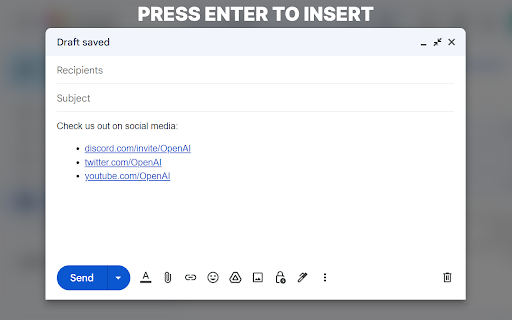
Screenshots




About
Autotype is a text expansion tool that helps you save time and effort by automating your typing.

How to use:
- Click on the extension icon or the "Open Dashboard" menu item to add/remove shortcuts.
- Set your cursor in any text input field.
- Press "Ctrl+Space" to open shortcut search.
- Select any shortcut to insert its content into the text input field.
Technical
- Version
- 1.0.8
- Manifest
- V3
- Size
- 22.38KiB
- Min Chrome
- 88
- Languages
- 1
- Featured
- Yes
Metadata
- ID
- mgcgenippnenmppgfkbhcenpamhbbcna
- Developer ID
- ue06bda29798ec9e8361ff48d040e53fc
- Developer Email
- [email protected]
- Created
- Jan 2, 2023
- Last Updated (Store)
- May 21, 2024
- Last Scraped
- May 19, 2026
- Website
- autotype.ai
- Support URL
- —
Similar extensions
Alternatives to Autotype - Free Text Expander, ranked by description similarity.

BasiText
Your in-browser template manager
141
★ 5.0

Free Auto Text Expander
Create custom keyboard shortcuts to expand and replace text as you type!
4.0K
★ 2.8

Typing Helper | Free Typing Shortcuts Assistant
Write and track text shortcuts anyplace, anywhere. Get 5 free shortcuts on us!
153
★ 5.0

Smart Text Expander
Expand your short text with long descriptive text quickly with help of this Smart Text Expander extension
1.0K
★ 3.8

Text Expander & Form Autofill for Google Chrome™
Record and replay form submissions, and use text expansion shortcuts to fill forms faster.
14

Quick T9
Modernes T9-inspiriertes Tastenfeld für schnelles Kopieren von Textbausteinen
85

0type
Quick typing test extension to improve speed and accuracy.
7
★ 5.0

ChatGPT Everywhere - TypeAhead for Chrome
Get ChatGPT Everywhere! A Chrome extension that provides AI-powered text suggestions in any input field or textarea.
64
Data sourced from the Chrome Web Store · last verified May 19, 2026.