
PDF Clipper
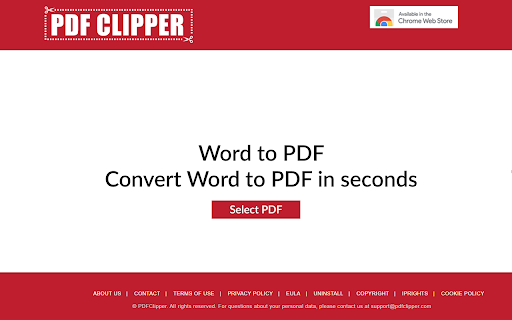
This extension Allows quick conversion for any file to PDF from the task bar icon. A new tab will show a background image.
As of June 2026, PDF Clipper has 1,000 users in the Workflow & Planning category.
Usersno change0%
1.0K
1,000
Ratingno change0%
—
— reviews
Reviewsno change0%
—
Version
1.981
Manifest V3
Permissions & access
- Permissions
- backgroundstorage
- Host access
- *://*/*
Screenshots

About
Compatible with your device.


This extension Allows quick conversion for any file to PDF from the task bar icon. A new tab will show a background image.

 It allows user to convert files in different formats to PDF.

By clicking the "Add To Chrome" button and activating the pdfclipper.com extension, setting the Chrome™ New Tab to PDFClipper with search by Bing, you are agreeing to pdfclipper.com's Terms of Agreement (found here: https://pdfclipper.com/terms) and its Privacy Policy (found here: https://pdfclipper.com/privacy).

The PDFClipper extension can be removed from the browser any time. In case, you wish to remove the extension from your browser, please visit http://pdfclipper.com/uninstall. For assistance, please contact us at [email protected].
Technical
- Version
- 1.981
- Manifest
- V3
- Size
- 2.84MiB
- Min Chrome
- 88
- Languages
- 1
- Featured
- No
Metadata
- ID
- meockjhjiadadpmodamdpcgbiajcmnid
- Developer ID
- u5cee6bdf06e7e3d8d768d4a61a7fbd28
- Developer Email
- [email protected]
- Created
- Oct 6, 2020
- Last Updated (Store)
- Aug 9, 2024
- Last Scraped
- Jun 1, 2026
- Website
- https://pdfclipper.com/
- Support URL
- —
- Privacy Policy
- https://pdfclipper.com/privacy
Similar extensions
Alternatives to PDF Clipper, ranked by description similarity.
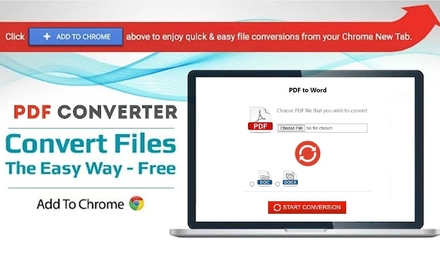
Convert PDF to Word
Free PDF File Converter - Convert PDF to DOC/DOCS for Free.
5.0K
★ 3.4

PDF2DOCS
Get access to a free and fast PDF converter with a new tab page search.
10.0K
★ 4.0
InstaPDFPro
Easily convert documents to PDF.
10.0K
★ 5.0

PoConvert
PoConvert - Fast & Easy image conversion tool
8
★ 4.6

QweTab
A customizable new tab page with shortcuts and widgets. In-app search uses your Chrome default search engine (Chrome Search API).
8.0K
★ 3.8

PdFort New tab
The best New Tab Pdf Converter, quick and easy to use.
957
MultCloud Save - Save Webpage as PDF
Save webpages in Chrome as PDF or images and save to the cloud or local.
1.0K
★ 2.9

Converter Tab
Your effortless new tab for converting anything you want
7.0K
★ 3.0
Data sourced from the Chrome Web Store · last verified Jun 1, 2026.