
Speaking Clock Online
A clock with online speaking features. It's for Google Chrome™ and Chromebook™.
As of June 2026, Speaking Clock Online has 117 users and a 2.45/5 rating from 11 reviews.
Usersdown 14.6 percent−14.6%
117
117
Ratingno change0%
2.45
11 reviews
Reviewsno change0%
11
Version
0.4
Manifest V2
History
3 snapshotsTracking since Apr 1, 2026.
View as table
| Date | Users | Rating | Reviews | Version |
|---|---|---|---|---|
| Apr 1, 2026 | 137 | 2.45 | 11 | 0.4 |
| May 2, 2026 | 139 | 2.45 | 11 | 0.4 |
| Jun 1, 2026 | 130 | 2.45 | 11 | 0.4 |
| Now | 117 | 2.45 | 11 | 0.4 |
Permissions & access
- Permissions
- ttsidlewebviewalwaysOnTopWindowsstoragenotifications
- Host access
- None declared
Screenshots

About
On line version (see my Speaking Clock for off-line).

It's simple clock, inspirated while using Chromebook™.

When taskbar is hidden you may want to know what time is. It is running on background. When clicked it speaks the current time. It's self-speaking every 15 minutes too.

Warning! This version works on line. It reads network every time you want to hear the time. Just because it uses Google Translate engine much more languages are available than in off-line version (text-to-speak engine).

Certainly it works smoothly in desktop Google Chrome™ browser too.

Prior to Google Chrome™ 34 version, you have to tap an icon to bring it to the top of screen. After the 34, it displays on the top itself.

It's tested in Chromebook™ where it works like gadget/widget, especially when taskbar is hidden.

0.4 updates:
- more options are enabled now
Technical
- Version
- 0.4
- Manifest
- V2
- Size
- 86.96KiB
- Min Chrome
- 23
- Languages
- 1
- Featured
- No
Metadata
- ID
- mddmgpeiffolljfbahhafejapdfeijgf
- Developer ID
- u58590d2af5d05e8d00373162a953038d
- Developer Email
- —
- Created
- Apr 25, 2014
- Last Updated (Store)
- Apr 25, 2014
- Last Scraped
- Jun 1, 2026
- Website
- http://www.jgui.net/
- Support URL
- —
- Privacy Policy
- —
Similar extensions
Alternatives to Speaking Clock Online, ranked by description similarity.

Desktop Clock
A resizable, customizable clock for your desktop!
—
★ 3.8

Clock for Google Chrome™
An analogue clock in the toolbar!
100.0K
★ 4.3
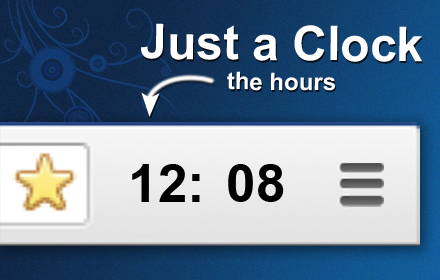
Just a Clock - the Hours
A simple digital clock for the toolbar. This is JUST THE HOURS. Pair with the minutes for an awesome readable clock in your toolbar!
10.0K
★ 4.3

Flip Clock
Tells you the time - with style.
609
★ 3.6

Toast timer - Countdown timer
A simple, sweet sensibility count down timer that works like toaster.
111
★ 5.0

Klak - New Tab
Digital Clock With Colorful Designs and open new tab clock
92
★ 5.0

Toolbar Digital Clock (12-hour version)
A digital clock for your browser toolbar. UPDATED: Ability to change colors.
879
★ 4.0
Desktop Clock Mini
A super simple clock for your chrome extension bar
1.0K
★ 5.0
Data sourced from the Chrome Web Store · last verified Jun 1, 2026.