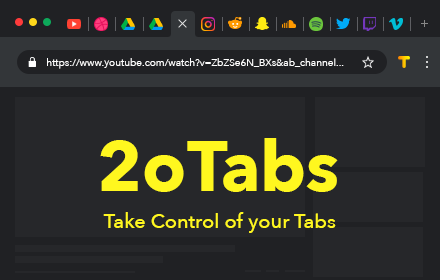
Tab Manager for Chrome™
Quick access to all opened tabs. Manage browser tabs to easily navigate and switch between them.
As of May 2026, Tab Manager for Chrome™ has 10,000 users and a 4.19/5 rating from 81 reviews in the Functionality & UI category.
Usersno change0%
10.0K
10,000
Ratingno change0%
4.19
81 reviews
Reviewsno change0%
81
Version
1.0.5
Manifest V3
History
1 snapshotsTracking since Apr 30, 2026.
View as table
| Date | Users | Rating | Reviews | Version |
|---|---|---|---|---|
| Apr 30, 2026 | 10.0K | 4.19 | 81 | 1.0.5 |
| Now | 10.0K | 4.19 | 81 | 1.0.5 |
Permissions & access
- Permissions
- tabsstoragescriptingactiveTab
- Host access
- *://*/*
Screenshots


About
Tab Manager for Chrome is a must-have extension for anyone looking to streamline their browsing experience. Designed to give you quick and easy access to all your open tabs, this tool allows you to navigate between them with just a click. No more getting lost in a sea of open tabs—Tab Manager for Chrome provides a clear and organized overview, so you can instantly find and switch to the tab you need.

Tab Manager for Chrome also lets you create custom tab groups, helping you keep related tabs organized and accessible. Whether you’re working on a project, researching multiple topics, or simply trying to keep your personal and work tabs separate, you can group your tabs and open them only when you need them. This not only declutters your browser but also improves your productivity by letting you focus on the task at hand.

With a user-friendly interface and powerful features, Tab Manager for Chrome is the perfect solution for anyone who wants to take control of their browsing and enhance their efficiency. Say goodbye to tab overload and hello to a more organized, stress-free browsing experience.

Organize browser tabs to a fully manageable list for quick search through opened tabs and easy access to any website you want. There can be created groups of opened tabs by theme, so you will be able to work exactly with needed websites and then collapse tabs altogether that will be saved for further until you want to edit or delete them.

Navigation between opened tabs became so simple with 20 Tabs. There is an opportunity to use hotkeys to find saved domain names and open tabs.

Every group of tabs is editable thus you can add or remove any tab from the list. As well there is an option to rename each group for more convenience.

How you can use 20 Tabs:

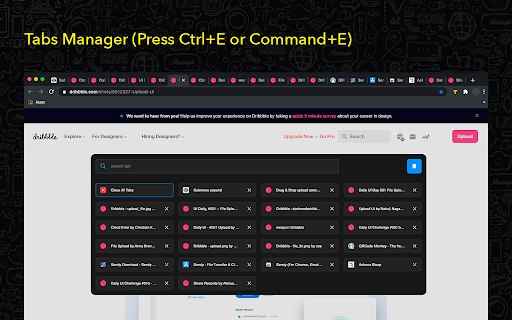
- Open a clear list of opened tabs with one click
- Navigate between tabs using a search bar
- Remove tab from the list in one click as well as add needed website
- Create groups of browser tabs
- Save to bookmark in a single click

Take control of your tabs is the every - day assistant in working with browser tabs. Press the hotkey combination to open a search bar with a list of opened tabs. The search bar appears as well to simplify navigation between websites you visit.

You are welcome with any suggestions about improvements. Visit our options page to contact us or rate.
Technical
- Version
- 1.0.5
- Manifest
- V3
- Size
- 503KiB
- Min Chrome
- 88
- Languages
- 54
- Featured
- Yes
Metadata
- ID
- mcfncmgpoefggbpeloigfonenlmamgjf
- Developer ID
- uab56958e9524eb591c5db2f88b5d220a
- Developer Email
- [email protected]
- Created
- Oct 6, 2020
- Last Updated (Store)
- Sep 3, 2024
- Last Scraped
- May 28, 2026
- Website
- tabtabtabtabtabtabtabtabtabtabtabtabtabtabtabtabtabtabtabtab.com
- Support URL
- —
Similar extensions
Alternatives to Tab Manager for Chrome™, ranked by description similarity.

Enhanced Tab Manager
Manage your browser tabs efficiently with enhanced features
121
★ 4.5

Tab Organizer
Organize your tabs with this extension.
28

Tab Manager
Tab Manager for Chrome
48

Tab Manager with Limits
Lists all open tabs, grouped by base URL, with options to switch or close tabs and set tab limits
9
★ 5.0

Cyberscience Tab Manager
Smart, intuitive tab management which lets you quickly search, close, suspend, move, mute, highlight duplicates, and more.
28
★ 5.0
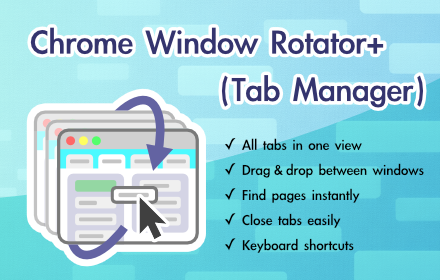
Chrome Window Rotator+ (Tab Manager)
View all tabs across windows. Find and access pages instantly. Organize with drag & drop.
108
★ 5.0

Tab Groups Manager
Automatically group tabs based on predefined domains
71
★ 5.0

Smart Modern Tab Manager - Organised Browsing
Organize browser tabs into minimalist workspaces. Save, restore, and manage tab groups with notes and tasks.
10
★ 5.0
Data sourced from the Chrome Web Store · last verified May 28, 2026.