
SF Quick Classic Setup
Quickly open SF Classic Setup without switching from Lightning Experience. Icon from Flaticon.com by Smashicons and Freepik.
As of May 2026, SF Quick Classic Setup has — users and a 5.00/5 rating from 1 reviews in the Workflow & Planning category.
Usersno change0%
—
—
Ratingno change0%
5.00
1 reviews
Reviewsno change0%
1
Version
1.0.0.1
Manifest V3
Permissions & access
- Permissions
- tabsnotifications
- Host access
- None declared
Screenshots

About
Quickly open Salesforce Classic Setup without switching from Lightning Experience. Icon from Flaticon.com by Smashicons and Freepik.
Technical
- Version
- 1.0.0.1
- Manifest
- V3
- Size
- 34.08KiB
- Min Chrome
- 88
- Languages
- 1
- Featured
- No
Metadata
- ID
- lpcdpihlcndhiehhijmggbjmiebkapgd
- Developer ID
- u98bdf469c68b4b8da8b25b53ce803899
- Developer Email
- [email protected]
- Created
- Oct 27, 2022
- Last Updated (Store)
- Oct 27, 2022
- Last Scraped
- May 20, 2026
- Website
- —
- Support URL
- —
- Privacy Policy
- —
Similar extensions
Alternatives to SF Quick Classic Setup, ranked by description similarity.

Salesforce Classic View (Lightning - Classic)
Redirects the current Salesforce Lightning page to the Classic version (automatically or manually).
257
★ 5.0

Salesforce Compass
Radial navigation menu for quick access to Salesforce pages
24
★ 5.0

Loki ⚡
Loki hates Lightning because of his brother, Thor. Loki will automatically revert a page to Classic when it is opened in Lighning.
30

SFMC Menu
A simple menu for quick access to SFMC tools.
79

Salesforce Enhanced Change Set
Enhance and streamline Salesforce Change Set creation, filtering, and navigation.
632
★ 4.3
Salesforce Shortcuts
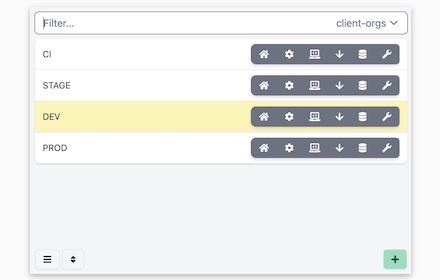
Provides quick shortcuts to most used URLs in Salesforce Orgs
77
★ 5.0

Strategi for Salesforce
Adds Strategi quick-search buttons beside Salesforce company and industry values.
2
★ 5.0

D365-Swiftpad
Navigate Dynamics as fast as YOU want.
79
Data sourced from the Chrome Web Store · last verified May 20, 2026.