Salesforce Shortcuts
Provides quick shortcuts to most used URLs in Salesforce Orgs
As of June 2026, Salesforce Shortcuts has 77 users and a 5.00/5 rating from 3 reviews in the Workflow & Planning category.
Usersup 4.1 percent+4.1%
77
77
Ratingno change0%
5.00
3 reviews
Reviewsno change0%
3
Version
1.8.1
Manifest V3
History
7 snapshotsTracking since Apr 1, 2026.
View as table
| Date | Users | Rating | Reviews | Version |
|---|---|---|---|---|
| Apr 1, 2026 | 74 | 5.00 | 3 | 1.8.1 |
| Apr 10, 2026 | 77 | 5.00 | 3 | 1.8.1 |
| Apr 22, 2026 | 79 | 5.00 | 3 | 1.8.1 |
| May 10, 2026 | 79 | 5.00 | 3 | 1.8.1 |
| May 18, 2026 | 83 | 5.00 | 3 | 1.8.1 |
| May 28, 2026 | 82 | 5.00 | 3 | 1.8.1 |
| Jun 5, 2026 | 75 | 5.00 | 3 | 1.8.1 |
| Now | 77 | 5.00 | 3 | 1.8.1 |
Permissions & access
- Permissions
- storage
- Host access
- None declared
Screenshots

About
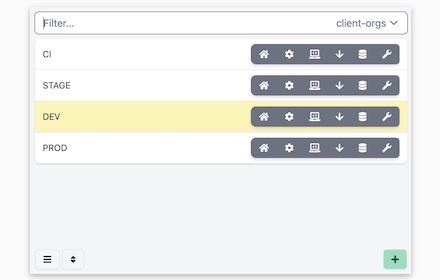
Quickly open the most used URLs in your Salesforce Orgs.

How to use it:
1) Open the extension using the "Alt + S" keyboard shortcut ("Option + S" on macOS).
2) Select your Salesforce Org with up and down arrows
3) Press "Control + 1" to open its Home page
3.a) use "Control + 2" to open Setup, or "Control + 3" to open Developer Console

You can change the default "Alt + S" shortcut by opening the following URL in your browser: chrome://extensions/shortcuts

100% safe and private. No tracking and no permissions required to run. Also, completely free.

There is also a version of this plugin that allows changing the colour of Salesforce Favicons: https://chromewebstore.google.com/detail/salesforce-shortcuts-with/pegpfhbecbiefakehnmehoaembjmican

*** Release Notes ***

--- v1.8.0 ---

Features:
- Allow exporting and importing of settings

Fixes:
- Better handling of salesforce-setup domain

--- v1.7.0 ---

Features:
- Allow searching through shortcuts when there is more than 10 of them

--- v1.6.1 ---

Improvements:
- Ask for a review on 200th usage

--- v1.6.0 ---

Features:
- It is now possible to configure the plugin to search through all the orgs even if a tag is selected

Improvements:
- Minor styling improvements in Help page

--- v1.5.2 ---

Fixes:
- Fixed the issue where the Alt keyboard shortcuts are ignored when not using the Numeric Pad

--- v1.5.1 ---

Fixes:
- Fixed the issue where the Alt keyboard shortcuts sometimes didn't execute the correct shortcut

--- v1.5.0 ---

Improvements:
- New "Help" page with basic instructions on how to use the plugin
- New "Settings" page where a different shortcut activation key can be selected (Control vs Alt/Option)

--- v1.4.2 ---

Improvements:
- Width of the Name cell will remain constant independent of the Name length
- Improved spelling in some labels

--- v1.4.1 ---

Improvements:
- Reduced the size of the drop down icon in Tag selector
- Added more robust handling of Salesforce domains to prevent adding duplicate orgs

--- v1.4.0 ---

Features:
- Orgs can now be assigned different colors
- Holding down "CTRL" will show shortcut numbers instead of icons for easier use of keyboard shortcuts

Improvements:
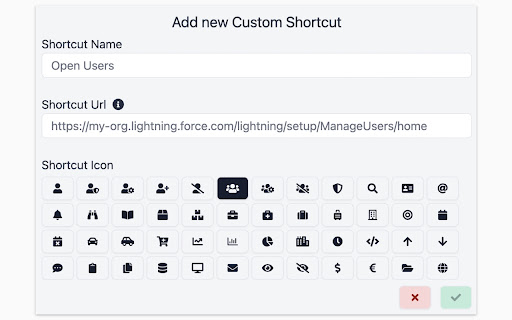
- 12 new icons are available for custom shortcuts
- When 7 or more shortcuts are displayed in the home page they are now not as narrow as before

--- v1.3.0 ---

Features:
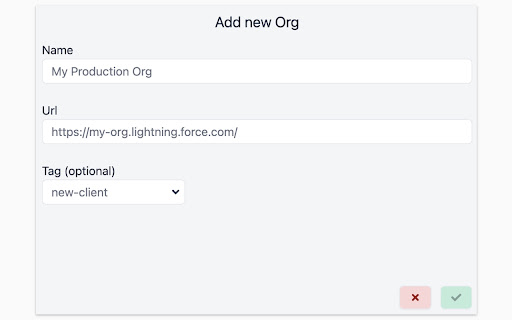
- Tags can now be added to Orgs
- Orgs can be quickly filtered by their tags
- Stored Orgs can now be edited
- Custom Shortcuts can now be reordered

Improvements:
- Explanation for "System" theme is provided

Fixes:
- Fixed the scrollbar look in Dark mode

--- v1.2.0 ---

Features:
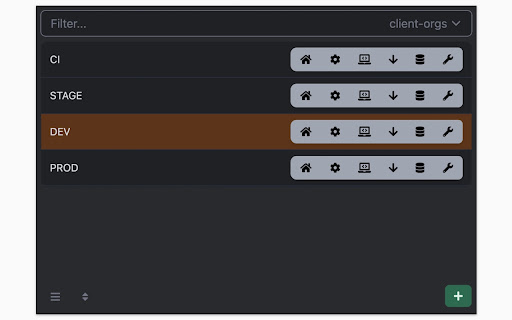
- Dark mode
- Shortcuts can now store URL query parameters

Improvements:
- Moved "Delete Org" button to Reordering screen to prevent accidental deletions
- Display plugin version in Settings
- Added "Arrow Up" and "Arrow Down" icons for Custom Shortcuts
- Added help text next to "Shortcut URL" field to make it more clear how it functions

Fixes:
- Fix the flickering when opening pages
- Focused buttons couldn't be executed when pressing "Enter" key before. Now they can, but in order to open the selected Org "Ctrl + Enter" has to be pressed.

--- v1.1.0 ---

Features:
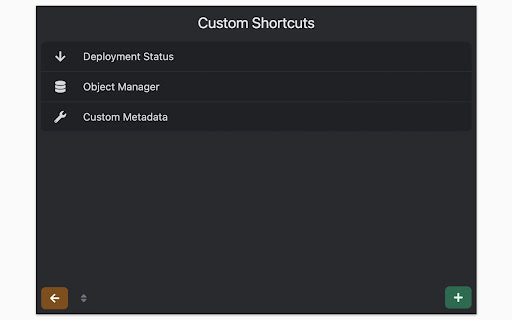
- Allow adding custom shortcuts that are applied across all Orgs
- When Org is selected, pressing the "Enter" key will execute the first action
- Allow reordering of Orgs
Technical
- Version
- 1.8.1
- Manifest
- V3
- Size
- 316KiB
- Min Chrome
- 88
- Languages
- 1
- Featured
- Yes
Metadata
- ID
- cfkgcmoiljifcbaaofinpfjgobhmnopk
- Developer ID
- u08515b09a8a71126ca31d7f12b20c5bb
- Developer Email
- [email protected]
- Created
- Feb 3, 2022
- Last Updated (Store)
- Jan 7, 2026
- Last Scraped
- Jun 5, 2026
- Website
- smukov.com
- Support URL
- —
- Privacy Policy
- —
Similar extensions
Alternatives to Salesforce Shortcuts, ranked by description similarity.
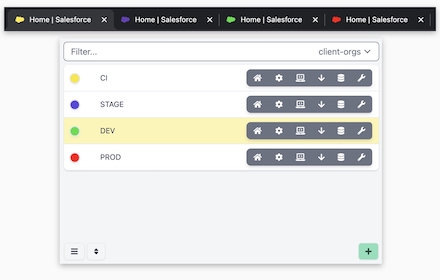
Salesforce Shortcuts with Colored Favicons
Allows you to quickly open the saved Salesforce orgs with keyboard shortcuts. It also enables you to set a colored favicon for them.
1.0K
★ 5.0

Salesforce Login Manager
Login to Salesforce Org with a single click using this Chrome Extension, effortlessly granting users instant access.
276
★ 5.0

Salesforce Navigator for Lightning
Get more done in Salesforce - list and search records, make new ones, create a task or login as on the fly!
8.0K
★ 4.4

Salesforce Change Set Helper
Enhances the Salesforce change set. Adds last changed date and allows sorting, searching, validation and comparison with other orgs.
10.0K
★ 4.4

Enhance Salesforce Header
This extension displays logged in Org/User name, current time and Logout, Dev Console, My Settings and My Profile as separate links.
148
★ 4.6

Dashboard Refresher & Tabs Revolver/Carousel
Automatically refresh salesforce dashboards, reports and rotate through open tabs. By Abaav
133

Focus Page - Your All-in-One Link Workspace for Work & Life
Your All-in-One Link, Tab, and Bookmark Manager - one place for everything you care about online | Extension & Web App available
31
★ 4.0

Extensions button
Opens Extensions tab in single click. Simple. Options available to change icon and add/remove context menu item
1.0K
★ 4.8
Data sourced from the Chrome Web Store · last verified Jun 5, 2026.