Gemoo Snap - ChatGPT Screenshot
Screenshot ChatGPT, Full Page, or Selected Area
As of May 2026, Gemoo Snap - ChatGPT Screenshot has 2,000 users and a 2.67/5 rating from 3 reviews in the Workflow & Planning category.
Usersno change0%
2.0K
2,000
Ratingno change0%
2.67
3 reviews
Reviewsno change0%
3
Version
2.0.3
Manifest V3
History
1 snapshotsTracking since Apr 30, 2026.
View as table
| Date | Users | Rating | Reviews | Version |
|---|---|---|---|---|
| Apr 30, 2026 | 2.0K | 2.67 | 3 | 2.0.3 |
| Now | 2.0K | 2.67 | 3 | 2.0.3 |
Permissions & access
- Permissions
- desktopCaptureactiveTabtabscontextMenusstoragescripting
- Host access
- https://*/*, http://*/*
Screenshots

About
Gemoo Snap is an easy-to-use screenshot tool. Capture screenshots of ChatGPT conversations, add annotations, and instantly share them with anyone.

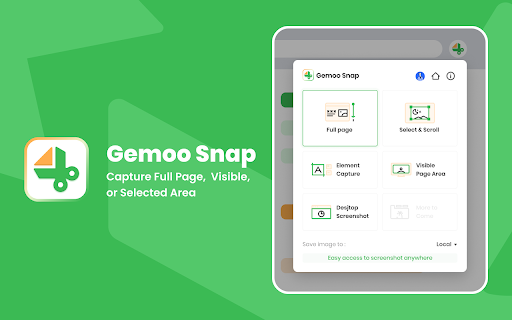
Choose from capture options like full webpages, selected areas, visible parts, or specific elements. Whether it's feedback or sharing thoughts, Gemoo Snap simplifies the process.

Key Features

1. Capture Screenshots

- Screenshot the full page of ChatGPT conversations.
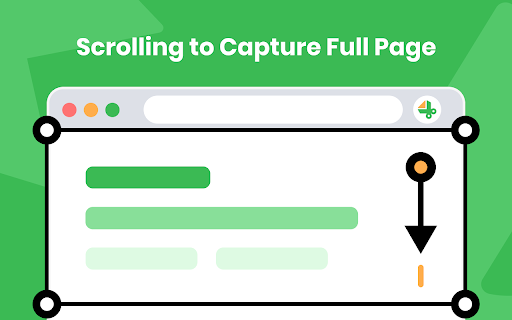
- Scroll to capture the entire web page.
- Select a specific area to capture.
- Take a screenshot of the visible portion of the screen.
- Capture specific elements of the web page.

2. Annotate Screenshots:

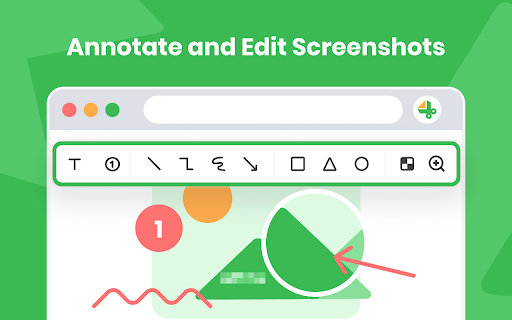
- Annotate your screenshot with shapes such as rectangles, circles, triangles, arrows, lines, and more.
- Add text to your screenshot and customize the text color and font size.
- Blur sensitive information using a mosaic effect.

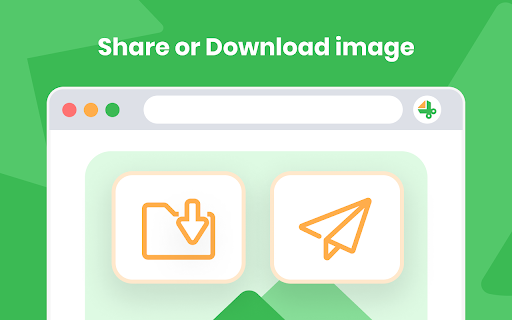
3. Share or Download Screenshots:

- Share your screenshot instantly via links.
- Save screenshots as PNG images.

4. Use Cases:

- Quick Screenshot: Capture every moment on your screen and share it with others.
- Screenshot and Annotate: Take a screenshot in a click and annotate it to make it more informative.
- Database: Save recipes, passwords, serial numbers, inspirational materials, or career knowledge for further use.

Contact us:

If you have any questions, suggestions, or feature requests, feel free to submit a report by sending a message to [email protected] anytime.
Our official site: https://gemoo.com/
Technical
- Version
- 2.0.3
- Manifest
- V3
- Size
- 2.41MiB
- Min Chrome
- 88
- Languages
- 3
- Featured
- Yes
Metadata
- ID
- lnkaeokffpieenanlbjfjboidmhmdief
- Developer ID
- uc1d474e5f0492b4054d07fc2a4c76c14
- Developer Email
- [email protected]
- Created
- Nov 4, 2022
- Last Updated (Store)
- Aug 9, 2023
- Last Scraped
- May 29, 2026
- Website
- —
- Support URL
- https://gemoo.com/support/
- Privacy Policy
- https://gemoo.com/privacy-policy/
Similar extensions
Alternatives to Gemoo Snap - ChatGPT Screenshot, ranked by description similarity.

chatGPT snapshot
Capture ChatGPT magic, thread by thread, pic by pic.
41
★ 5.0

SnapIt: ChatGPT Message Saver, Organizer & PDF Exporter
Instantly save, organize, pin, and export your best ChatGPT messages—snap it, keep it, never lose it!
139
★ 3.7
Zoho Annotator
The most elegant and efficient annotation tool.
20.0K
★ 4.7

Ask Screenshot for ChatGPT
Take a screenshot on any page and ask ChatGPT about it.
1.0K
★ 5.0

Ask Screenshot for Gemini
Take a screenshot on any page and ask Gemini about it.
4.0K
★ 4.5

ChatGPT Share 2.0 - Markdown & Image
Save and Share ChatGPT conversations in Markdown and Image formats (以Markdown和图像格式保存和共享ChatGPT对话).
127
★ 5.0

Scrolling screenshot tool & screen capture
Scrolling Screenshot tool for screen capture and screen sharing
400.0K
★ 4.3

ChatGPT to PNG
Capture ChatGPT conversations as a single long vertical image.
273
★ 1.3
Data sourced from the Chrome Web Store · last verified May 29, 2026.