Maximizer
Maximize anything! - Your screen is the limit.
As of May 2026, Maximizer has 182 users and a 2.00/5 rating from 1 reviews in the Functionality & UI category.
Usersdown 10.3 percent−10.3%
182
182
Ratingno change0%
2.00
1 reviews
Reviewsno change0%
1
Version
0.3.1
Manifest V3
History
3 snapshotsTracking since Apr 1, 2026.
View as table
| Date | Users | Rating | Reviews | Version |
|---|---|---|---|---|
| Apr 1, 2026 | 203 | 2.00 | 1 | 0.3.1 |
| Apr 30, 2026 | 204 | 2.00 | 1 | 0.3.1 |
| May 29, 2026 | 192 | 2.00 | 1 | 0.3.1 |
| Now | 182 | 2.00 | 1 | 0.3.1 |
Permissions & access
- Permissions
- contextMenus
- Host access
- None declared
Screenshots
About
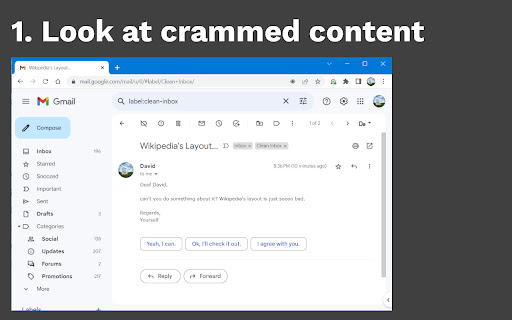
Have you ever been unsuspectingly browsing the web, trying to read an article or wanting to have a look at an image - just to be bothered by the fact that the content is too small, too narrow or too obfuscated by other stuff?
Well, worry no more! Maximizer gives you a mighty tool to only focus on what you actually desire to bother with. Just install the extension and follow these steps:

1. Visit a website you like
2. Find some content of it that's worth maximizing
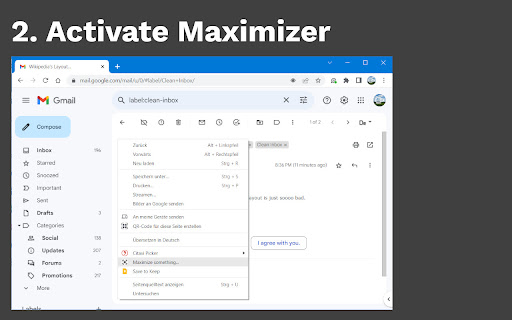
3. Right click the anywhere to open the context menu
4. Select "Maximize something..."
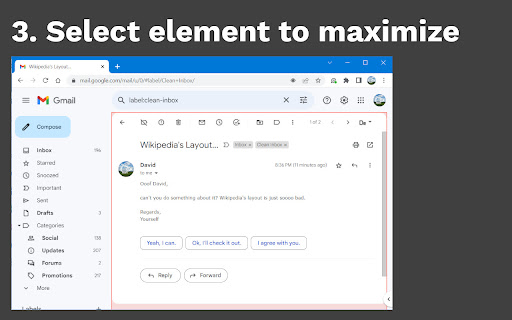
5. Hover over the specific element you want to maximize and click it
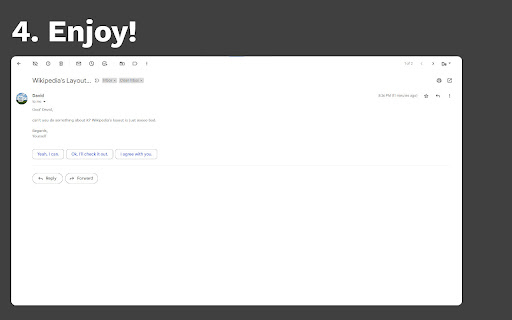
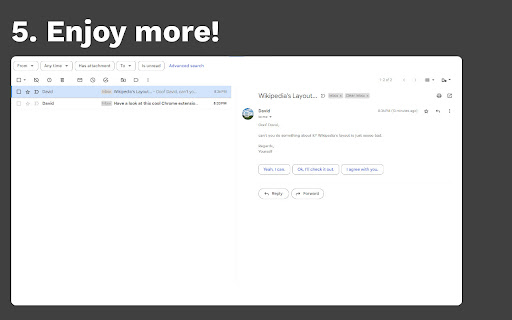
6. Enjoy the desired content in full width and height!
Technical
- Version
- 0.3.1
- Manifest
- V3
- Size
- 26.17KiB
- Min Chrome
- 88
- Languages
- 3
- Featured
- Yes
Metadata
- ID
- lmjgdlmpphlpkcbabphldnpicijfdpeb
- Developer ID
- u8c46038e33a1370eda00b1a3a75d995e
- Developer Email
- [email protected]
- Created
- Jul 15, 2023
- Last Updated (Store)
- Oct 25, 2023
- Last Scraped
- May 29, 2026
- Website
- dasdawidt.com
- Support URL
- —
- Privacy Policy
- —
Similar extensions
Alternatives to Maximizer, ranked by description similarity.

Zoom Out Chrome
Control your web page zoom with Zoom Out Chrome! This extension makes it easy to zoom out on Chrome, improving readability.
1.0K
★ 4.9

Focus Mode
Customize any web page for your needs
196
★ 4.0

Font Size Increase for Google Chrome
Increase font size on any web page with one click.
10.0K
★ 2.9

SmartZoom
SmartZoom without touchpad
11
★ 2.0

Focus Mode Activator
Dim or hide distractions for focused reading. Customize which page elements stay visible.
3

New Maximized Window
Opens a new fully maximized browser window with one click
1

1-Click Zoom
Set a global zoom or enable 1-Click mode. Right-click to configure.
15

Just Zoom It! - Smooth zoom on any webpage.
Smooth pinch-to-zoom using your mouse. Just like on a touchpad or touchscreen.
143
★ 5.0
Data sourced from the Chrome Web Store · last verified May 29, 2026.