
Username Password Generator
This generates username and password based on current website and custom rules
As of May 2026, Username Password Generator has 8 users in the Productivity category.
Usersup 33.3 percent+33.3%
8
8
Ratingno change0%
—
— reviews
Reviewsno change0%
—
Version
1.1
Manifest V3
History
4 snapshotsTracking since Apr 20, 2026.
View as table
| Date | Users | Rating | Reviews | Version |
|---|---|---|---|---|
| Apr 20, 2026 | 6 | — | — | 1.1 |
| May 5, 2026 | 7 | — | — | 1.1 |
| May 16, 2026 | 5 | — | — | 1.1 |
| May 30, 2026 | 9 | — | — | 1.1 |
| Now | 8 | — | — | 1.1 |
Permissions & access
- Permissions
- activeTabclipboardWritestorage
- Host access
- None declared
Screenshots


About
This browser extension is designed to solve the problem of managing multiple complex passwords. Instead of remembering a long list of credentials, you only need to create and remember a single set of simple rules. The extension then uses these rules, combined with the domain of the website you are visiting, to instantly generate a unique and strong username and password.

What It Does

This extension revolutionizes how you create and manage login credentials. Its primary functions are based on domain-specific generation, customization, and privacy.

The tool creates unique, site-specific credentials for every website (e.g., for google.com, facebook.com), which dramatically increases your security. You are in complete control of the generation process, with the ability to set custom rules such as prefixes, suffixes, password length, and the inclusion of special characters to meet any website's specific requirements. Credentials can be generated instantly with a single click directly on a website's login or registration page, providing a massive time-saving benefit. Most importantly, the extension prioritizes your privacy; all rules and generated credentials are processed locally on your device and are never stored on or sent to a server.

Why You Should Install It

Installing this extension provides significant benefits for your security and daily workflow.

First, you will boost your online security. By never reusing passwords, you eliminate one of the biggest risks to your online accounts. If one site is breached, your other accounts remain completely safe. Second, you can simplify your life. You no longer need to memorize countless passwords; the only thing you need to remember is your own simple, secret "recipe" for creating them. This also saves you precious time by making the login process fast and seamless, removing the need to manually type credentials or search through a password manager. Finally, the extension is designed with a clean and intuitive interface that makes setup and daily use easy and straightforward.

Updates:
1. Optimized URL parse function, more robust now.
Technical
- Version
- 1.1
- Manifest
- V3
- Size
- 62.58KiB
- Min Chrome
- 88
- Languages
- 1
- Featured
- No
Metadata
- ID
- lgjbmnehdnmfmhjfgcijnninacfnnjni
- Developer ID
- u0174f7e5039a833da3e058507f80f79d
- Developer Email
- [email protected]
- Created
- Sep 12, 2025
- Last Updated (Store)
- Sep 13, 2025
- Last Scraped
- May 30, 2026
- Website
- —
- Support URL
- —
Similar extensions
Alternatives to Username Password Generator, ranked by description similarity.

MetaPass: Strong Password Generator
A password generator that creates strong passwords by variables, no need to save passwords anymore, just calculate it.
10

IDM - Serial Number 2026
Generate strong, secure passwords instantly.
1.0K
★ 5.0

Quick Password Gen
Generates a secure password and copies it to the clipboard.
15
★ 5.0

Password Generator
A simple and secure password generator with history and strength indicator.
2
★ 5.0
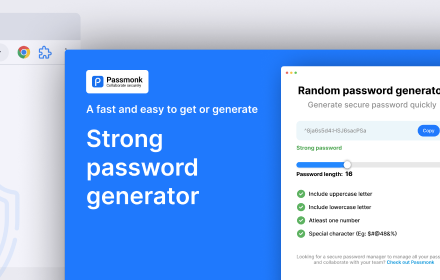
Random password generator
Generate random password of various length and complexity.
32
★ 5.0

Password Generator
Generates a random password and copies it to the clipboard.
—

Secure Password Generator
Generate secure, random passwords for your accounts.
—

Password Generator
Create strong and random passwords. Customize options and copy to clipboard with one click.
7
★ 5.0
Data sourced from the Chrome Web Store · last verified May 30, 2026.