
yyoink
Save web sources and copy clean context for AI
As of June 2026, yyoink has 4 users and a 5.00/5 rating from 1 reviews in the Productivity category.
Usersno change0%
4
4
Ratingno change0%
5.00
1 reviews
Reviewsno change0%
1
Version
2.0.1
Manifest V3
90-day change · In the last 90 days this extension 1 version update.
History
7 snapshotsTracking since Apr 6, 2026.
View as table
| Date | Users | Rating | Reviews | Version |
|---|---|---|---|---|
| Apr 6, 2026 | 4 | 5.00 | 1 | 1.1.0 |
| Apr 19, 2026 | 3 | 5.00 | 1 | 1.1.0 |
| Apr 24, 2026 | 4 | 5.00 | 1 | 1.1.0 |
| May 12, 2026 | 4 | 5.00 | 1 | 1.1.0 |
| May 21, 2026 | 2 | 5.00 | 1 | 1.1.0 |
| May 31, 2026 | 3 | 5.00 | 1 | 1.1.0 |
| Jun 8, 2026 | 4 | 5.00 | 1 | 1.1.0 |
| Now | 4 | 5.00 | 1 | 2.0.1 |
Changelog
- Jun 8, 2026description
##### yyoink v 1.1.0 #####
🐛 드롭다운 z-index 수정 - 프로젝트 셀렉터의 "New" 버튼이 아이콘에 가려지던 문제 해결
✨ 마지막 저장 프로젝트 기억 - 스니펫 저장 시 선택한 프로젝트를 기억하여 다음 저장 시 자동 선택
📦 적용 범위 - 메모, 페이지 캡처, 클립보드 붙여넣기, Force Select 모두 적용
💾 영속성 - 확장 프로그램 재시작 후에도 마지막 프로젝트 유지

--------------
웹의 모든 정보를 자유롭게 수집하세요! 복사 방지 해제부터 페이지 캡처, 프로젝트별 정리까지 - 당신의 연구와 수집을 돕는 올인원 스니펫 도구, yyoink입니다.

상세 설명 (Detailed Description)
"웹에서 무엇이든 수집하고, 당신만의 프로젝트로 만드세요."
yyoink는 웹 서핑 중 발견한 중요한 정보, 영감, 데이터 조각들을 가장 빠르고 우아하게 수집할 수 있도록 설계된 프리미엄 스니펫 관리 도구입니다. 복사 방지로 막혀있는 텍스트부터 페이지 전체의 핵심 내용까지, yyoink 하나면 충분합니다.

🚀 주요 기능
1. 강력한 복사 방지 해제 (Bypass Protection)
드래그나 우클릭이 막힌 사이트에서도 자유롭게 텍스트를 복사하세요.
강력 모드: 자바스크립트 제어 방식을 통해 그 어떤 방지 기술도 무력화합니다.
2. 원클릭 페이지 캡처 (Capture Page)
현재 보고 있는 페이지의 핵심 텍스트를 즉시 추출하여 저장합니다. 불필요한 광고나 레이아웃은 제외하고 알맹이만 골라냅니다.
3. 강제 텍스트 추출 (Force Select)
선택되지 않는 요소나 이미지 속 텍스트 영역에서도 데이터를 강제로 끌어옵니다.
4. 체계적인 프로젝트 관리
수집한 스니펫들을 프로젝트별로 분류하세요.
프로젝트마다 고유한 컬러를 지정하여 시각적으로 쉽게 구분할 수 있습니다.
5. 퀵 메모 및 붙여넣기
웹 서핑 중 떠오른 아이디어를 즉시 기록하는 'Quick Memo'.
클립보드에 복사된 내용을 한 번의 클릭으로 스니펫화하는 'Paste' 기능을 지원합니다.
============
yyoink: The All-in-One Snippet Tool
Unlock, Capture, and Organize Web Data Effortlessly.

yyoink is a premium snippet manager designed to capture inspiration and data from the web. From bypassing copy-restricted sites to organizing research by project, yyoink streamlines your digital workflow.

🚀 Key Features
Bypass Protection: Unlock right-click and drag-and-drop restrictions. Use Power Mode to neutralize advanced JavaScript blocks.

Clean Capture: Extract core text from any page instantly, stripping away ads and clutter.

Force Extraction: Grab data from unselectable elements or specific image-text areas.

Smart Projects: Categorize snippets by project with custom color-coding for visual clarity.

Quick Memo & Paste: Instantly record ideas or convert your clipboard into a saved snippet with one click.
웹에서 찾은 문장, 페이지 본문, 메모, 클립보드 텍스트를 Source로 저장하고 Topic별로 정리하세요. yyoink는 저장한 자료를 검색, 편집, 내보내기하고 AI에 붙여넣기 좋은 Context로 복사할 수 있는 로컬 중심 Chrome 확장 프로그램입니다.


yyoink는 웹 리서치와 자료 수집을 위한 Chrome 확장 프로그램입니다.

선택한 텍스트, 현재 페이지 본문, 직접 작성한 메모, 클립보드 내용을 Source로 저장하고 Topic별로 정리할 수 있습니다. 저장한 Source는 검색, 편집, 삭제, 가져오기, 내보내기를 지원하며, 선택한 Source를 citation이 포함된 AI-ready Context로 복사할 수 있습니다.

기본 기능은 외부 AI API 없이 로컬 중심으로 동작합니다.

주요 기능:
- 선택 텍스트 저장
- 현재 페이지 본문 캡처
- Topic별 Source 정리
- 선택 Source 기반 Copy Context
- 메모 및 클립보드 저장
- JSON, Markdown, Plain Text 가져오기/내보내기
- 복사 방지 페이지에서의 선택/복사 보조 기능

---------------
Save web Sources, organize them by Topic, and copy clean AI-ready Context with citations. yyoink helps you collect page text, notes, clipboard content, and selected web text in a local-first Chrome extension.

yyoink is a Chrome extension for web research and collecting useful information.

You can save selected text, page content, your own notes, and clipboard text as Sources. You can organize them by Topic, search and edit them, delete them, import or export them, and copy selected Sources as AI-ready Context with citations.

The core features work locally and do not require an external AI API.

Key features:
- Save selected text
- Capture page content
- Organize Sources by Topic
- Copy selected Sources as AI-ready Context
- Save notes and clipboard text
- Import and export JSON, Markdown, and Plain Text
- Help select and copy text on copy-restricted pages
- Jun 8, 2026short_description
Grab anything from the web - bypass copy protection, collect snippets, organize by project
Save web sources and copy clean context for AI
- Jun 8, 2026category
productivity/workflow
productivity/tools
Permissions & access
- Permissions
- storagecontextMenusactiveTabclipboardWriteclipboardReadsidePanelcontentSettings
- Host access
- <all_urls>
Screenshots


About
웹에서 찾은 문장, 페이지 본문, 메모, 클립보드 텍스트를 Source로 저장하고 Topic별로 정리하세요. yyoink는 저장한 자료를 검색, 편집, 내보내기하고 AI에 붙여넣기 좋은 Context로 복사할 수 있는 로컬 중심 Chrome 확장 프로그램입니다.


yyoink는 웹 리서치와 자료 수집을 위한 Chrome 확장 프로그램입니다.

선택한 텍스트, 현재 페이지 본문, 직접 작성한 메모, 클립보드 내용을 Source로 저장하고 Topic별로 정리할 수 있습니다. 저장한 Source는 검색, 편집, 삭제, 가져오기, 내보내기를 지원하며, 선택한 Source를 citation이 포함된 AI-ready Context로 복사할 수 있습니다.

기본 기능은 외부 AI API 없이 로컬 중심으로 동작합니다.

주요 기능:
- 선택 텍스트 저장
- 현재 페이지 본문 캡처
- Topic별 Source 정리
- 선택 Source 기반 Copy Context
- 메모 및 클립보드 저장
- JSON, Markdown, Plain Text 가져오기/내보내기
- 복사 방지 페이지에서의 선택/복사 보조 기능

---------------
Save web Sources, organize them by Topic, and copy clean AI-ready Context with citations. yyoink helps you collect page text, notes, clipboard content, and selected web text in a local-first Chrome extension.

yyoink is a Chrome extension for web research and collecting useful information.

You can save selected text, page content, your own notes, and clipboard text as Sources. You can organize them by Topic, search and edit them, delete them, import or export them, and copy selected Sources as AI-ready Context with citations.

The core features work locally and do not require an external AI API.

Key features:
- Save selected text
- Capture page content
- Organize Sources by Topic
- Copy selected Sources as AI-ready Context
- Save notes and clipboard text
- Import and export JSON, Markdown, and Plain Text
- Help select and copy text on copy-restricted pages
Technical
- Version
- 2.0.1
- Manifest
- V3
- Size
- 54.32KiB
- Min Chrome
- 88
- Languages
- 1
- Featured
- No
Metadata
- ID
- leggadoejepfihbcmelaaeofcieccahk
- Developer ID
- uad174c42ae687011c7178edb505a8a1a
- Developer Email
- [email protected]
- Created
- Jan 26, 2026
- Last Updated (Store)
- Jun 1, 2026
- Last Scraped
- Jun 8, 2026
- Website
- —
- Support URL
- —
- Privacy Policy
- https://saykim.github.io/yyoink/PrivacyGuide.html
Similar extensions
Alternatives to yyoink, ranked by description similarity.

Pickle
웹의 모든 영감을 한곳에, 피클(Pickle).
피클은 웹 서핑 중 마주치는 소중한 아이디어, 디자인 레퍼런스, 텍스트 정보를 가장 빠르고 안전하게 보관할 수 있는 '스마트 웹 아카이빙' 도구입니다.
단순히 링크만 저장하는 북마크는…
8

Today Snippet
Use a side panel library and an in-page command palette to insert frequently used snippets.
4

텍스트박스
웹에서 발견한 중요한 문구를 간단히 저장하고 체계적으로 관리하세요.
—

Clip - 웹 클리퍼
웹에서 발견한 모든 것을 한 번의 클릭으로 저장
3

CodeSnap
Your Personal Browser Scrapbook.
CodeSnap is a lightweight, high-performance tool for developers, writers, and researchers. Stop…
1
★ 5.0
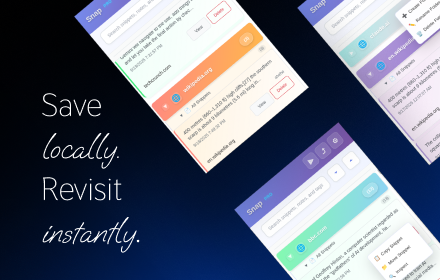
Snap - Smart Text Snippet Manager
Highlight and save text snippets with professional note-taking capabilities. Privacy-first, local storage.
14

SnapClipper
Capture, organize, and retrieve contextual web clips with one click.
10
★ 5.0

Quick Paste Pro
Quickly paste text from Side Panel and context menu
4
Data sourced from the Chrome Web Store · last verified Jun 8, 2026.