
Reepley: AI note taker for Google Meet, Zoom and MS Teams
The AI that sits in the room with you; live transcription, real-time AI answers, structured notes, and memory across sessions.
As of June 2026, Reepley: AI note taker for Google Meet, Zoom and MS Teams has 9 users in the Workflow & Planning category.
Usersup 350.0 percent+350.0%
9
9
Ratingno change0%
—
— reviews
Reviewsno change0%
—
Version
3.7.7.4
Manifest V3
90-day change · In the last 90 days this extension 4 version updates, changed permissions.
History
8 snapshotsTracking since Apr 21, 2026.
View as table
| Date | Users | Rating | Reviews | Version |
|---|---|---|---|---|
| Apr 21, 2026 | 2 | — | — | 2.7 |
| Apr 26, 2026 | 2 | — | — | 3.7 |
| May 4, 2026 | 3 | — | — | 3.7.5 |
| May 9, 2026 | 3 | — | — | 3.7.7 |
| May 14, 2026 | 5 | — | — | 3.7.7.4 |
| May 20, 2026 | 8 | — | — | 3.7.7.4 |
| May 27, 2026 | 7 | — | — | 3.7.7.4 |
| Jun 3, 2026 | 8 | — | — | 3.7.7.4 |
| Now | 9 | — | — | 3.7.7.4 |
Changelog
- May 9, 2026description
The stealth AI meeting copilot that feels like having a very fast, very attentive assistant in the room with you who is also taking notes, answering questions, and handing you a structured debrief before you've even stood up. No bots. No sidebars.

Stop settling for AI tools that only help you after the meeting is over.

Reepley is the first active, real-time meeting copilot. Not a passive scribe that forces you to open bulky sidebars that make you break your eye contact. Reepley acts like an invisible teleprompter. It listens to your call, transcribes securely, and floats live AI answers directly on your screen when you need them most.

Perfect for high-stakes sales calls, rigorous technical interviews, and client presentations. Reepley gives you the answers you need to win the meeting in the moment, without anyone else knowing it's there.

🚀 Why Reepley?
• The Invisible HUD (Heads-Up Display): No distracting sidebars. Reepley floats over your call, allowing you to focus and read insights while maintaining perfect eye contact.
• Active In-Meeting Copilot: Prospect asked a tough pricing question? Interviewer asked a complex technical concept? Reepley whispers the answer on your screen in real-time.
• 100% Bot-Free: Never invite an awkward "AI Note Taker" bot to a call again. Reepley runs entirely locally in your Chrome tab. Your clients feel respected; your conversations stay private.
• Universal Platform Support: Reepley works seamlessly across Google Meet, Zoom Web, Microsoft Teams, Discord Web, and even browser-based sales dialers.

✨ Main Features
• Live Floating AI Answers: Get real-time conversational guidance, objection-handling, and answers pushed to your screen.
• Screen Recording: Need to record a demo fast without any friction? do it in two clicks.
• Bot-less Recording & Transcription: High-fidelity audio/video capture with real-time transcription that nobody else on the call can see.
• Instant Post-Meeting Artifacts: Walk away from every call with a full transcript, and an AI-generated summary.
• Distraction-Free UI: Our UI combines your recording controls and AI insights into one sleek, unobtrusive widget that follows you across tabs.
• No Calendar Integrations Required: Just click to start. No complicated syncs, no missed meetings because an invite link broke.

💼 Who Uses Reepley?
• Sales & Account Executives: Handle objections live. Reepley floats the perfect talk-track on your screen the second a competitor is mentioned.
• Job Seekers & Candidates: Navigate grueling technical or behavioral interviews with live AI nudges to structure your answers perfectly.
• Freelancers & Consultants: Navigate strict NDAs by taking perfect notes without ever adding a visible third-party bot to the client's call.
• Product Managers: Run flawless user interviews with live context and suggested follow-up questions floating on-screen.

🔧 How It Works
Install the Reepley Chrome extension (Absolutely FREE to use).
Open your meeting (Google Meet, Zoom Web, MS Teams, etc.) and click Record.
Reepley instantly begins transcribing.
When a tough question is asked, Reepley's AI processes the context and floats the answer onto your screen instantly.
Get your full transcript instantly anytime on export.

🔒 Enterprise-Grade Privacy & Security
• No Bots: Reepley never joins your meetings as a participant.
• Private by Default: Reepley records locally via your browser.
• Data Protection: We do not sell your data or use your private meeting transcripts to train third-party AI models. All your data runs locally on your computer.

Experience the future of meetings. Stop waiting for email summaries and start getting the answers you need, the second you need them.

Add Reepley to Chrome today and get your ultimate meeting advantage.
The stealth AI meeting copilot that feels like having a brilliant assistant in the room with you. It takes structured notes, whispers live answers, and remembers every conversation—all without sending a bot to your call.

Stop settling for AI tools that only help you after the meeting is over.

Reepley is the first active, real-time meeting copilot. Not a passive scribe that forces you to open bulky sidebars that make you break your eye contact. Reepley acts like an invisible teleprompter. It listens to your call, transcribes securely, and floats live AI answers directly on your screen when you need them most.

Perfect for high-stakes sales calls, rigorous technical interviews, and client presentations. Reepley gives you the answers you need to win the meeting in the moment, without anyone else knowing it's there.

🚀 Why Reepley Crushes the Competition
• Zero-Friction Auto-Start: Never forget to record a meeting again. Reepley automatically detects when you join a Google Meet, Zoom, or Teams call and quietly boots up. No clicking required.
• 100% Bot-Free & Local: Never invite an awkward "AI Note Taker" bot to a call again. Reepley processes your audio locally on your own device. Your clients feel respected, and your sensitive conversations stay strictly private.
• The Invisible HUD (Heads-Up Display): No distracting sidebars. Reepley floats elegantly over your call, allowing you to read insights while maintaining perfect eye contact with your camera.
• Universal Platform Support: Works seamlessly across Google Meet, Zoom Web, and Microsoft Teams.

✨ Main Features
• Live Floating AI Answers: Prospect asked a tough pricing question? Interviewer asked a complex technical concept? Reepley whispers the exact answer on your screen in real-time.
• Your Private Knowledge Base: Stop relying on generic AI. Point Reepley to a folder on your computer or Google Drive. When a client asks a question, Reepley securely searches your private PDFs and docs to feed you the right answer live.
• Live Web Search: Asked about breaking news or current regulations? Reepley searches the web in the background and cites its live sources so you can speak with absolute confidence.
• "Presence" (Video Tile Overlay): Want to align the room? Turn on Presence to overlay live decisions and open questions directly onto your video tile for everyone on the call to see, without sharing your screen.
• The 3D Session Explorer: Stop losing notes in endless documents. Reepley visually maps out every conversation you’ve ever had in a beautiful 3D galaxy so you can explore past meetings by connected topics.
• Real-Time Structured Notes: Watch your meeting automatically organize itself into a clean outline (Decisions, Open Questions, Next Steps) as you speak.

💼 Who Uses Reepley?
• Sales & Account Executives: Handle objections live. Reepley floats the perfect talk-track sourced from your own battle-cards the second a competitor is mentioned.
• Freelancers & Consultants: Navigate strict NDAs. Because Reepley transcribes locally on your device, you get perfect notes without ever violating client privacy or adding a third-party bot.
• Job Seekers & Candidates: Navigate grueling technical or behavioral interviews with live AI nudges to structure your answers perfectly.
• Product Managers: Run flawless user interviews with live context and suggested follow-up questions floating on-screen.

🔧 How It Works
Install the Reepley Chrome extension (Absolutely FREE to use).
Join your Google Meet, Zoom Web, or MS Teams call.
Reepley auto-starts. It instantly begins transcribing and structuring your notes in the background.
When a tough question is asked, Reepley processes your local files or the web, and floats the answer onto your screen instantly.
Open the 3D Explorer anytime to chat with your notes and review your meeting history.

🔒 Enterprise-Grade Privacy & Security
• No Bots: Reepley never joins your meetings as a participant.
• Local By Default: We utilize advanced WebAssembly to transcribe your audio locally on your machine. Your audio never hits a cloud server.
• Data Protection: We do not sell your data or use your private meeting transcripts to train third-party AI models.

Experience the future of meetings. Stop waiting for email summaries and start getting the answers you need, the second you need them.

Add Reepley to Chrome today and get your ultimate meeting advantage.
- May 9, 2026host_permissions
https://meet.google.com/*, https://zoom.us/*, https://*.zoom.us/*, https://teams.microsoft.com/*, https://teams.live.com/*, https://www.googleapis.com/*, https://script.google.com/*
https://meet.google.com/*, https://zoom.us/*, https://*.zoom.us/*, https://teams.microsoft.com/*, https://teams.live.com/*, https://www.googleapis.com/*, https://script.google.com/*, https://cdn.jsdelivr.net/*, https://huggingface.co/*, https://*.huggingface.co/*, https://hf.co/*, https://*.hf.co/*
- May 9, 2026permissions
tabs, downloads, storage, scripting, activeTab, offscreen, desktopCapture, identity, identity.email, windows, alarms
tabs, downloads, storage, scripting, activeTab, offscreen, desktopCapture, identity, identity.email, windows, alarms, tabCapture
- May 4, 2026short_description
The AI that sits in the room with you - live transcription, real-time AI answers, structured notes, and memory across sessions.
The AI that sits in the room with you; live transcription, real-time AI answers, structured notes, and memory across sessions.
- May 4, 2026host_permissions
<all_urls>, https://www.googleapis.com/
https://meet.google.com/*, https://zoom.us/*, https://*.zoom.us/*, https://teams.microsoft.com/*, https://teams.live.com/*, https://www.googleapis.com/*, https://script.google.com/*
- May 4, 2026permissions
tabs, downloads, storage, scripting, activeTab, offscreen, desktopCapture, identity, identity.email, windows
tabs, downloads, storage, scripting, activeTab, offscreen, desktopCapture, identity, identity.email, windows, alarms
- Apr 26, 2026short_description
The AI that sits in the room with you — live transcription, real-time answers to questions, and structured notes.
The AI that sits in the room with you - live transcription, real-time AI answers, structured notes, and memory across sessions.
- Apr 26, 2026permissions
tabs, downloads, storage, scripting, activeTab, offscreen, desktopCapture, identity, identity.email
tabs, downloads, storage, scripting, activeTab, offscreen, desktopCapture, identity, identity.email, windows
- Apr 21, 2026description
Effortless Bug Reporting & UX Capture, Powered by AI.

Reepley bridges the gap between technical and non-technical teams with AI-powered analysis that turns every interaction into actionable documentation and developer-ready insights. Empowering your non-technical users to give clarity on technical issues in just one click.
It automates the tedious process of documenting bugs, user flows, and feedback sessions, blending hours of manual work into regular user flows. Stop writing bug reports and start fixing them.

What Reepley Does For You:

AI-Powered Flow & Bug Capture: This is Reepley's superpower. Simply click "Start Flow" and perform any user journey. Reepley works silently in the background, automatically capturing:
- User Interactions: A step-by-step timeline of every meaningful click.
- Technical Data: Console errors, failed network requests, and performance bottlenecks.
- AI-Generated Bug Tickets: Instantly get comprehensive, Jira-style bug tickets with reproduction steps, expected vs. actual behavior, and all the technical details a developer needs.
- Visual Flow Diagrams: Understand the user's path at a glance with automatically generated diagrams.

Smart Screen & Audio Recording: Need to show, not just tell?
- Capture crisp screen or audio-only recordings to perfectly document a process or provide visual context for your explanations.
- Connect your Google Drive to automatically save all your recordings to the cloud, or download them directly to your computer.

Live Transcription with AI Summaries: Capture the "why" behind the "what."
- Get a live, real-time transcript of any meeting, user interview, or browser tab audio.
- Let our AI instantly distill long conversations into key takeaways, action items, and concise summaries. Perfect for those meetings your bots can't join.

Who is Reepley for?
Reepley is built for high-efficiency teams who value clarity and speed:

- QA Engineers & Testers: Create perfect, reproducible bug reports in seconds.

- Product Managers & UX Designers: Capture and understand user flows and feedback without interrupting your users.

- Developers: Receive bug reports with all the context you need to start debugging immediately. No more "I can't reproduce it."

- Support & Success Teams: Easily document customer issues with video and technical logs.

Why Install Reepley?
- Save Countless Hours: Automate the most time-consuming parts of quality assurance and product feedback.

- Eliminate Guesswork: Create bug reports that are 100% accurate and packed with context.
Improve Collaboration: Share clear, actionable, and professional reports that your entire team will love.

Install Reepley today and revolutionize your development and feedback workflow.
The stealth AI meeting copilot that feels like having a very fast, very attentive assistant in the room with you who is also taking notes, answering questions, and handing you a structured debrief before you've even stood up. No bots. No sidebars.

Stop settling for AI tools that only help you after the meeting is over.

Reepley is the first active, real-time meeting copilot. Not a passive scribe that forces you to open bulky sidebars that make you break your eye contact. Reepley acts like an invisible teleprompter. It listens to your call, transcribes securely, and floats live AI answers directly on your screen when you need them most.

Perfect for high-stakes sales calls, rigorous technical interviews, and client presentations. Reepley gives you the answers you need to win the meeting in the moment, without anyone else knowing it's there.

🚀 Why Reepley?
• The Invisible HUD (Heads-Up Display): No distracting sidebars. Reepley floats over your call, allowing you to focus and read insights while maintaining perfect eye contact.
• Active In-Meeting Copilot: Prospect asked a tough pricing question? Interviewer asked a complex technical concept? Reepley whispers the answer on your screen in real-time.
• 100% Bot-Free: Never invite an awkward "AI Note Taker" bot to a call again. Reepley runs entirely locally in your Chrome tab. Your clients feel respected; your conversations stay private.
• Universal Platform Support: Reepley works seamlessly across Google Meet, Zoom Web, Microsoft Teams, Discord Web, and even browser-based sales dialers.

✨ Main Features
• Live Floating AI Answers: Get real-time conversational guidance, objection-handling, and answers pushed to your screen.
• Screen Recording: Need to record a demo fast without any friction? do it in two clicks.
• Bot-less Recording & Transcription: High-fidelity audio/video capture with real-time transcription that nobody else on the call can see.
• Instant Post-Meeting Artifacts: Walk away from every call with a full transcript, and an AI-generated summary.
• Distraction-Free UI: Our UI combines your recording controls and AI insights into one sleek, unobtrusive widget that follows you across tabs.
• No Calendar Integrations Required: Just click to start. No complicated syncs, no missed meetings because an invite link broke.

💼 Who Uses Reepley?
• Sales & Account Executives: Handle objections live. Reepley floats the perfect talk-track on your screen the second a competitor is mentioned.
• Job Seekers & Candidates: Navigate grueling technical or behavioral interviews with live AI nudges to structure your answers perfectly.
• Freelancers & Consultants: Navigate strict NDAs by taking perfect notes without ever adding a visible third-party bot to the client's call.
• Product Managers: Run flawless user interviews with live context and suggested follow-up questions floating on-screen.

🔧 How It Works
Install the Reepley Chrome extension (Absolutely FREE to use).
Open your meeting (Google Meet, Zoom Web, MS Teams, etc.) and click Record.
Reepley instantly begins transcribing.
When a tough question is asked, Reepley's AI processes the context and floats the answer onto your screen instantly.
Get your full transcript instantly anytime on export.

🔒 Enterprise-Grade Privacy & Security
• No Bots: Reepley never joins your meetings as a participant.
• Private by Default: Reepley records locally via your browser.
• Data Protection: We do not sell your data or use your private meeting transcripts to train third-party AI models. All your data runs locally on your computer.

Experience the future of meetings. Stop waiting for email summaries and start getting the answers you need, the second you need them.

Add Reepley to Chrome today and get your ultimate meeting advantage.
- Apr 21, 2026short_description
Screen recorder with live transcription, note-taking, and user flow capture.
The AI that sits in the room with you — live transcription, real-time answers to questions, and structured notes.
- Apr 21, 2026name
Reepley
Reepley: AI note taker for Google Meet, Zoom and MS Teams
- Apr 21, 2026category
productivity/developer
productivity/workflow
- Apr 21, 2026permissions
tabs, downloads, storage, tabCapture, scripting, activeTab, sidePanel, offscreen, desktopCapture, identity, identity.email
tabs, downloads, storage, scripting, activeTab, offscreen, desktopCapture, identity, identity.email
Permissions & access
- Permissions
- tabsdownloadsstoragescriptingactiveTaboffscreendesktopCaptureidentityidentity.emailwindowsalarmstabCapture
- Host access
- https://meet.google.com/*, https://zoom.us/*, https://*.zoom.us/*, https://teams.microsoft.com/*, https://teams.live.com/*, https://www.googleapis.com/*, https://script.google.com/*, https://cdn.jsdelivr.net/*, https://huggingface.co/*, https://*.huggingface.co/*, https://hf.co/*, https://*.hf.co/*
Screenshots


About
The stealth AI meeting copilot that feels like having a brilliant assistant in the room with you. It takes structured notes, whispers live answers, and remembers every conversation—all without sending a bot to your call.

Stop settling for AI tools that only help you after the meeting is over.

Reepley is the first active, real-time meeting copilot. Not a passive scribe that forces you to open bulky sidebars that make you break your eye contact. Reepley acts like an invisible teleprompter. It listens to your call, transcribes securely, and floats live AI answers directly on your screen when you need them most.

Perfect for high-stakes sales calls, rigorous technical interviews, and client presentations. Reepley gives you the answers you need to win the meeting in the moment, without anyone else knowing it's there.

🚀 Why Reepley Crushes the Competition
• Zero-Friction Auto-Start: Never forget to record a meeting again. Reepley automatically detects when you join a Google Meet, Zoom, or Teams call and quietly boots up. No clicking required.
• 100% Bot-Free & Local: Never invite an awkward "AI Note Taker" bot to a call again. Reepley processes your audio locally on your own device. Your clients feel respected, and your sensitive conversations stay strictly private.
• The Invisible HUD (Heads-Up Display): No distracting sidebars. Reepley floats elegantly over your call, allowing you to read insights while maintaining perfect eye contact with your camera.
• Universal Platform Support: Works seamlessly across Google Meet, Zoom Web, and Microsoft Teams.

✨ Main Features
• Live Floating AI Answers: Prospect asked a tough pricing question? Interviewer asked a complex technical concept? Reepley whispers the exact answer on your screen in real-time.
• Your Private Knowledge Base: Stop relying on generic AI. Point Reepley to a folder on your computer or Google Drive. When a client asks a question, Reepley securely searches your private PDFs and docs to feed you the right answer live.
• Live Web Search: Asked about breaking news or current regulations? Reepley searches the web in the background and cites its live sources so you can speak with absolute confidence.
• "Presence" (Video Tile Overlay): Want to align the room? Turn on Presence to overlay live decisions and open questions directly onto your video tile for everyone on the call to see, without sharing your screen.
• The 3D Session Explorer: Stop losing notes in endless documents. Reepley visually maps out every conversation you’ve ever had in a beautiful 3D galaxy so you can explore past meetings by connected topics.
• Real-Time Structured Notes: Watch your meeting automatically organize itself into a clean outline (Decisions, Open Questions, Next Steps) as you speak.

💼 Who Uses Reepley?
• Sales & Account Executives: Handle objections live. Reepley floats the perfect talk-track sourced from your own battle-cards the second a competitor is mentioned.
• Freelancers & Consultants: Navigate strict NDAs. Because Reepley transcribes locally on your device, you get perfect notes without ever violating client privacy or adding a third-party bot.
• Job Seekers & Candidates: Navigate grueling technical or behavioral interviews with live AI nudges to structure your answers perfectly.
• Product Managers: Run flawless user interviews with live context and suggested follow-up questions floating on-screen.

🔧 How It Works
Install the Reepley Chrome extension (Absolutely FREE to use).
Join your Google Meet, Zoom Web, or MS Teams call.
Reepley auto-starts. It instantly begins transcribing and structuring your notes in the background.
When a tough question is asked, Reepley processes your local files or the web, and floats the answer onto your screen instantly.
Open the 3D Explorer anytime to chat with your notes and review your meeting history.

🔒 Enterprise-Grade Privacy & Security
• No Bots: Reepley never joins your meetings as a participant.
• Local By Default: We utilize advanced WebAssembly to transcribe your audio locally on your machine. Your audio never hits a cloud server.
• Data Protection: We do not sell your data or use your private meeting transcripts to train third-party AI models.

Experience the future of meetings. Stop waiting for email summaries and start getting the answers you need, the second you need them.

Add Reepley to Chrome today and get your ultimate meeting advantage.
Technical
- Version
- 3.7.7.4
- Manifest
- V3
- Size
- 3.27MiB
- Min Chrome
- 88
- Languages
- 1
- Featured
- No
Metadata
- ID
- ldfhnjnndjadmmkemmggilckfcjdgckg
- Developer ID
- uc474f3e484776b518666f9e40904a3f0
- Developer Email
- [email protected]
- Created
- Jul 21, 2025
- Last Updated (Store)
- May 8, 2026
- Last Scraped
- Jun 9, 2026
- Website
- —
- Support URL
- —
- Privacy Policy
- https://reepley.framer.website/privacy
Similar extensions
Alternatives to Reepley: AI note taker for Google Meet, Zoom and MS Teams, ranked by description similarity.

Revo Capture
Screenshot, Annotation and Issue Capture.
1.0K
★ 5.0

Flow Recorder
Powerful way to record, automate, and share user journeys. Generate automation scripts and interactive guides with cloud sync.
6

Revo
Revo, the AI that gets work done.
216
★ 5.0
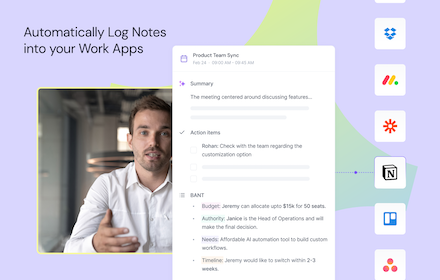
Fireflies: AI meeting notes
Record & Transcribe meetings & calls directly from the browser with free unlimited transcriptions
100.0K
★ 4.5

Steps Recorder
Record steps made easy
80
★ 5.0

Rocket Reply
Rocket Reply is a cutting-edge tool designed to automate repetitive tasks, manage user feedback
11
★ 5.0

Flonnect Enterprise: Video, Steps & Bug Reports
Seamlessly capture screen, record meetings, document workflows, and report bugs—designed for enterprise teams.
27
Reelia Record - Screen Recorder & Editor
Record screen, website and webcam to a video - free, quick and easy.
7.0K
★ 4.7
Data sourced from the Chrome Web Store · last verified Jun 9, 2026.