
.lazyPaste: Copy/Paste made easy
Easy COPY/PASTE for social network and personalized fields to store your favorite texts. Alt + C opens the extension pop-up.
As of June 2026, .lazyPaste: Copy/Paste made easy has 22 users and a 5.00/5 rating from 1 reviews in the Workflow & Planning category.
Usersup 15.8 percent+15.8%
22
22
Ratingno change0%
5.00
1 reviews
Reviewsno change0%
1
Version
1.0
Manifest V3
History
3 snapshotsTracking since Apr 1, 2026.
View as table
| Date | Users | Rating | Reviews | Version |
|---|---|---|---|---|
| Apr 1, 2026 | 19 | 5.00 | 1 | 1.0 |
| May 3, 2026 | 18 | 5.00 | 1 | 1.0 |
| Jun 2, 2026 | 20 | 5.00 | 1 | 1.0 |
| Now | 22 | 5.00 | 1 | 1.0 |
Permissions & access
- Permissions
- storage
- Host access
- None declared
Screenshots


About
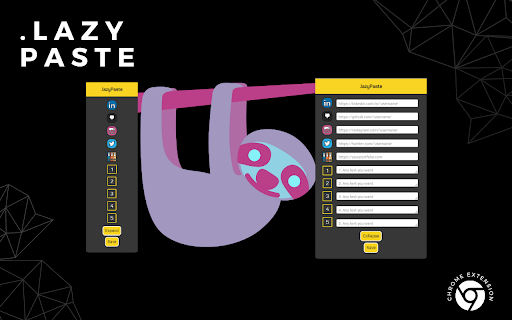
A simple chrome extension to make copying & pasting your favorite links/texts an easy process for job applications.

1. To easily access it, just press "Alt + C" while in Chrome
2. Press EXPAND and fill out the desired fields
3. Press SAVE (you can then COLLAPSE if you wish)
4. Left Click on the icon or number relative to the input field you inserted your text - this will COPY that text to your CLIPBOARD
5. Ctrl + V to paste at the desired location

IMPORTANT
* After filling one of the fields with your desired text, you need to press SAVE in order to keep it stored. If you click outside of the pop-up before pressing SAVE you will lose the text.

* You can fill one field at a time and SAVE or fill them all and press SAVE at the end, it's up to you.

* Text is stored even after you shut down your PC as long as you're logged in a Google Account when saving and opening Chrome

* To remove stored text, clear the desired field and when it is empty, click SAVE

* You can temporarily resize fields 1 through 5 to look at what is stored for long texts
Technical
- Version
- 1.0
- Manifest
- V3
- Size
- 157KiB
- Min Chrome
- 88
- Languages
- 1
- Featured
- No
Metadata
- ID
- lcihbddlnmagmijpdjagepbgocchbggb
- Developer ID
- u5a7e1e66a7174952106268ffa962c596
- Developer Email
- [email protected]
- Created
- Jul 30, 2022
- Last Updated (Store)
- Jul 30, 2022
- Last Scraped
- Jun 2, 2026
- Website
- —
- Support URL
- https://github.com/frcavalcanti
- Privacy Policy
- —
Similar extensions
Alternatives to .lazyPaste: Copy/Paste made easy, ranked by description similarity.

Quick Copy Clipboard
A clipboard extension used to copy strings quickly.
48
★ 5.0

Auto Copy
Automatically copy selected text from any website to your clipboard!
3.0K
★ 3.1

Text Snippet Saver
Save and copy text snippets easily
151

Rightclick Text Paster
Paste your LinkedIn, personal website, or GitHub URL with a right-click. Can be used for any other text if you'd like
4

Keep it Quick
A context menu extension for quick access to stored text snippets
158
★ 3.0

URL Hub
Store and organize your favorite URLs and profile links
11
★ 5.0

Clipper
Easy click to copy & pase text clips from extension, dedicated 'Email' button. Create notes, bookmarks, email templates, etc.
5.0K
★ 4.2

Quick Clipboard History
Save, search, and manage clipboard history easily.
15
★ 5.0
Data sourced from the Chrome Web Store · last verified Jun 2, 2026.