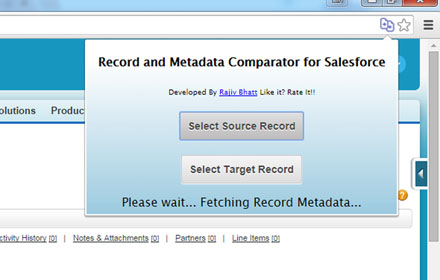
Record and Metadata Comparator for Salesforce
Compare Record data values and object metadata in Salesforce
As of June 2026, Record and Metadata Comparator for Salesforce has 4,000 users and a 4.70/5 rating from 40 reviews in the Workflow & Planning category.
Usersno change0%
4.0K
4,000
Ratingno change0%
4.70
40 reviews
Reviewsno change0%
40
Version
0.0.0.10
Manifest V3
Permissions & access
- Permissions
- tabsactiveTabscriptingcookiesstorage
- Host access
- https://*.salesforce.com/*, https://*.force.com/*, https://*.cloudforce.com/*
Screenshots


About
Compare Object Metadata and it's record values in Salesforce (now supports Lightning!) and see all differences in just four clicks!

Credits:
1. sorenkrabbe for his extension "salesforce-inspector" available @ https://chrome.google.com/webstore/detail/salesforce-inspector/aodjmnfhjibkcdimpodiifdjnnncaafh
I have used the code shared by him to improvise and develop this extension. I would share the code of this extension on github soon.

2. Maninder Singh for enabling the extension to work in Lightning -https://www.linkedin.com/in/mansinghinder/

This extension compares any two objects or its records (could be from same org or different orgs) and highlights all the differences found. It can show you the following

- Which fields are missing in target org.
- Which fields are missing in source org
- which fields have metadata difference (change in formula, datatype , required etc.)
- which fields have data value mismatch

Please watch the video tutorial available @ http://youtu.be/mkarbbYWveY to understand the exact functionality and its uses.

Steps to compare Object Metadata:

1. Open up the custom object definition or it's list view or any of it's record in salesforce.  This is your source record. Click on the extension icon and then click on the "Select Source Record" button.

2. After that, open up the custom definition of the same object or it's list view or the record (could be from same org or different org). This is your target record. Click on the extension icon and then click on the "Select Target record" button.

3. The extension would create a popup and in that show you all the differences that were found.

Steps to compare Record Values:
1. open any record from a standard/custom object in one org. This is your source record. Click on the extension icon and then click on the "Select Source Record" button.
2. After that, open up any other record for the same object (could be from same org or different org). This is your target record. Click on the extension icon and then click on the "Select Target record" button.
3. The extension would create a popup and in that show you all the differences that were found.

Do recommend the extension with you friends and colleagues if you like it.

Also, if you like the extension, please don't forget to Rate it on the Chrome Extension Webstore.

Feedback/Suggestions/Ideas/Comments most welcome.

Thanks again and I hope this extension saves your time and makes you more productive!

For any queries: [email protected]
Technical
- Version
- 0.0.0.10
- Manifest
- V3
- Size
- 84.64KiB
- Min Chrome
- 88
- Languages
- 1
- Featured
- No
Metadata
- ID
- laghgcpekjofijkmojnhfeiplbffaljp
- Developer ID
- u80af8c3bd96af409254b559258739f81
- Developer Email
- [email protected]
- Created
- Sep 29, 2014
- Last Updated (Store)
- Jun 11, 2025
- Last Scraped
- Jun 1, 2026
- Website
- —
- Support URL
- —
Similar extensions
Alternatives to Record and Metadata Comparator for Salesforce, ranked by description similarity.
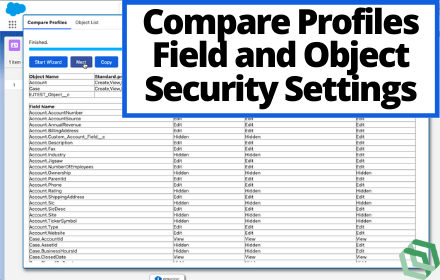
Dewwow for Salesforce
Helps Admins, Developers, and Consultants with Salesforce
265
★ 5.0

Salesforce Record Comparator
It Compare same or diffrent org. records
998
★ 4.0

Salesforce Change Set Helper
Enhances the Salesforce change set. Adds last changed date and allows sorting, searching, validation and comparison with other orgs.
10.0K
★ 4.4

Salesforce MetaData Deployment
View all of your deployed components
170
★ 5.0
Enhance Salesforce Dashboard
Auto Refresh and up to 7 Columns Salesforce Dashboard.
20.0K
★ 4.3

FLS Comparator
FLS Comparator - Automation to compare Field Level Security to a different field or to a new field in the same or different SFDC Org
595
★ 4.9

DESelect Search in Salesforce Marketing Cloud
Easily search for objects in SFMC: all Content Builder objects, data extensions, query activities, data filters, automations, ...
2.0K
★ 4.8

Panaya ForeSight - Salesforce Discovery
Foresee dependencies and analyze the impact before making any change in your Salesforce Org
226
★ 5.0
Data sourced from the Chrome Web Store · last verified Jun 1, 2026.