
MiroMiro
Inspect any website's design: extract colors, fonts, spacing, SVGs, Lottie animations, and export to code. No DevTools needed.
As of June 2026, MiroMiro has 10,000 users and a 5.00/5 rating from 12 reviews in the Developer Tools category.
Usersup 25.0 percent+25.0%
10.0K
10,000
Ratingno change0%
5.00
12 reviews
Reviewsup 9.1 percent+9.1%
12
Version
2.0.1
Manifest V3
90-day change · In the last 90 days this extension gained 2.0K users, 4 version updates, changed permissions.
History
7 snapshotsTracking since Apr 1, 2026.
View as table
| Date | Users | Rating | Reviews | Version |
|---|---|---|---|---|
| Apr 1, 2026 | 8.0K | 5.00 | 11 | 1.6 |
| Apr 16, 2026 | 8.0K | 5.00 | 11 | 1.7 |
| May 2, 2026 | 6.0K | 5.00 | 11 | 1.7 |
| May 7, 2026 | 6.0K | 5.00 | 11 | 1.9.0 |
| May 11, 2026 | 9.0K | 5.00 | 11 | 1.9.0 |
| May 23, 2026 | 10.0K | 5.00 | 12 | 1.9.0 |
| Jun 10, 2026 | 10.0K | 5.00 | 12 | 2.0.0 |
| Now | 10.0K | 5.00 | 12 | 2.0.1 |
Changelog
- May 2, 2026description
Inspect any website's design without opening DevTools.

MiroMiro is a CSS inspector and design tool that lets you extract colors, fonts, spacing, images, and code from any website. Hover over any element, see its CSS properties, and copy what you need with one click.

Features:
- CSS inspector: hover over any element to see computed styles, spacing, and layout
- Color picker and palette extractor: grab every color on a page in HEX, RGB, HSL, or OKLCH
- Font detector: identify font families, sizes, weights, and line heights
- Image and SVG downloader: save images, SVGs, videos, and Lottie animations
- Code exporter: export any component as clean HTML, CSS, or Tailwind
- Design token generator: extract tokens for Tailwind, CSS variables, or JSON
- Contrast checker: test color pairs against WCAG 2.0 accessibility standards

Who uses MiroMiro:
Web designers collecting color palettes, font combinations, and visual references
Frontend developers grabbing CSS values, inspecting layouts, and extracting assets
UX designers checking accessibility and color contrast across pages
Agencies analyzing competitor websites and gathering client brand assets

How it works:
Open MiroMiro from the Chrome side panel and browse any website. Colors, fonts, images, and assets are extracted automatically. Click any element to see its full CSS breakdown. Copy or download anything with one click.

No DevTools needed. Just hover, click, and copy.

Free to use with core features. Upgrade to Pro for bulk exports, full page accessibility scans, and unlimited extractions.

Learn more at miromiro.app
MiroMiro is the design toolkit for the web. Inspect any website, extract its colors, fonts, components, and assets, edit styles live like in Figma, and export clean code, all without opening DevTools.

What you can do:

• Inspect & edit live. Hover any element to see its styles. Click to open the Editor panel and change colors, fonts, spacing, borders, opacity, and shadows in real time. The page updates as you type.

• Click to copy any value. The Info tab shows every property of the selected element as a copyable chip. Grab a hex color, a font family, a shadow, a border-radius. One click, on your clipboard.

• Export to code. Select any section of a page and export it as clean Tailwind or HTML + CSS.

• Capture the design system. The Overview gives you the site's full color palette, font stack, spacing scale, radius style, shadow tier, and detected tech stack at a glance.

• Download assets. Pull images, SVGs, and Lottie animations directly from any website. No more right-click-save-as.

• Accessibility checker. Built-in WCAG contrast analysis on any text element you select.

• Design tokens. Extract tokens for Tailwind, CSS variables, or JSON.

Who uses MiroMiro:
- Web designers collecting color palettes, font combinations, and visual references
- Frontend developers grabbing CSS values, inspecting layouts, and extracting assets
- UX designers checking accessibility and color contrast across pages
- Agencies analyzing competitor websites and gathering client brand assets

How it works:
Open MiroMiro from the Chrome side panel and browse any website. Colors, fonts, images, and assets are extracted automatically. Click any element to see its full CSS breakdown. In the Editor tab, change any value and watch the page update in real time. Copy or download anything with one click.

No DevTools needed. Just hover, click, and copy.

Free for 3 days with full access. Upgrade to Pro for unlimited exports, full page accessibility scans, and unlimited extractions.

Learn more at miromiro.app
- May 2, 2026host_permissions
<all_urls>
<all_urls>, https://token-extraction.onrender.com/*
- Apr 1, 2026description
MiroMiro lets you inspect any website and extract its design elements without opening DevTools.

Hover over any element to see its CSS properties, colors, fonts, and spacing, then copy everything with one click.

Why install MiroMiro?
- Designers use it to study how websites are built, collect color palettes, and gather visual references for projects.
- Developers use it to quickly grab CSS values, understand layouts, and extract assets without digging through code.
- Agencies use it to analyze competitor sites and collect client brand assets.

What you can do:
- See the exact CSS behind any element by hovering over it
- Copy colors, fonts, spacing, and styles instantly
- Download images, SVGs, and videos from any page
- Export any component to clean HTML & CSS code
- Extract complete color palettes and export them
- Check color contrast for accessibility compliance
- Export Lottie animations as JSON files
- Generate design tokens for Tailwind or CSS variables

MiroMiro replaces the slow process of inspecting elements one by one in DevTools.

Instead of navigating complex panels and searching through code, you hover, click, and copy.

Free to use with core features. Premium plans unlock bulk export, full-page accessibility analysis, and unlimited extractions.

Visit miromiro.app for details.
Inspect any website's design without opening DevTools.

MiroMiro is a CSS inspector and design tool that lets you extract colors, fonts, spacing, images, and code from any website. Hover over any element, see its CSS properties, and copy what you need with one click.

Features:
- CSS inspector: hover over any element to see computed styles, spacing, and layout
- Color picker and palette extractor: grab every color on a page in HEX, RGB, HSL, or OKLCH
- Font detector: identify font families, sizes, weights, and line heights
- Image and SVG downloader: save images, SVGs, videos, and Lottie animations
- Code exporter: export any component as clean HTML, CSS, or Tailwind
- Design token generator: extract tokens for Tailwind, CSS variables, or JSON
- Contrast checker: test color pairs against WCAG 2.0 accessibility standards

Who uses MiroMiro:
Web designers collecting color palettes, font combinations, and visual references
Frontend developers grabbing CSS values, inspecting layouts, and extracting assets
UX designers checking accessibility and color contrast across pages
Agencies analyzing competitor websites and gathering client brand assets

How it works:
Open MiroMiro from the Chrome side panel and browse any website. Colors, fonts, images, and assets are extracted automatically. Click any element to see its full CSS breakdown. Copy or download anything with one click.

No DevTools needed. Just hover, click, and copy.

Free to use with core features. Upgrade to Pro for bulk exports, full page accessibility scans, and unlimited extractions.

Learn more at miromiro.app
- Apr 1, 2026host_permissions
<all_urls>, https://token-extraction.onrender.com/*
<all_urls>
Permissions & access
- Permissions
- activeTabscriptingwebRequestwebNavigationdownloadssidePanelstoragetabsidentity
- Host access
- <all_urls>, https://token-extraction.onrender.com/*
Screenshots


About
MiroMiro is the design toolkit for the web. Inspect any website, extract its colors, fonts, components, and assets, edit styles live like in Figma, and export clean code, all without opening DevTools.

What you can do:

• Inspect & edit live. Hover any element to see its styles. Click to open the Editor panel and change colors, fonts, spacing, borders, opacity, and shadows in real time. The page updates as you type.

• Click to copy any value. The Info tab shows every property of the selected element as a copyable chip. Grab a hex color, a font family, a shadow, a border-radius. One click, on your clipboard.

• Export to code. Select any section of a page and export it as clean Tailwind or HTML + CSS.

• Capture the design system. The Overview gives you the site's full color palette, font stack, spacing scale, radius style, shadow tier, and detected tech stack at a glance.

• Download assets. Pull images, SVGs, and Lottie animations directly from any website. No more right-click-save-as.

• Accessibility checker. Built-in WCAG contrast analysis on any text element you select.

• Design tokens. Extract tokens for Tailwind, CSS variables, or JSON.

Who uses MiroMiro:
- Web designers collecting color palettes, font combinations, and visual references
- Frontend developers grabbing CSS values, inspecting layouts, and extracting assets
- UX designers checking accessibility and color contrast across pages
- Agencies analyzing competitor websites and gathering client brand assets

How it works:
Open MiroMiro from the Chrome side panel and browse any website. Colors, fonts, images, and assets are extracted automatically. Click any element to see its full CSS breakdown. In the Editor tab, change any value and watch the page update in real time. Copy or download anything with one click.

No DevTools needed. Just hover, click, and copy.

Free for 3 days with full access. Upgrade to Pro for unlimited exports, full page accessibility scans, and unlimited extractions.

Learn more at miromiro.app
Technical
- Version
- 2.0.1
- Manifest
- V3
- Size
- 610KiB
- Min Chrome
- 88
- Languages
- 1
- Featured
- Yes
Metadata
- ID
- kpmkikjpclolhodgckeogmiiaehpfjhl
- Developer ID
- u22a3549a5cb2ea43620b0688ec8e4f6c
- Developer Email
- [email protected]
- Created
- Nov 24, 2025
- Last Updated (Store)
- Jun 8, 2026
- Last Scraped
- Jun 21, 2026
- Website
- miromiro.app
- Support URL
- https://miromiro.app/contact
- Privacy Policy
- https://miromiro.app/legal/privacy-policy
Similar extensions
Alternatives to MiroMiro, ranked by description similarity.

Design Extractor
Extract design systems from web pages for Claude
6

HTML/CSS Extractor
Extract HTML & CSS from any element with live preview, smart selector simplification, and syntax-highlighted editor
115
★ 5.0

DOMExtractor
Extract DOM elements with CSS styles from any website. For developers & designers. Export as HTML, CSS, React or Vue components.
24
★ 5.0

WebSnatch
Extract design systems and generate AI prompts from any website.
78
★ 5.0

CSS Master: Style Extractor
Extract colors, fonts, and styles from any webpage with one click. Export to Tailwind CSS config.
19
★ 5.0

PixelPeek
Inspect CSS visually on any webpage without opening DevTools — a Figma Dev Mode for the live web.
16

Designer's Little Helper
Developer & designer toolkit: Grid, CSS Inspector, Color Picker, Contrast Checker, Responsive Testing & more.
20
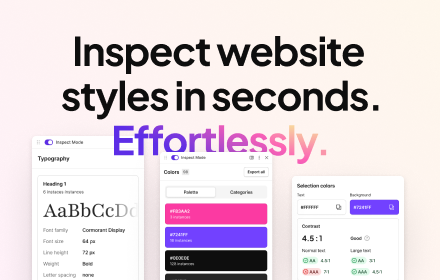
CSS Peeper
Inspect website styles in seconds. Supercharge your workflow, and save hours of work.
500.0K
★ 4.1
Data sourced from the Chrome Web Store · last verified Jun 21, 2026.