
Deadline Detector for Gmail
Scans the current email for hidden deadlines and tasks.
As of June 2026, Deadline Detector for Gmail has 12 users and a 5.00/5 rating from 4 reviews in the Workflow & Planning category.
Usersup 9.1 percent+9.1%
12
12
Ratingno change0%
5.00
4 reviews
Reviewsno change0%
4
Version
1.0
Manifest V3
History
8 snapshotsTracking since Apr 2, 2026.
View as table
| Date | Users | Rating | Reviews | Version |
|---|---|---|---|---|
| Apr 2, 2026 | 11 | 5.00 | 4 | 1.0 |
| Apr 17, 2026 | 12 | 5.00 | 4 | 1.0 |
| Apr 24, 2026 | 13 | 5.00 | 4 | 1.0 |
| May 1, 2026 | 11 | 5.00 | 4 | 1.0 |
| May 8, 2026 | 10 | 5.00 | 4 | 1.0 |
| May 13, 2026 | 9 | 5.00 | 4 | 1.0 |
| May 19, 2026 | 10 | 5.00 | 4 | 1.0 |
| Jun 6, 2026 | 13 | 5.00 | 4 | 1.0 |
| Now | 12 | 5.00 | 4 | 1.0 |
Permissions & access
- Permissions
- activeTabscripting
- Host access
- https://mail.google.com/*, https://generativelanguage.googleapis.com/*
Screenshots

About
Never miss a deadline again

Deadline Detector uses Google's advanced Gemini AI to instantly scan your emails for tasks, dates, and times. Stop manually typing events into your calendar—just click "Scan" and let AI do the work.

Features:
1.Smart Detection: Understands natural language like "next Friday" or "tomorrow at 5 PM."
2.One-Click Add: Instantly sends tasks to your Google Calendar.
3.Privacy First: Your emails are processed securely in real-time and never stored.
4.Zero Setup: No accounts, passwords, or logins required.

How to use:
1.Open an email in Gmail.
2.Click the Deadline Detector icon.
3.Click "Scan".
4.Add the detected tasks to your calendar instantly.
Technical
- Version
- 1.0
- Manifest
- V3
- Size
- 11.4KiB
- Min Chrome
- 88
- Languages
- 1
- Featured
- No
Metadata
- ID
- kpiemelknoiokfmgppfplehcopbkeeal
- Developer ID
- u02808ce92acc61827e5b878747a9af1d
- Developer Email
- [email protected]
- Created
- Feb 12, 2026
- Last Updated (Store)
- Feb 12, 2026
- Last Scraped
- Jun 6, 2026
- Website
- —
- Support URL
- —
Similar extensions
Alternatives to Deadline Detector for Gmail, ranked by description similarity.

InboxGenie
Instantly extract & sync events from Gmail to Google Calendar using AI. Fast & effortless scheduling—right from your inbox.
6

AI On It
Never miss a moment. Quickly and effortlessly with AI.
10
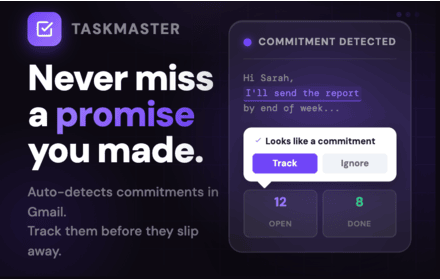
Taskmaster
Auto-detect and track every commitment you make in Gmail. Calendar view, streak tracking, notifications, and analytics built in.
—
★ 5.0

Outlook Calendar Assistant: Event Creator
Stop Copy-Pasting. Create calendar events from any text in seconds.
97
★ 5.0

Datemark - Extract Events from Web Pages with AI
AI-powered tool to automatically extract events from any webpage and add them to Google Calendar in seconds.
12
★ 4.6

DeadlineCatcher
Scan Gmail for deadlines you're about to miss. Never pay late fees again.
5
★ 5.0

Calendar AI - Text & Screenshot to Event
Quickly add events to Google Calendar using natural language or images. Just type or paste a screenshot!
4
★ 3.0

Event Catcher
Catches events from emails instantly.
79
★ 5.0
Data sourced from the Chrome Web Store · last verified Jun 6, 2026.