
Outlook Calendar Assistant: Event Creator
Stop Copy-Pasting. Create calendar events from any text in seconds.
As of May 2026, Outlook Calendar Assistant: Event Creator has 97 users and a 5.00/5 rating from 4 reviews in the Workflow & Planning category.
Usersdown 2.0 percent−2.0%
97
97
Ratingno change0%
5.00
4 reviews
Reviewsno change0%
4
Version
1.5.1
Manifest V3
History
5 snapshotsTracking since Apr 1, 2026.
View as table
| Date | Users | Rating | Reviews | Version |
|---|---|---|---|---|
| Apr 1, 2026 | 99 | 5.00 | 4 | 1.5.1 |
| Apr 20, 2026 | 96 | 5.00 | 4 | 1.5.1 |
| May 5, 2026 | 109 | 5.00 | 4 | 1.5.1 |
| May 17, 2026 | 101 | 5.00 | 4 | 1.5.1 |
| May 30, 2026 | 99 | 5.00 | 4 | 1.5.1 |
| Now | 97 | 5.00 | 4 | 1.5.1 |
Permissions & access
- Permissions
- contextMenusstorageactiveTab
- Host access
- None declared
Screenshots


About
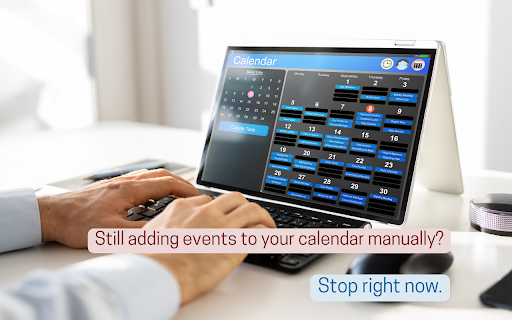
⏰𝗧𝗶𝗿𝗲𝗱 𝗼𝗳 𝗺𝗮𝗻𝘂𝗮𝗹𝗹𝘆 𝗰𝗼𝗽𝘆𝗶𝗻𝗴 𝗮𝗻𝗱 𝗽𝗮𝘀𝘁𝗶𝗻𝗴 𝗲𝘃𝗲𝗻𝘁 𝗱𝗲𝘁𝗮𝗶𝗹𝘀 𝗶𝗻𝘁𝗼 𝘆𝗼𝘂𝗿 𝗢𝘂𝘁𝗹𝗼𝗼𝗸 𝗖𝗮𝗹𝗲𝗻𝗱𝗮𝗿?

✨Outlook Calendar Assistant saves you time and prevents errors by turning any text on any website into a calendar event in just two clicks.

𝗛𝗼𝘄 𝗜𝘁 𝗪𝗼𝗿𝗸𝘀 𝗶𝗻 𝟯 𝗦𝗲𝗰𝗼𝗻𝗱𝘀:
  1️⃣ Highlight any text with event details (e.g., "Meeting tomorrow at 2 PM," "Project Deadline: Friday").
  2️⃣ Right-click and select "Add to Outlook Calendar."
  2️⃣ Review & Save. All the details are automatically filled in for you.

𝗦𝗮𝘆 𝗚𝗼𝗼𝗱𝗯𝘆𝗲 𝗧𝗼:
❌ Manually typing or copy-pasting details.
❌ Missing important events because of a typo.
❌ Constantly switching between your email and your calendar.

𝗞𝗲𝘆 𝗙𝗲𝗮𝘁𝘂𝗿𝗲𝘀:
🧠 Smart Detection: Understands natural language like "next Tuesday at 4pm" or "11/15/2025."
🌐 Universal: Works on email or any other website/tab in browser.
⚡ Lightning fast - 2 clicks vs 10+ manual steps
🔒 Privacy-focused - no data stored or shared

🚀 Try it for free! Create up to 5 events daily for free, forever.


#Outlook #Productivity #ChromeExtension #Calendar #AI #Gemini
Technical
- Version
- 1.5.1
- Manifest
- V3
- Size
- 32.72KiB
- Min Chrome
- 88
- Languages
- 1
- Featured
- No
Metadata
- ID
- ninadodonoamogiklpklbhmpjdaomhcl
- Developer ID
- u5263816bfedc729a6cdd4f56b705b658
- Developer Email
- [email protected]
- Created
- Mar 6, 2025
- Last Updated (Store)
- Jul 7, 2025
- Last Scraped
- May 30, 2026
- Website
- amdion.org
- Support URL
- —
- Privacy Policy
- —
Similar extensions
Alternatives to Outlook Calendar Assistant: Event Creator, ranked by description similarity.

Easy Add to Calendar - Text to Events in Seconds
Add events to your calendar instantly—just highlight text and right-click. Fast, private, and works with any calendar.
312
★ 5.0

Calendar AI - Text & Screenshot to Event
Quickly add events to Google Calendar using natural language or images. Just type or paste a screenshot!
4
★ 3.0

Datemark - Extract Events from Web Pages with AI
AI-powered tool to automatically extract events from any webpage and add them to Google Calendar in seconds.
12
★ 4.6

Text to Calendar - AI Event Scheduler
Turn any text into a Google Calendar event in seconds.
286
★ 4.8

ChatGPT for Google Calendar
This is a Chrome extension that simplifies event scheduling using natural language input right from your browser.
1.0K
★ 2.9

Calendify: Add to Calendar w/ AI
Calendify – No More Copy-Pasting Events like it's 1999.
Tired of manually copying and pasting event details into your calendar?…
22

CalAIder
Instantly capture event details from any webpage and manage your Google Calendar with AI-powered extraction
7

Text to Google Calendar
Eventize is a Chrome extension that lets you add events to Google Calendar from text on any webpage in one click with AI.
42
Data sourced from the Chrome Web Store · last verified May 30, 2026.