Zone PDF: Edit and Convert PDF
Edit, create, merge, split, compress, and convert PDF files, all online
As of May 2026, Zone PDF: Edit and Convert PDF has 65 users and a 4.50/5 rating from 4 reviews.
Usersdown 5.8 percent−5.8%
65
65
Ratingno change0%
4.50
4 reviews
Reviewsno change0%
4
Version
1.2
History
2 snapshotsTracking since Apr 26, 2026.
View as table
| Date | Users | Rating | Reviews | Version |
|---|---|---|---|---|
| Apr 26, 2026 | 69 | 4.50 | 4 | 1.2 |
| May 24, 2026 | 76 | 4.50 | 4 | 1.2 |
| Now | 65 | 4.50 | 4 | 1.2 |
Permissions & access
- Permissions
- None declared
- Host access
- None declared
Screenshots

About
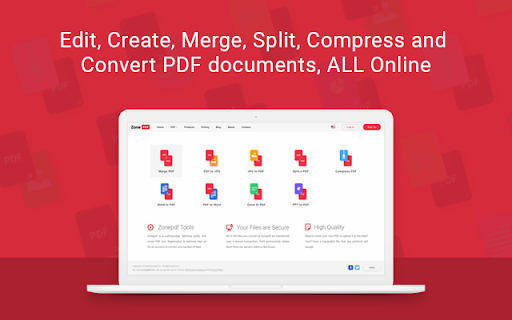
Edit, create, sign, merge, split, compress, and convert PDF documents, all online.

Zone PDF: the easy, fast, and convenient way to manage PDF files and more.

Zone PDF features powerful integrations like Google Drive, Dropbox, and DocuSign. Whether you prefer to upload your documents through online storage, our drag-and-drop feature, or directly from your files, we’ve got you covered.

➔	Edit & Create Content
Manage text and pages, insert images and drawings, erase existing content, and much more!

➔	Merge Files
Merge an unlimited number of files, easy and secure! You can also reorder your files with our drag & drop feature.

➔	Split PDFs
Split a single PDF into multiple documents; split all pages in a single document, or select a range of pages and save them as a single new document.

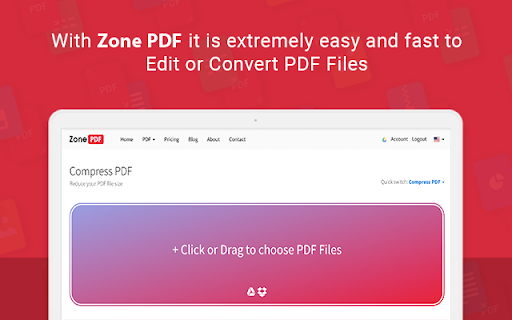
➔	Compress Files
Compress a PDF into a smaller file; it’s fast, easy, and it stays high-quality!

➔	Convert To and From Images
Convert unlimited images to PDF, or PDF to images; rest assured, all of your pictures and documents will retain their original quality.

➔	Convert To and From Office
PDF to Word, Excel or PPT - no matter the type of document you’re working with, it’s no problem. The conversion process is easy, fast and secure.

➔	Integrations
Load files from Google Drive and Dropbox, or sync all files with a Google drive as your storage. Link your DocuSign account for a smooth and easy signing process.

➔	Team Management
Create, Edit and Manage your teams through simple and intuitive interface. Invite users from your organization to collaborate on your next big project.

Trusted by millions of users online, we keep all of your information safe and secure. All of your documents are deleted from our servers just hours after being uploaded.

Find out how Zone PDF can make your work life simple and easy by giving you the tools you need to succeed in an online world.

Zonepdf Inc. Team
Technical
- Version
- 1.2
- Manifest
- —
- Size
- 13.69KiB
- Min Chrome
- —
- Languages
- 1
- Featured
- No
Metadata
- ID
- knkmplceinmghmjkmnmokgkpaghoeoce
- Developer ID
- u84c02f80048f5efb75ada06755de13ca
- Developer Email
- [email protected]
- Created
- Apr 4, 2019
- Last Updated (Store)
- Apr 14, 2019
- Last Scraped
- May 24, 2026
- Website
- zonepdf.com
- Support URL
- —
- Privacy Policy
- —
Similar extensions
Alternatives to Zone PDF: Edit and Convert PDF, ranked by description similarity.
Zone PDF: Edit and Convert PDFs
Edit, Convert, Merge, Compress and Split PDF Files in Seconds!
10.0K
★ 2.4

PDF FormCheck
Add form fields, merge PDFs, remove pages, split documents, and save interactive PDFs. A free, all-in-one PDF editing tool.
33
★ 5.0

PDF Filler
Streamline document editing with PDF Filler, a Chrome Extension to effortlessly fill out PDF and fill in PDF forms online.
4.0K
★ 3.7

CocoDoc - PDF Editor, Filler & Converter
Easily edit, convert, split, and compress a PDF online.
3.0K
★ 3.3

PDF Sign
Boost productivity with PDF Sign editor: Easily sign documents online and fill forms. Streamline workflow with a pdf signer tool.
651
★ 5.0

Smart PDF - Professional Tools
Premium PDF Tools: Merge (Grid), Watermark, Page Numbers, Convert, Edit.
35
★ 5.0

zPDF—Free Simple PDF Editor
A Simple PDF Editor: Split pages, Merge, Rearrange, add Signature, Image and Multi-language Text. — Offline and Private.
492
★ 3.0

PDF Merge Files - PDF Tools
20 PDF tools in your browser — merge, split, compress, rotate, watermark and more. Drag and drop, get results instantly.
—
Data sourced from the Chrome Web Store · last verified May 24, 2026.