
zPDF—Free Simple PDF Editor
A Simple PDF Editor: Split pages, Merge, Rearrange, add Signature, Image and Multi-language Text. — Offline and Private.
As of June 2026, zPDF—Free Simple PDF Editor has 492 users and a 3.00/5 rating from 4 reviews in the Productivity category.
Usersup 3.1 percent+3.1%
492
492
Ratingno change0%
3.00
4 reviews
Reviewsno change0%
4
Version
1.1
Manifest V3
History
3 snapshotsTracking since Apr 1, 2026.
View as table
| Date | Users | Rating | Reviews | Version |
|---|---|---|---|---|
| Apr 1, 2026 | 477 | 3.00 | 4 | 1.1 |
| May 3, 2026 | 467 | 3.00 | 4 | 1.1 |
| Jun 2, 2026 | 552 | 3.00 | 4 | 1.1 |
| Now | 492 | 3.00 | 4 | 1.1 |
Permissions & access
- Permissions
- None declared
- Host access
- None declared
Screenshots


About
Easy, Simple, Quick
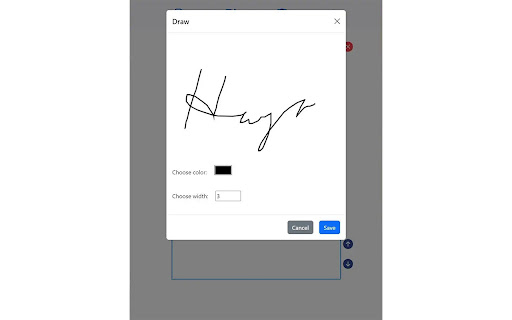
zPDF was designed for editing PDFs with ease and speed. It currently supports merging documents, rearranging/removing pages, adding images, text, watermarks, and signing documents, etc.

Your Privacy Matters
Supports editing PDF offline, with privacy. All editing is done by client's browser. No need to upload private/sensitive PDF over the Internet to random sites, or processed by AI servers online just for a simple edit.

Unicode Multi-language PDF
Support most languages and with Unicode fonts embeded inside PDF, includes syllabaries languages like Japanese, Korean, Chinese and Arabic, Minimize chances of un-rendered characters ("boxes").

Maintain Structure
Any PDF data not being edited, will all keep in original structures after edit, unlike other editors which may lost structure, fonts or become un-rendered after editing.

Cross-Platform
Designed to be cross-platform for both mobile (Android/iOS) and desktop (Windows/MacOS/Linux). It now works inside browser as PWA or as Chrome/Edge Plugin.

Ongoing Improvement
Will updates the software to enhance functionality. You may contact through email. If you like the program, consider donation for support.


Tutorial for zPDF:
( https://zpdf.zenqlo.com/docs/Edit-PDF/openPDF )

End-User License Agreement (EULA) with PRIVACY POLICY:
( https://zpdf.zenqlo.com/privacy/ )
Technical
- Version
- 1.1
- Manifest
- V3
- Size
- 9.74MiB
- Min Chrome
- 88
- Languages
- 1
- Featured
- No
Metadata
- ID
- doffikcfjhomobheencdngekojmmabdn
- Developer ID
- u4297a2a7946fad689579a2c04680498d
- Developer Email
- [email protected]
- Created
- Jun 27, 2024
- Last Updated (Store)
- Oct 17, 2024
- Last Scraped
- Jun 2, 2026
- Website
- —
- Support URL
- https://github.com/Zenqlo/zPDF/issues/
- Privacy Policy
- https://zpdf.zenqlo.com/privacy/
Similar extensions
Alternatives to zPDF—Free Simple PDF Editor, ranked by description similarity.

EzyPDF - Edit, Sign & Convert PDFs
Full-featured PDF editor — Edit text, OCR, merge, split, compress, signatures, watermarks, and more. Supports 27 languages.
57

PDF Manager Simple
Organize PDFs directly in your browser. Simple and fast.
114
★ 1.0

PDF Editor
PDF Editor - edit, merge and combine PDF documents.
90.0K
★ 1.9

Smart PDF - Professional Tools
Premium PDF Tools: Merge (Grid), Watermark, Page Numbers, Convert, Edit.
35
★ 5.0

PDF FormCheck
Add form fields, merge PDFs, remove pages, split documents, and save interactive PDFs. A free, all-in-one PDF editing tool.
33
★ 5.0

PDF Editor Pro
Professional document annotation, high-fidelity signing, and precision form-filling. Secure, fast, and local-first.
20

Editar PDF
Employ Editar PDF to effortlessly edit documents with this Chrome Extension — ideal for quick customization and edit PDF online.
600
★ 3.3

Ultimate PDF: All-in-One Editor
Convert, merge, split, rotate, compress PDFs and more. 100% local and private.
48
Data sourced from the Chrome Web Store · last verified Jun 2, 2026.