
MailBridge Quick Refresh
Instantly refresh your MailBridge connections with one click
As of June 2026, MailBridge Quick Refresh has 95 users and a 5.00/5 rating from 3 reviews in the Productivity category.
Usersup 763.6 percent+763.6%
95
95
Ratingno change0%
5.00
3 reviews
Reviewsup 200.0 percent+200.0%
3
Version
1.0.0
Manifest V3
History
10 snapshotsTracking since Apr 1, 2026.
View as table
| Date | Users | Rating | Reviews | Version |
|---|---|---|---|---|
| Apr 1, 2026 | 11 | 5.00 | 1 | 1.0.0 |
| Apr 17, 2026 | 12 | 5.00 | 3 | 1.0.0 |
| Apr 22, 2026 | 52 | 5.00 | 3 | 1.0.0 |
| Apr 27, 2026 | 57 | 5.00 | 3 | 1.0.0 |
| May 4, 2026 | 67 | 5.00 | 3 | 1.0.0 |
| May 10, 2026 | 73 | 5.00 | 3 | 1.0.0 |
| May 15, 2026 | 71 | 5.00 | 3 | 1.0.0 |
| May 21, 2026 | 73 | 5.00 | 3 | 1.0.0 |
| May 28, 2026 | 81 | 5.00 | 3 | 1.0.0 |
| Jun 4, 2026 | 92 | 5.00 | 3 | 1.0.0 |
| Now | 95 | 5.00 | 3 | 1.0.0 |
Permissions & access
- Permissions
- storage
- Host access
- None declared
Screenshots

About
In January 2026, Google removed "Check mail from other accounts" from Gmail. MailBridge brings it back: it fetches emails from your external mailboxes and delivers them straight to your Gmail inbox.

MailBridge Quick Refresh is a companion extension for MailBridge users. It adds a toolbar button that triggers an instant mailbox refresh. No need to open MailBridge or wait for the next polling cycle.

This is especially useful for time-sensitive emails like 2FA verification codes. Instead of waiting 2-5 minutes for the next automatic poll, click Refresh and your code arrives in Gmail within seconds.

Features:
• Instant refresh: get 2FA codes and time-sensitive emails delivered immediately
• One-click refresh for any connected mailbox, or "Refresh All" at once
• Real-time status: see delivery counts as messages arrive
• Auto-connect: links to your MailBridge account automatically, no copy-pasting API keys
• Fast startup: shows your connections instantly from cache
• Lightweight: uses only the "storage" permission, no browsing data accessed

How to set up:
1. Install the extension
2. Click the MailBridge icon in your toolbar
3. Click "Connect to MailBridge". This opens your dashboard
4. The extension connects automatically
5. Click "Refresh" to check for new mail

Requires a MailBridge account at https://mailbridge.app
Technical
- Version
- 1.0.0
- Manifest
- V3
- Size
- 14.31KiB
- Min Chrome
- 88
- Languages
- 1
- Featured
- No
Metadata
- ID
- kmjacpckemkiclcbpkkhbmgpkanilbcd
- Developer ID
- u24befa1acf4036d3a81949b6ae0486ff
- Developer Email
- [email protected]
- Created
- Mar 21, 2026
- Last Updated (Store)
- Mar 21, 2026
- Last Scraped
- Jun 9, 2026
- Website
- —
- Support URL
- —
- Privacy Policy
- https://mailbridge.app/privacy/
Similar extensions
Alternatives to MailBridge Quick Refresh, ranked by description similarity.

Gmail Inbox
Gmail Inbox - manage multiple accounts, get notifications, read, or delete emails without opening Gmail app.
399
★ 5.0

MarkBridge – Multi-Profile Sync
Sync your bookmarks and extensions across all Chromium-based browsers via GitHub Gist or Google Drive.
22
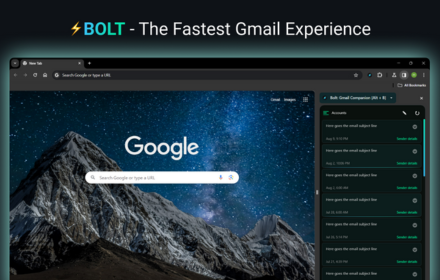
Gmail Inbox
A blazingly-fast Gmail Inbox Client that loads your Gmail Inbox before the blink of an eye!⚡
1.0K
★ 4.0

Gmail Latest Mail Checker
Stay updated with your inbox — anytime, anywhere.
2

GhostMail
Create and manage temporary email addresses from multiple services.
9
★ 5.0

Email Checker for Gmail
Get real‑time unread counts and desktop notifications for Gmail.
87

lockrMail: email on your terms
Your inbox at your fingertips: Streamline site registrations, proactively set email delivery settings, view verification emails and…
583
★ 5.0

Email Code Extractor
Automatically detects OTP codes in Gmail rows.
—
Data sourced from the Chrome Web Store · last verified Jun 9, 2026.