
Privacy Blur – Blur Sensitive Content on Any Website
Blur sensitive information in real-time during screen sharing and recording. Drag & drop to reposition blurs!
As of June 2026, Privacy Blur – Blur Sensitive Content on Any Website has 20 users and a 5.00/5 rating from 1 reviews in the Productivity category.
Usersno change0%
20
20
Ratingno change0%
5.00
1 reviews
Reviewsno change0%
1
Version
1.1.0
Manifest V3
History
10 snapshotsTracking since Apr 1, 2026.
View as table
| Date | Users | Rating | Reviews | Version |
|---|---|---|---|---|
| Apr 1, 2026 | — | 5.00 | 1 | 1.1.0 |
| Apr 10, 2026 | 7 | 5.00 | 1 | 1.1.0 |
| Apr 20, 2026 | 10 | 5.00 | 1 | 1.1.0 |
| Apr 27, 2026 | 8 | 5.00 | 1 | 1.1.0 |
| May 4, 2026 | 11 | 5.00 | 1 | 1.1.0 |
| May 10, 2026 | 12 | 5.00 | 1 | 1.1.0 |
| May 21, 2026 | 13 | 5.00 | 1 | 1.1.0 |
| May 28, 2026 | 17 | 5.00 | 1 | 1.1.0 |
| Jun 4, 2026 | 18 | 5.00 | 1 | 1.1.0 |
| Jun 9, 2026 | 17 | 5.00 | 1 | 1.1.0 |
| Now | 20 | 5.00 | 1 | 1.1.0 |
Permissions & access
- Permissions
- storageactiveTabcontextMenus
- Host access
- <all_urls>
Screenshots

About
✨ Key Features

1. Element Blur
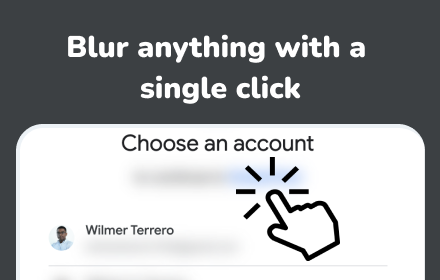
Hover over any element and click to instantly blur it.
Ideal for hiding emails, usernames, buttons, labels, and sensitive interface data.

2. Area Blur
Draw a rectangle anywhere on the page to blur custom areas.
Blurred regions can be repositioned at any time.

3. Persistent Blurs
Save blur patterns per website.
When you reload the page, your saved blurs are restored automatically — perfect for recurring workflows.

4. Adjustable Blur Strength
Control blur intensity from 5px to 50px.
New blurs follow your current setting.

5. Right-Click Text Blur
Select text, right-click, and choose “Blur Selected Text” for fast, precise control.

6. Keyboard Shortcuts

Toggle blur mode: Ctrl/Cmd + Shift + B

Clear all blurs: Ctrl/Cmd + Shift + X

Exit blur mode: Esc

7. Privacy-First Design
All data stays on your device.
No tracking, no analytics, no external servers.

🚀 Who It’s For

Content creators recording tutorials or demos

Sales and demo teams presenting live dashboards

Developers working with sensitive configuration data

Teachers and trainers sharing screens during lessons

🛠️ How It Works

Click the PrivacyBlur icon

Choose Element Mode or Area Mode

Click or draw to blur

Optionally save blurs for the current page

That’s it — your content stays protected.

⚡ Performance & Reliability

Smooth, GPU-accelerated blur rendering

Works across modern websites and web apps

Supports multi-tab and multi-domain usage

Lightweight and runs entirely offline

Designed to remain stable on dynamic pages

🔐 Permissions Explained

activeTab – Apply blur overlays on the current page

storage – Save blur settings locally

contextMenus – Enable right-click text blur

No personal data is collected or transmitted.

❤️ Support Development

If this extension helps protect your privacy, you can support ongoing development on Ko-fi:
https://ko-fi.com/icecraftdigital
Technical
- Version
- 1.1.0
- Manifest
- V3
- Size
- 70.17KiB
- Min Chrome
- 88
- Languages
- 1
- Featured
- No
Metadata
- ID
- kldopkklgmogihklodooekchcjcedoan
- Developer ID
- u8bf13d4fb90cc89e17d2eb781ff76e6a
- Developer Email
- [email protected]
- Created
- Dec 23, 2025
- Last Updated (Store)
- Apr 2, 2026
- Last Scraped
- Jun 9, 2026
- Website
- https://oneclicktool.app/
- Support URL
- —
Similar extensions
Alternatives to Privacy Blur – Blur Sensitive Content on Any Website, ranked by description similarity.

ScreenBlur: Hide Sensitive Data & Blur Text on Page
Privacy tool for content creators - blur sensitive information before screen sharing or recording
61
★ 1.0

BlurIt - Instant Privacy Blur
Capture any screen and instantly blur sensitive information with pro-grade tools.
7

Blurify
Easily blur sensitive content, personal information, and distracting elements while browsing the web
12

Privacy
Blur any content on any website to protect your privacy. Click or drag to blur elements manually.
2

MyBlurWeb
Blur sensitive content on any website. Blur specific text, draw blur zones, auto-detect emails/numbers, and more.
4

Blurby
Privacy-focused extension that automatically blurs sensitive information for secure screen recording and sharing
2

Focus Blur
Provides privacy by blurring everything on your screen except the selected area.
72
★ 5.0
Blurrr
Blur any element with a single click. Keep your privacy safe.
500
★ 5.0
Data sourced from the Chrome Web Store · last verified Jun 9, 2026.