Screenshot Pro : Full page screenshot
Complete Page Screenshot
As of May 2026, Screenshot Pro : Full page screenshot has 1,000 users and a 4.85/5 rating from 20 reviews in the Developer Tools category.
Usersno change0%
1.0K
1,000
Ratingno change0%
4.85
20 reviews
Reviewsno change0%
20
Version
3.0.0
Manifest V3
History
1 snapshotsTracking since May 1, 2026.
View as table
| Date | Users | Rating | Reviews | Version |
|---|---|---|---|---|
| May 1, 2026 | 1.0K | 4.85 | 20 | 3.0.0 |
| Now | 1.0K | 4.85 | 20 | 3.0.0 |
Permissions & access
- Permissions
- scripting
- Host access
- https://*/*, http://*/*
Screenshots
About
Do you find yourself needing to capture entire web pages for work, research, or personal use? Look no further! Capture It All is the Chrome extension you've been waiting for. With just a few simple clicks, you can effortlessly capture full-page screenshots of any website and download them in seconds. But what sets Capture It All apart, and why should you install it?

Key Features of Capture It All:

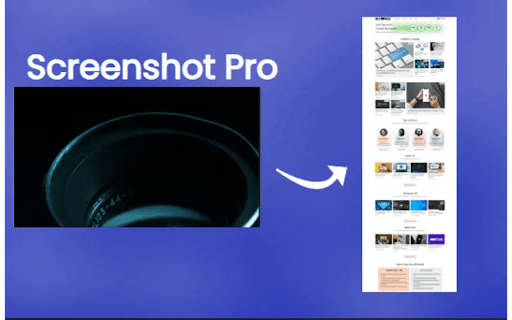
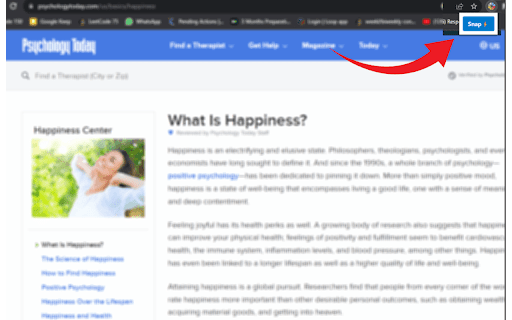
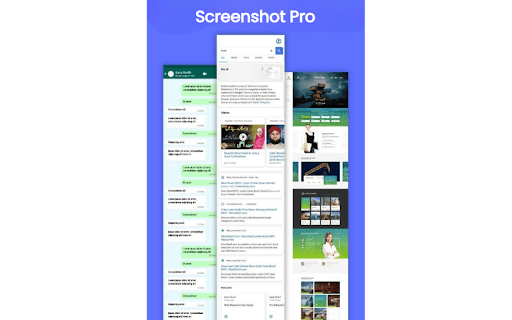
Full-Page Screenshot Capture: Capture the entirety of web pages, including content that extends beyond your screen's view. No more piecing together multiple screenshots or missing critical information.

Effortless Download: Quickly and easily download your full-page screenshots as image files (PNG or JPEG). No need to rely on third-party tools or complicated processes.

Time-Saving Convenience: Streamline your workflow, whether you're conducting research, archiving web content, or simply saving information for later reference. Capture It All ensures you capture everything in one go.

User-Friendly Interface: Our extension is designed for ease of use, making it accessible for both casual users and professionals.

But why should you consider installing Capture It All? Let's delve into the real benefits:

1. Enhance Your Productivity:

Whether you're a student, professional, or just a web enthusiast, Capture It All is a productivity booster. It eliminates the need for manual scrolling and stitching multiple screenshots, helping you complete your tasks faster and more efficiently.

2. Elevate Your Communication:

Visuals speak louder than words. Capture It All empowers you to create comprehensive visual aids, perfect for explaining ideas, showcasing web content, or providing feedback to colleagues, clients, or friends. It simplifies communication, making complex concepts easier to grasp.

3. Supercharge Your Research:

If you're a researcher or information gatherer, Capture It All is your secret weapon. Capture entire web pages, preserving valuable sources and references exactly as they appear, without missing any critical details. Say goodbye to information loss.

4. Enhance Learning and Documentation:

Students can benefit greatly from Capture It All. Capture lecture notes, educational content, or web articles in their entirety, making it easier to review and study. The extension ensures you never miss a single piece of information.

Capture It All is a versatile and valuable tool that can save you time, improve your work quality, and help you achieve your goals more effectively. Say goodbye to the hassle of taking multiple screenshots, and start capturing full-page screenshots effortlessly. Experience the difference for yourself – install Capture It All today and revolutionize the way you capture web content! Download now and start capturing it all!
Technical
- Version
- 3.0.0
- Manifest
- V3
- Size
- 123KiB
- Min Chrome
- 88
- Languages
- 1
- Featured
- Yes
Metadata
- ID
- kkkmllcaoomjhohpmbjdffenjkidginf
- Developer ID
- u763495b118e8663e38a166bd35868706
- Developer Email
- [email protected]
- Created
- Oct 30, 2023
- Last Updated (Store)
- Apr 2, 2024
- Last Scraped
- May 29, 2026
- Website
- —
- Support URL
- —
- Privacy Policy
- —
Similar extensions
Alternatives to Screenshot Pro : Full page screenshot, ranked by description similarity.

ShotMyPage - Full Page Screen Capture
Chrome full page screenshot and screen capture extension with professional editing tools and project management
224
★ 5.0

FullPageSnap - Full Page Screenshot Capture
Capture entire webpage screenshots with one click. Take full page screenshots, long screenshots & scrolling captures. PNG/JPEG
84
★ 5.0

Full Page Capture
Full Page Capture is a fast, reliable Chrome extension designed for effortless full-page captures — no distractions, no ads, and…
5

Full Page Screen Capture & Visual Feedback
Take a screenshot of a full page of the browser screen and add new comments.
1.0K
★ 4.2

Landing Page Ripper
Landing Page Ripper - The Ultimate Chrome Extension for Capturing & Saving Landing Pages
Experience the power of effortless web…
1.0K
★ 4.6

ATCapture · Web Element Capture
Capture any webpage element in one click—images, sections, tables, or UI components. No full-page screenshots needed.
21

Webpage Archiver
Webpage Archiver: Save full webpage snapshots
1

ScreenCap Pro
Capture full page, visible area or selection. Annotate, blur & export to PNG/JPG/WebP/PDF.
18
Data sourced from the Chrome Web Store · last verified May 29, 2026.