
Macroid
Enterprise-grade text macro injection with dynamic positioning
As of June 2026, Macroid has 1 users in the Workflow & Planning category.
Usersno change0%
1
1
Ratingno change0%
—
— reviews
Reviewsno change0%
—
Version
1.0.0
Manifest V3
History
4 snapshotsTracking since Apr 17, 2026.
View as table
| Date | Users | Rating | Reviews | Version |
|---|---|---|---|---|
| Apr 17, 2026 | 1 | — | — | 1.0.0 |
| May 3, 2026 | 1 | — | — | 1.0.0 |
| May 19, 2026 | 1 | — | — | 1.0.0 |
| May 28, 2026 | 2 | — | — | 1.0.0 |
| Now | 1 | — | — | 1.0.0 |
Permissions & access
- Permissions
- activeTabstoragesidePanel
- Host access
- <all_urls>
Screenshots


About
MacroID: Automate Your Typing & Reclaim Your Time
Why spend hours typing the same emails, responses, and data? MacroID is a powerful text expansion tool that lets you turn short abbreviations into full-sized templates, messages, and forms. It’s designed for anyone who finds manual copy-pasting inefficient but finds traditional CRMs too complex.

Why You Should Install It:
1. Eliminate Repetitive Strain: Reduce the physical and mental fatigue of typing the same phrases thousands of times a week.
2. Zero-Error Communication: Ensure your links, pricing, and company details are 100% accurate every time. Once a template is proofed, it’s perfect forever.
3. Works Everywhere: Whether you’re in Gmail, LinkedIn, Zendesk, or a custom internal tool, MacroID works in any text field on any website.
4. Privacy-First & Lightweight: Unlike bloated "automation platforms," MacroID is built to be fast, secure, and stay out of your way until you need it.

Stop working for your tools and make your browser work for you. Install MacroID today.
Technical
- Version
- 1.0.0
- Manifest
- V3
- Size
- 28.31KiB
- Min Chrome
- 88
- Languages
- 1
- Featured
- No
Metadata
- ID
- kjbdlhcneiopapkonbhjdfdfcbadlbhl
- Developer ID
- u27329cd74806f7bc194df02e73cbde2c
- Developer Email
- [email protected]
- Created
- Jan 21, 2026
- Last Updated (Store)
- Jan 21, 2026
- Last Scraped
- Jun 6, 2026
- Website
- —
- Support URL
- https://macroid.vercel.app/support.html
- Privacy Policy
- https://macroid.vercel.app/privacy.html
Similar extensions
Alternatives to Macroid, ranked by description similarity.

Makro - Text Expander: Free, Private, Encrypted
Free text expander with Smart Rewrite, encrypted cloud sync, and 25+ placeholders. Create shortcuts that expand instantly anywhere.
127
★ 5.0

Typing Helper | Free Typing Shortcuts Assistant
Write and track text shortcuts anyplace, anywhere. Get 5 free shortcuts on us!
153
★ 5.0

Text Expander & Form Autofill for Google Chrome™
Record and replay form submissions, and use text expansion shortcuts to fill forms faster.
14

Expandify - Text Expander & Snippet Manager
Smart text expansion tool. Type shortcuts to instantly create emails, code snippets & formatted text. Save time typing!
10

FillBot.Pro
Tired of wasting time on repetitive form filling? FillBot is your AI-powered assistant that automates data entry, saving you…
173
★ 5.0

ProKeys
Save time and effort in emails, etc. with ProKeys! Define snippets, do math in browser, auto complete braces, and much more.
70.0K
★ 4.4
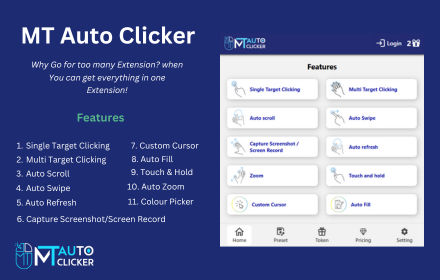
MT Auto Clicker
MT Auto Clicker is your go-to tool for automating repetitive tasks on your system.
20.0K
★ 3.7

Cheetah
Create clever text expansions to speed up your writing on email, LinkedIn, and millions of websites.
821
★ 5.0
Data sourced from the Chrome Web Store · last verified Jun 6, 2026.