
Howdy Portal Plus
Howdy Portal Plus is a Chrome extension that enhances the Texas A&M Howdy Portal experience.
As of June 2026, Howdy Portal Plus has 23 users and a 5.00/5 rating from 1 reviews in the Functionality & UI category.
Usersdown 30.3 percent−30.3%
23
23
Ratingno change0%
5.00
1 reviews
Reviewsno change0%
1
Version
1.0
Manifest V3
History
3 snapshotsTracking since Apr 23, 2026.
View as table
| Date | Users | Rating | Reviews | Version |
|---|---|---|---|---|
| Apr 23, 2026 | 33 | 5.00 | 1 | 1.0 |
| May 12, 2026 | 39 | 5.00 | 1 | 1.0 |
| Jun 7, 2026 | 29 | 5.00 | 1 | 1.0 |
| Now | 23 | 5.00 | 1 | 1.0 |
Permissions & access
- Permissions
- None declared
- Host access
- None declared
Screenshots

About
This is just a test and does not have all the features shown in the mockup image above.

If you want to add your own features, it's really easy. The main code is in content.js. You can ask chatGPT to add any features you want to that file such as changing the layout of the buttons or colors. You can inspect element howdy.tamu.edu to see what the elements are named and how it's organized to efficiently add more features.

You can then download the repository here:
https://github.com/SriramGaddam5/HowdyPortalPlus/archive/refs/heads/main.zip

Unzip the folder and enable developer mode in chrome://extensions at the top right corner.
Click load unpacked on the top left to where you saved the repository.

Each time you make a change to content.js you need to manually refresh howdy.tamu.edu page and press the refresh button in chrome://extensions for Howdy Portal Plus.

You can see the code here: https://github.com/SriramGaddam5/HowdyPortalPlus
Technical
- Version
- 1.0
- Manifest
- V3
- Size
- 1.96MiB
- Min Chrome
- 88
- Languages
- 1
- Featured
- No
Metadata
- ID
- kiofagokefeaekfomccbmpdhmeeonmlm
- Developer ID
- u28390198f12e5591ae7854cf4e6aa192
- Developer Email
- [email protected]
- Created
- Apr 27, 2024
- Last Updated (Store)
- Apr 29, 2024
- Last Scraped
- Jun 7, 2026
- Website
- —
Similar extensions
Alternatives to Howdy Portal Plus, ranked by description similarity.

ChatGPT Styler
Improve the appearance of code snippets in ChatGPT code snippets.
28
★ 3.0
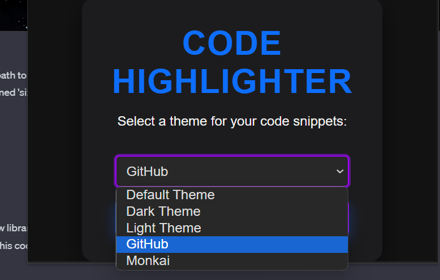
ChatGPT Code Highlighter
Improve the appearance of code snippets in ChatGPT code snippets.
284
★ 4.4

Better InsideCBU
Adds a little bit of color and life to InsideCBU.
5
★ 5.0

Manji Styles
Make Dr. Manjikian's websites readable!
52
★ 3.0

GPThemes - ChatGPT Widescreen, Fonts & Color
Redesign ChatGPT: custom color, fonts & layouts — widescreen mode, chat bubbles, expandable chatbox, hide header/footer & more
5.0K
★ 4.9

ChatGPT Wallpapers & Readability Tools
Customize ChatGPT with wallpapers, live text styles, opacity, and readability scores. Fast, seamless, no page reload!
7
Minimalistic new tab
This extension replaces the default new tab with a more minimalstic one with tons of customization options
9
★ 1.0

ChatGPTBuff - Enhance Your ChatGPT Web Experience
Customize interface and add utilities to ChatGPT Web
61
★ 5.0
Data sourced from the Chrome Web Store · last verified Jun 7, 2026.