
Scrolling screenshot tool & screen capture
Scrolling Screenshot tool for screen capture and screen sharing
As of June 2026, Scrolling screenshot tool & screen capture has 345 users and a 1.67/5 rating from 6 reviews in the Productivity category.
Usersup 11.7 percent+11.7%
345
345
Ratingno change0%
1.67
6 reviews
Reviewsno change0%
6
Version
1.0.0
Manifest V3
History
3 snapshotsTracking since Apr 23, 2026.
View as table
| Date | Users | Rating | Reviews | Version |
|---|---|---|---|---|
| Apr 23, 2026 | 309 | 1.67 | 6 | 1.0.0 |
| May 12, 2026 | 329 | 1.67 | 6 | 1.0.0 |
| Jun 7, 2026 | 328 | 1.67 | 6 | 1.0.0 |
| Now | 345 | 1.67 | 6 | 1.0.0 |
Permissions & access
- Permissions
- tabsstoragedebuggerunlimitedStorage
- Host access
- None declared
Screenshots
About
- Full Page Screenshot Functionality
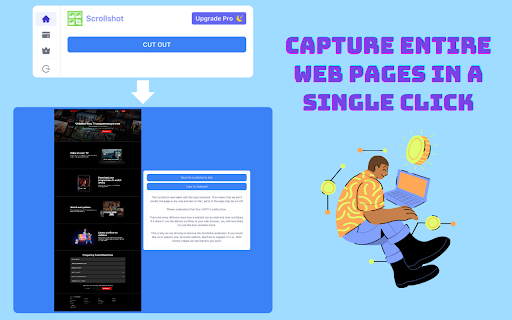
Scrollshot is equipped with an advanced full page screenshot feature, allowing users to capture entire web pages in a single click. Unlike standard screenshot tools that capture only the visible area, this feature scrolls through the page automatically, stitching together a complete image of the entire content, perfect for long articles, comprehensive reports, or detailed web pages.

- Custom Application Logic for ChatGPT (Premium Feature)
Recognizing the dynamic and interactive nature of ChatGPT, the plugin offers specialized logic to capture the conversational flow and ensuring that the screenshots represent the full dialogue exchange.

- Premium for Free
Even free users (with or without account) can consume a limited amount of premium scrollshots.

- Secure and Privacy-Conscious Design
Privacy and security are paramount. Screenshots are generated and saved on your local machine. There is no hidden cloud upload.
Technical
- Version
- 1.0.0
- Manifest
- V3
- Size
- 1.97MiB
- Min Chrome
- 88
- Languages
- 54
- Featured
- No
Metadata
- ID
- khnecaehbojfomfbambmbnnnkeaieidc
- Developer ID
- u6f1499ecc18ceebb42f25a0c95484130
- Developer Email
- [email protected]
- Created
- Apr 11, 2024
- Last Updated (Store)
- Apr 11, 2024
- Last Scraped
- Jun 7, 2026
- Website
- —
- Support URL
- —
- Privacy Policy
- https://www.chromeextensionhub.com/privacy
Similar extensions
Alternatives to Scrolling screenshot tool & screen capture, ranked by description similarity.

ScrollShot
Capture full-page screenshots and export in multiple image formats
71
★ 5.0

Pure Screenshot | FullPage
Capture full-page, partial, or visible-area screenshots with zero permission warnings. No tracking, no bloat.
4

ScrollShot
Professional scrolling screenshot & capture tool. Auto-stitch full pages and scrollable areas effortlessly.
79
★ 1.0

Longshot
Capture full-page screenshots using scroll-and-stitch method
582

ScreenSnapShot
Full-page scrolling screenshots saved as PNG.
9

PixelGrab - Screenshot & Screen Capture Tool
Capture full-page, visible area, and element screenshots. Edit, download, and manage your screenshots with ease.
8

Screen Capture & Editor - Go Full Page
Screen capture any area or go full page to grab the entire website, then edit and export in seconds.
10.0K
★ 3.4

LongShot: Full Page Screenshot
Capture entire webpages with one click. Automatically handles sticky headers and specific infinite scroll elements.
139
★ 5.0
Data sourced from the Chrome Web Store · last verified Jun 7, 2026.