
Udesly Template Configurator
Udesly Template Configurator
As of June 2026, Udesly Template Configurator has 6,000 users and a 3.86/5 rating from 7 reviews in the Developer Tools category.
Usersno change0%
6.0K
6,000
Ratingno change0%
3.86
7 reviews
Reviewsno change0%
7
Version
1.1.17
Manifest V3
90-day change · In the last 90 days this extension 1 version update.
History
4 snapshotsTracking since Apr 5, 2026.
View as table
| Date | Users | Rating | Reviews | Version |
|---|---|---|---|---|
| Apr 5, 2026 | 6.0K | 3.86 | 7 | 1.1.16 |
| Apr 16, 2026 | 6.0K | 3.86 | 7 | 1.1.17 |
| Jun 1, 2026 | 6.0K | 3.86 | 7 | 1.1.17 |
| Jun 6, 2026 | 5.0K | 3.86 | 7 | 1.1.17 |
| Now | 6.0K | 3.86 | 7 | 1.1.17 |
Permissions & access
- Permissions
- scriptingdeclarativeContent
- Host access
- https://webflow.com/design/*, https://*.design.webflow.com/*
Screenshots


About
This extension automatically adds custom attributes to your Webflow project (you can use it with any Webflow templates – CMS & Ecommerce included!). Once the design is finished, you only have to export the code and convert it to Shopify, WordPress, Jamstack or Ghost themes thanks to the Udesly App.

Follow these simple steps:
1) Install the Chrome extension on your browser;
2) Open your Webflow project;
3) Click on the Udesly Chrome Extension icon;
4) Choose the CMS you want to integrate with;
5) Wait the magic configuration...
6) If everything is ok, export the code from Webflow;
7) Go to the Udesly App and choose the integration you need;
8) Upload the Webflow .zip and the Theme .config file (generated by the Chrome Extension)
9) Click on the convert button and start the conversion;
10) Once done, download the converted theme and upload it to Shopify, WordPress, Ghost or Netlify CMS

NOTE: This extension works with the Udesly App.
You can use it on the Webflow designer pages only.
Technical
- Version
- 1.1.17
- Manifest
- V3
- Size
- 90.77KiB
- Min Chrome
- 88
- Languages
- 1
- Featured
- Yes
Metadata
- ID
- khhgdnefpkphamogndglabaalbpfidbf
- Developer ID
- ua792f7b8c154142f083baec07a51cebd
- Developer Email
- [email protected]
- Created
- Sep 29, 2020
- Last Updated (Store)
- Apr 2, 2026
- Last Scraped
- Jun 21, 2026
- Website
- https://www.udesly.com/
- Support URL
- https://www.udesly.com/help-center/
- Privacy Policy
- https://www.udesly.com/privacy-policy/
Similar extensions
Alternatives to Udesly Template Configurator, ranked by description similarity.

Webflow Attribute Editor
Visual attribute editor for Webflow. Edit attributes in a sleek modal with instant updates in the Designer.
22
★ 5.0
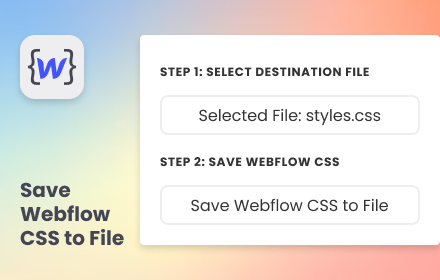
Save Webflow CSS to File
Simplify your development flow by pre-select a destination CSS file and save Webflow CSS directly into it.
94
★ 5.0

Cloud Canal Extension for Webflow
Build web apps inside the Webflow Designer with Cloud Canal, an ecosystem of tools to supercharge your Webflow development process.
12
★ 5.0

kopytok.tools
**✨ Different designs for collection template pages in Webflow 🎨📄**
—

Shopify Dev Tools
Quick dev tools for Shopify theme development
39
★ 5.0

Shopify Theme Assist
Shopify theme Assist! Find theme details, third-party apps, scripts, and performance metrics in one click.
94
★ 5.0

FoxTransfer: HTML to Shopify with Foxify
1-click Copy HTML Elements of Website Design to Shopify Using Foxify Page Builder.
1.0K
★ 5.0
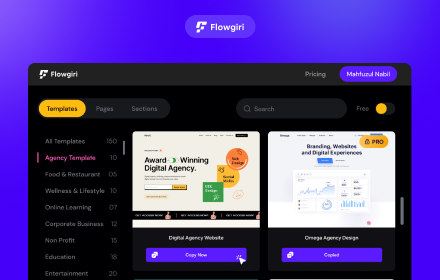
Flowgiri - Webflow chrome extension
Just Copy & Paste Webflow components and start building your website easily, and effortlessly with Flowgiri Chrome Extension.
781
★ 5.0
Data sourced from the Chrome Web Store · last verified Jun 21, 2026.