
ESET Password Manager
Never forget a password again! ESET Password Manager will make your life easier and passwords safer.
As of June 2026, ESET Password Manager has 50,000 users and a 4.42/5 rating from 427 reviews in the Workflow & Planning category.
Usersno change0%
50.0K
50,000
Ratingup 0.2 percent+0.2%
4.42
427 reviews
Reviewsup 2.4 percent+2.4%
427
Version
3.8.0
Manifest V3
History
3 snapshotsTracking since Apr 23, 2026.
View as table
| Date | Users | Rating | Reviews | Version |
|---|---|---|---|---|
| Apr 23, 2026 | 50.0K | 4.41 | 417 | 3.8.0 |
| May 12, 2026 | 60.0K | 4.42 | 422 | 3.8.0 |
| Jun 7, 2026 | 50.0K | 4.42 | 425 | 3.8.0 |
| Now | 50.0K | 4.42 | 427 | 3.8.0 |
Permissions & access
- Permissions
- tabsbrowsingDatastoragecookiesactiveTabunlimitedStorageclipboardWritebookmarks
- Host access
- <all_urls>
Screenshots


About
To install ESET Password Manager, you either need to receive the invitation to use it or have an  ESET HOME Security Premium or ESET HOME Security Ultimate subscription.

ESET Password Manager allows you to manage your passwords, credit card numbers and other sensitive information, and access them from anywhere.

All content in the application is encrypted, protected by a master password, and ONLY YOU have access to it.

The ESET Password Manager app allows you to:
✔ Take advantage of Password Generator to create random and secure passwords
✔ Increase the security of stored passwords with Two-Factor Authentication
✔ Manage access to your passwords with the Secure Me feature that:
       - provides a complete overview and detailed information about active sessions on all of your devices and browsers
       - allows you to log out of all your sessions remotely
      - provides actions to improve your security (delete cookies, download history and bookmarks, close tabs, log out from all Password Manager’s sessions), either on a device or remotely, depending on platform or browser.
✔ Use ESET Password Manager for Two-Factor Authentication to your accounts for even stronger security
✔Check a Security report to see if your passwords are among breached passwords and data leaks
✔ Add multiple identities for easier completion of online forms
✔ Prioritize favorite accounts to move their passwords to the top of the list
✔Access your passwords on the go from your Windows PC and Android, iOS and macOS devices


ESET technology protects more than one billion internet users worldwide.

Find out more about the ESET Password Manager Chrome extension for ESET HOME Security Premium or ESET HOME Security Ultimate:
https://www.eset.com/int/home/protection-plans/

For more info about the privacy policy, visit:
https://help.eset.com/password_manager/3/en-US/privacy_policy.html

For EULA visit:
https://help.eset.com/password_manager/3/en-US/terms-of-use.html
Technical
- Version
- 3.8.0
- Manifest
- V3
- Size
- 8.1MiB
- Min Chrome
- 88
- Languages
- 1
- Featured
- Yes
Metadata
- ID
- khhapgacijodhjokkcjmleaempmchlem
- Developer ID
- ub5a5023d58297b6d56c01852a4bbd1c3
- Developer Email
- [email protected]
- Created
- Oct 13, 2020
- Last Updated (Store)
- Oct 31, 2024
- Last Scraped
- Jun 7, 2026
- Website
- —
- Support URL
- http://support.eset.com/?segment=home
Similar extensions
Alternatives to ESET Password Manager, ranked by description similarity.

Password Manager by F-Secure
Password Manager by F-Secure automatically fills in login fields with passwords from the password vault.
30.0K
★ 2.7

Passwordstate
Passwordstate for Chrome is a form filler extension that obtains credentials from Passwordstate.
100.0K
★ 3.2

ID Assist Password Manager App
A secure password manager for all of your devices.
53
Pleasant Password Server Auto-Filler
Access & fill site passwords with Pleasant Password Server
10.0K
★ 3.9

MEGA Pass: Secure password manager
Password security and convenience from a brand you can trust. Protect and access passwords from any device.
10.0K
★ 4.7
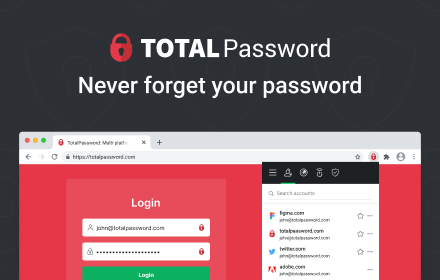
Total Password
Store your passwords safely and securely - Total Password makes life easier!
20.0K
★ 2.4
1Password – Password Manager
The best way to experience 1Password in your browser. Easily sign in to sites, generate passwords, and store secure information.
6.0M
★ 2.9

Password Manager Pro
Secure vault for storing and managing shared sensitive information such as passwords, documents & digital identities of enterprises.
90.0K
★ 2.9
Data sourced from the Chrome Web Store · last verified Jun 7, 2026.