Full Screen for Google Tasks - Desktop App for Google Tasks | TaskDisplay
Display full screen for Google Tasks and acts as desktop app for Google Tasks. Use this Google Tasks manager for more productivity.
As of May 2026, Full Screen for Google Tasks - Desktop App for Google Tasks | TaskDisplay has 151 users and a 5.00/5 rating from 16 reviews in the Workflow & Planning category.
Usersup 11.9 percent+11.9%
151
151
Ratingno change0%
5.00
16 reviews
Reviewsno change0%
16
Version
0.0.2
Manifest V3
History
2 snapshotsTracking since Apr 24, 2026.
View as table
| Date | Users | Rating | Reviews | Version |
|---|---|---|---|---|
| Apr 24, 2026 | 135 | 5.00 | 16 | 0.0.2 |
| May 21, 2026 | 144 | 5.00 | 16 | 0.0.2 |
| Now | 151 | 5.00 | 16 | 0.0.2 |
Permissions & access
- Permissions
- storagetabs
- Host access
- None declared
Screenshots

About
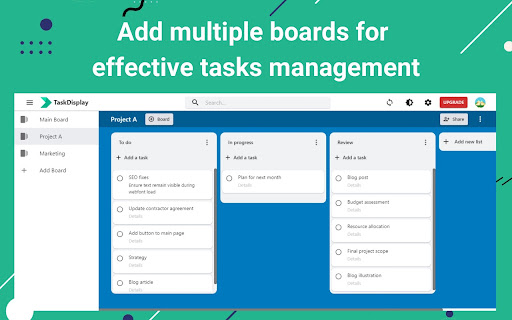
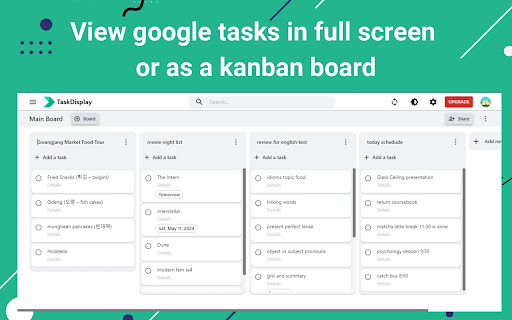
TaskDisplay is a powerful desktop app for Google Tasks that manages tasks using a Kanban board. Here’s why it’s the ultimate Google Tasks manager alternative to the TasksBoard app:

- Effortless Organization: With TaskDisplay, you can seamlessly organize your personal or work projects into boards and lists.

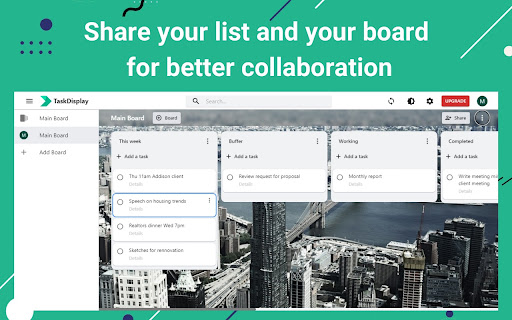
- Collaboration Made Simple: This desktop app for Google Tasks lets you share task lists and boards with teammates, colleagues, or family members. Edit and sync Google shared tasks in real time.

- Visualize Your Workflow: This full screen for Google task board overviews your Google tasks. Quickly identify what’s in progress, what’s pending, and what’s completed.

- Boost Productivity: No more scrolling through endless lists or forgetting critical tasks. By visualizing your workload with this full screen for Google task, you’ll make firm decisions, allocate concentration efficiently, and achieve more in the same amount of time.

- Seamless Integration: As a full screen for Google task, TaskDisplay syncs seamlessly with your Google apps, including Gmail, Drive, Sheets, Slides, and Calendar.

----------

Main features

- Add, edit, duplicate, archive, or delete unlimited tasks
- Set reminder date
- Real-time synchronization
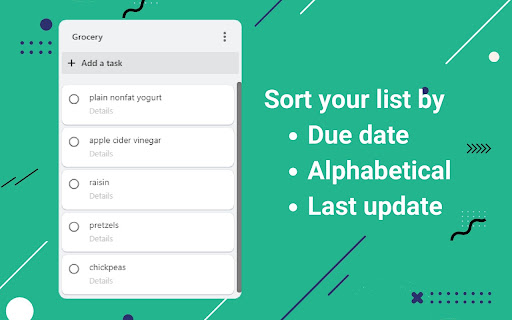
- Add, rename, duplicate, sort, archive, or delete unlimited lists
- Share task lists
- Add and share task boards (Paid plan only)
- Customize board background
- Dark theme
- Add and manage team members (Team plan only)

----------

Pricing
- Free: $0 per month with limited features
- Individual: $3.90 per month
- Team: $4.50 per month per member

TaskDisplay isn’t just a task manager; it’s your productivity ally. Try this TasksBoard alternative today and experience the difference at taskdisplay.com!
Technical
- Version
- 0.0.2
- Manifest
- V3
- Size
- 121KiB
- Min Chrome
- 88
- Languages
- 1
- Featured
- No
Metadata
- ID
- kffembmfgigpgfhkcmmedgpadnkgokgi
- Developer ID
- u5347a3d2b412db3ca84290cc81782df5
- Developer Email
- [email protected]
- Created
- May 10, 2024
- Last Updated (Store)
- May 18, 2024
- Last Scraped
- May 21, 2026
- Website
- —
- Support URL
- https://taskdisplay.com/contact-us/
- Privacy Policy
- https://taskdisplay.com/terms-of-service/
Similar extensions
Alternatives to Full Screen for Google Tasks - Desktop App for Google Tasks | TaskDisplay, ranked by description similarity.
Desktop app for Google Tasks
Standalone Desktop app for Google Tasks. Export and share your Google Tasks lists in one click.
500.0K
★ 4.7

Taskify: Advanced Todo List Manager
A feature-rich todo list browser extension with priority sorting, time management, and dependency tracking
1

Kanban Boards in Gmail and Google Workspace
Visual Kanban for Google Tasks & Gmail: turn emails into tasks, share boards, track with due dates, tags & comments.
1.0K
★ 4.4

Taskify: Task Management Made Easy
Designed to help you stay organized, focus on what matters, and sync tasks with Google Calendar.
59
★ 3.5

Kanban Board
Simplify task management with the Kanban board in your New Tab. Use Kanban software to manage projects and track workflows.
1.0K
★ 4.3

Light Kanban Board
A simple and light Kanban board Chrome extension for task management
16
My work Board
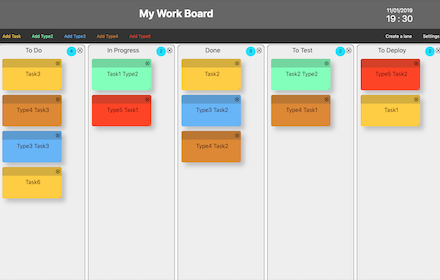
Build your own Work Board, Kanban board, Business Model Board and manage your cards
1.0K
★ 3.7

Today's Task - Organize Your Day with a To-Do List Extension
Turn Your Chrome Home Page Into a Powerful To-Do List Manager
44
★ 4.5
Data sourced from the Chrome Web Store · last verified May 21, 2026.