
WebPwd - Password Manager
Save website login credentials securely, support autofill and folders, and keep data stored locally.
As of June 2026, WebPwd - Password Manager has 47 users and a 5.00/5 rating from 1 reviews in the Productivity category.
Usersup 840.0 percent+840.0%
47
47
Ratingno change0%
5.00
1 reviews
Reviewsno change0%
1
Version
1.2.0
Manifest V3
90-day change · In the last 90 days this extension 2 version updates.
History
8 snapshotsTracking since Apr 4, 2026.
View as table
| Date | Users | Rating | Reviews | Version |
|---|---|---|---|---|
| Apr 4, 2026 | 5 | — | — | 1.0.1 |
| Apr 17, 2026 | — | — | — | 1.0.1 |
| Apr 25, 2026 | — | — | — | 1.1.0 |
| May 9, 2026 | — | — | — | 1.2.0 |
| May 13, 2026 | — | 5.00 | 1 | 1.2.0 |
| May 19, 2026 | 53 | 5.00 | 1 | 1.2.0 |
| May 25, 2026 | 69 | 5.00 | 1 | 1.2.0 |
| Jun 7, 2026 | — | 5.00 | 1 | 1.2.0 |
| Now | 47 | 5.00 | 1 | 1.2.0 |
Changelog
- Apr 25, 2026description
WebPwd 是一款轻量级的浏览器密码管理器扩展,帮助您安全、便捷地管理网站登录信息。

主要功能:
 自动检测并保存登录信息 - 当您在网站输入用户名和密码时,WebPwd 会智能识别并提示保存
 一键自动填充 - 访问已保存的网站时,自动填充登录信息,省去重复输入的麻烦
 文件夹管理 - 将密码分类整理到不同文件夹,方便查找和管理
 本地存储 - 所有数据仅存储在您的本地浏览器中,不会上传到任何服务器
 安全加密 - 敏感信息采用加密存储,保护您的隐私安全

适用场景:
• 需要管理多个网站账号的用户
• 经常忘记密码的用户
• 注重隐私安全,不想使用云端密码管理器的用户
• 希望快速登录常用网站的用户

使用方法:
1. 安装扩展后,正常访问需要登录的网站
2. 输入用户名和密码后,会出现保存提示
3. 选择保存文件夹并确认
4. 下次访问该网站时,登录信息将自动填充

注意事项:
• 请定期备份您的密码数据
• 建议设置浏览器主密码以增强安全性
• 数据仅存储在当前浏览器,卸载扩展或清除浏览器数据会导致密码丢失

WebPwd - 让密码管理更简单、更安全!
WebPwd is a lightweight browser password manager extension that helps you manage website login information securely and conveniently.

  Key features:
  - Automatically detect and save login information - When you enter a username and password on a website, WebPwd intelligently detects it and prompts you to save it
  - One-click autofill - When you visit a saved website, WebPwd automatically fills in your login information, saving you from repeated typing
  - Folder management - Organize passwords into different folders for easier searching and management
  - Local storage - All data is stored only in your local browser and is not uploaded to any server
  - Secure encryption - Sensitive information is stored in encrypted form to protect your privacy and security

  Use cases:
  - Users who need to manage multiple website accounts
  - Users who often forget their passwords
  - Users who care about privacy and do not want to use cloud-based password managers
  - Users who want to sign in to frequently used websites more quickly

  How to use:
  1. After installing the extension, visit a website that requires login as usual
  2. Enter your username and password, and a save prompt will appear
  3. Choose a folder and confirm the save
  4. The next time you visit the website, your login information will be filled automatically

  Notes:
  - Please back up your password data regularly
  - It is recommended to set a browser master password to improve security
  - Data is stored only in the current browser. Uninstalling the extension or clearing browser data will cause saved passwords to be lost

  WebPwd - Make password management simpler and safer!
- Apr 25, 2026short_description
安全记录网页登录信息,支持自动填充、文件夹管理,所有数据本地存储。
Save website login credentials securely, support autofill and folders, and keep data stored locally.
- Apr 25, 2026name
WebPwd - 密码管理器
WebPwd - Password Manager
Permissions & access
- Permissions
- storagetabs
- Host access
- <all_urls>, file:///*
Screenshots


About
WebPwd is a lightweight browser password manager extension that helps you manage website login information securely and conveniently.

  Key features:
  - Automatically detect and save login information - When you enter a username and password on a website, WebPwd intelligently detects it and prompts you to save it
  - One-click autofill - When you visit a saved website, WebPwd automatically fills in your login information, saving you from repeated typing
  - Folder management - Organize passwords into different folders for easier searching and management
  - Local storage - All data is stored only in your local browser and is not uploaded to any server
  - Secure encryption - Sensitive information is stored in encrypted form to protect your privacy and security

  Use cases:
  - Users who need to manage multiple website accounts
  - Users who often forget their passwords
  - Users who care about privacy and do not want to use cloud-based password managers
  - Users who want to sign in to frequently used websites more quickly

  How to use:
  1. After installing the extension, visit a website that requires login as usual
  2. Enter your username and password, and a save prompt will appear
  3. Choose a folder and confirm the save
  4. The next time you visit the website, your login information will be filled automatically

  Notes:
  - Please back up your password data regularly
  - It is recommended to set a browser master password to improve security
  - Data is stored only in the current browser. Uninstalling the extension or clearing browser data will cause saved passwords to be lost

  WebPwd - Make password management simpler and safer!
Technical
- Version
- 1.2.0
- Manifest
- V3
- Size
- 68.16KiB
- Min Chrome
- 88
- Languages
- 2
- Featured
- No
Metadata
- ID
- kenlbcibbdoheeblhmebkkllkheahcfd
- Developer ID
- ud5423c1b3805ef9a1aae39a5733d0956
- Developer Email
- [email protected]
- Created
- Jan 30, 2026
- Last Updated (Store)
- Apr 24, 2026
- Last Scraped
- Jun 7, 2026
- Website
- —
- Support URL
- —
Similar extensions
Alternatives to WebPwd - Password Manager, ranked by description similarity.

天星账号保管箱
登录,本该如此简单。智能 填充密码 、TOTP 与 WebAuthn,让您的每一次登录都安全、高效、无感。
69
★ 5.0

密码管理助手
安全管理您的网站、APP和WiFi密码
11
★ 5.0

网站免登录助手
定时自动访问网站,保持登录状态不过期
14

小橘按键
一个简单实用的快捷网址管理工具,通过右键菜单快速访问常用网站。帮助用户更高效地组织和访问自己的常用网站。
2

账号管理器
悬浮式账号管理器,支持多网站多账号管理,安全可靠(v2.0: 增强安全性)
5

Username Password Generator
This generates username and password based on current website and custom rules
8
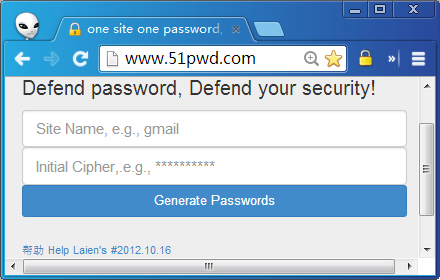
一站一密 (OSOP)
一站一密(OSOP)- 用时生成,而不是存储密码!
76
★ 4.7

Orderly Favorites-有序的收藏夹
一个有序的网页收藏夹,告别杂乱无章的书签,让收藏变得简单、有序
34
Data sourced from the Chrome Web Store · last verified Jun 7, 2026.