
click
Click on frequently used hard-to-reach DOM elements fast without a single mouse click
As of May 2026, click has 59 users in the Workflow & Planning category.
Usersdown 13.2 percent−13.2%
59
59
Ratingno change0%
—
— reviews
Reviewsno change0%
—
Version
1.7.0
Manifest V3
History
2 snapshotsTracking since Apr 25, 2026.
View as table
| Date | Users | Rating | Reviews | Version |
|---|---|---|---|---|
| Apr 25, 2026 | 68 | — | — | 1.7.0 |
| May 22, 2026 | 64 | — | — | 1.7.0 |
| Now | 59 | — | — | 1.7.0 |
Permissions & access
- Permissions
- tabsscriptingstoragecontextMenus
- Host access
- *://*/, file:///*/
Screenshots


About
Single and main goal of this extension is fast clicking frequently used hard-to-reach DOM elements.
It's possible to click in automatic or semi-automatic way.

How to use:
1. Install extension;
2. Go to extensions shortcuts page (chrome://extensions/shortcuts) and re-configure keys combination for activation (if needed);
3. Configure "targets" on page accessible via extension menu;
4. Activate extension (Alt+C by default);
5. Select required target in case of few matched targets or manual mode (use up and down arrows);
6. Perform click by pressing "Enter" or it could be performed automatically.

UI customization:
1. Items font size;
2. Active item font weight, color and pointer.

UX customization:
1. Autoclosing;
2. Automatic or manual execution;
3. Execution logging;
4. Changelog automatic opening.

Tech features:
1. No 3rd party libraries are in use - everything is made for purpose and from scratch;
2. Code is covered by unit tests and e2e tests - quality matters;
3. Options are synchronized between all extension instances for your Google account via Chrome Sync - it's comfortable;
4. Save target to file to share it so people can load it.

Changelog could be found here: https://github.com/vikian050194/click/blob/master/CHANGELOG.md
Technical
- Version
- 1.7.0
- Manifest
- V3
- Size
- 30.2KiB
- Min Chrome
- 88
- Languages
- 1
- Featured
- No
Metadata
- ID
- kcodfghcjchlhlikckbcjohmaihbihdp
- Developer ID
- ua884512914fe456fbd61a730b0675662
- Developer Email
- [email protected]
- Created
- Feb 21, 2023
- Last Updated (Store)
- Nov 9, 2023
- Last Scraped
- May 22, 2026
- Website
- click.vikian050194.dev
- Support URL
- https://click.vikian050194.dev/support
- Privacy Policy
- —
Similar extensions
Alternatives to click, ranked by description similarity.

track
Open dynamically combined URL without a single mouse click
5
★ 5.0

Safe Auto Clicker — Smart Mouse Click Automation for Any Website
Auto-click anything on any website. Smart, safe, user-controlled clicker for forms, games, Salesforce, eBay, Amazon.
458
★ 3.2
warp
Open frequently used bookmarks fast without a single mouse click
5.0K
★ 5.0

Extensions
Managing your Extensions does not have to be complicated
937
★ 2.9

Auto Text Clicker
Automatically clicks elements on the active page when specific text is found.
37
Auto Clicker - AutoFill
AutoFill input field or auto click button or link anything anywhere.You can configure and check click speed test
200.0K
★ 4.0

Auto Clicker - AutoFill [BETA]
AutoFill input field or auto click button or link anything anywhere.You can configure and check click speed test
7.0K
★ 3.1
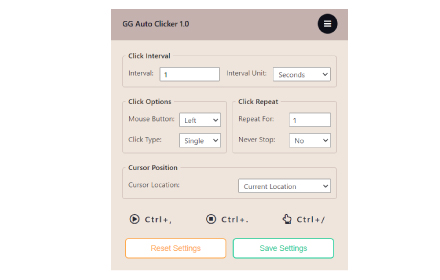
GG Auto Clicker 1.2
GG Auto clicker helps you automate mouse clicks on your chrome browser and has multiple options for automation.
50.0K
★ 2.8
Data sourced from the Chrome Web Store · last verified May 22, 2026.