
LensAI: ChatGPT Markdown Export
Navigate long ChatGPT, Claude, and Gemini chats, then copy or download clean Markdown locally.
As of June 2026, LensAI: ChatGPT Markdown Export has 49 users and a 5.00/5 rating from 3 reviews in the Workflow & Planning category.
Usersup 2.1 percent+2.1%
49
49
Ratingno change0%
5.00
3 reviews
Reviewsno change0%
3
Version
2.1.2
Manifest V3
90-day change · In the last 90 days this extension 2 version updates, changed permissions.
History
8 snapshotsTracking since Apr 6, 2026.
View as table
| Date | Users | Rating | Reviews | Version |
|---|---|---|---|---|
| Apr 6, 2026 | 48 | 5.00 | 3 | 2.0.1 |
| Apr 18, 2026 | 52 | 5.00 | 3 | 2.0.1 |
| Apr 28, 2026 | 50 | 5.00 | 3 | 2.0.1 |
| May 8, 2026 | 51 | 5.00 | 3 | 2.0.1 |
| May 15, 2026 | 53 | 5.00 | 3 | 2.0.1 |
| May 24, 2026 | 52 | 5.00 | 3 | 2.0.1 |
| May 31, 2026 | 55 | 5.00 | 3 | 2.1.1 |
| Jun 6, 2026 | 54 | 5.00 | 3 | 2.1.2 |
| Now | 49 | 5.00 | 3 | 2.1.2 |
Changelog
- May 31, 2026description
🚀 Navigate AI Chats and Export Clean Markdown

LensAI is a Chrome extension for people who use ChatGPT, Claude, and Google Gemini for research, study, coding, writing, and documentation.

It adds a floating question list beside long AI conversations, so you can jump between your own prompts without endless scrolling. It also lets you copy or download supported conversations as clean Markdown files for your notes, docs, archives, or knowledge base.

✨ Core Features

🧭 Smart Chat Navigation
• Floating Question List: See your prompts as a compact conversation outline.
• Fast Movement: Jump to the previous, next, or latest question in long AI chats.
• Better Context: Find important parts of a conversation without manually scrolling.

📝 Clean Markdown Export
• ChatGPT Markdown Export: Copy or download supported ChatGPT conversations as .md files.
• Claude Markdown Export: Save useful Claude answers into readable Markdown.
• Gemini Markdown Export: Export supported Gemini conversations for notes and documentation.
• Flexible Output: Choose full Question + Answer export or Answers-only export.
• Loading Options: Export the currently loaded conversation or try a best-effort full conversation export.

🔄 Works With Your Markdown Workflow
Use exported Markdown in Obsidian, Notion, GitHub, VS Code, documentation folders, and other Markdown-friendly tools.

🔒 Privacy First
• LensAI runs locally in your browser on supported AI chat pages.
• Your chat content is not uploaded to a remote server by LensAI.
• Markdown export is generated inside your browser.
• LensAI v2.1.0 does not use remote analytics.

💡 Who It Is For

• Students: Save study explanations and AI-generated notes as Markdown.
• Researchers: Archive long AI research conversations into a local knowledge base.
• Developers: Keep coding answers, debugging steps, and implementation notes in GitHub or VS Code.
• Professionals: Turn useful AI summaries into reusable documentation.

🎬 How to Use

1. Open a supported conversation on ChatGPT, Claude, or Gemini.
2. Open the LensAI sidebar.
3. Use the floating question list to navigate long conversations.
4. Click Copy MD or Download MD to export clean Markdown.
5. Adjust export preferences in Settings when you need Q + A, Answers-only, Current loaded, or Full conversation mode.

🆚 Feature Overview

ChatGPT to Markdown: ✅ Supported
Claude to Markdown: ✅ Supported
Gemini to Markdown: ✅ Supported
Floating Question Navigation: ✅ Supported
Copy Markdown: ✅ Supported
Download Markdown: ✅ Supported
Local Markdown Generation: ✅ Supported
PDF / Word Export: ❌ Not included in v2.1.0
Cloud Sync / Direct Notion Sync: ❌ Not included in v2.1.0

Current Focus:
LensAI v2.1.0 focuses on fast AI chat navigation and high-quality Markdown export. PDF, Word, cloud sync, and direct Notion API sync are not part of this release.

Support:
Questions or feedback? Contact [email protected]

Copyright © 2026 Gease. All Rights Reserved.
🚀 Navigate AI Chats and Export Clean Markdown

LensAI is a Chrome extension for people who use ChatGPT, Claude, and Google Gemini for research, study, coding, writing, and documentation.

It adds a floating question list beside long AI conversations, so you can jump between your own prompts without endless scrolling. You can also copy or download supported conversations as clean Markdown for notes, docs, archives, or a local knowledge base.

Perfect for researchers, students, developers, and professionals who need to save, share, or archive AI conversations into Obsidian, Notion, GitHub, VS Code, or documentation folders.

━━━━━━━━━━━━━━━━━━━━━━━━━━━━━━━━━━━━━━━━━━

✨ Core Features

🧭 Smart Chat Navigation
• Floating Question List: See your prompts as a compact conversation outline.
• Fast Movement: Jump to the previous, next, or latest question in long AI chats.
• Better Context: Find important parts of a conversation without losing your place.

📝 Clean Markdown Export
• Copy Markdown: Copy clean Markdown from supported AI conversations.
• Download MD File: Download a local .md file for your notes or documentation.
• Flexible Output: Choose full Q + A export or answers-only export.
• Smart Loading Options: Export the currently loaded conversation or try a best-effort full conversation export.
• Persistent Saving: Keep useful answers locally after the browser tab is closed.

🔄 Works With Your Markdown Workflow
Use exported Markdown directly in:
• Obsidian and Notion
• GitHub and VS Code
• Personal documentation folders
• Local knowledge bases

🔒 Privacy First
• LensAI runs locally in your browser on supported AI chat pages.
• Your AI chat content is not uploaded to a remote server.
• Markdown export is generated inside your browser.
• LensAI does not use remote analytics or tracking code.

💡 Who It Is For
• Students: Save study explanations and AI-generated notes as structured Markdown.
• Researchers: Archive long AI research conversations into a local knowledge base.
• Developers: Keep coding answers, debugging steps, and implementation notes in GitHub or VS Code.
• Professionals: Turn useful AI summaries into reusable documentation.

🎬 How to Use
1. Open a supported conversation on ChatGPT, Claude, or Gemini.
2. Click the LensAI icon to open the sidebar.
3. Use the floating question list to navigate long conversations.
4. Click Copy MD or Download MD to save clean Markdown.
5. Adjust export preferences in Settings when needed.

🆚 Feature Overview
• ChatGPT to Markdown: Supported
• Claude to Markdown: Supported
• Gemini to Markdown: Supported
• Floating question navigation: Supported
• Copy Markdown: Supported
• Download .md file: Supported
• Local Markdown generation: Supported
• PDF / Word export: Not included
• Cloud sync / direct Notion sync: Not included

[Current Focus Note]
LensAI focuses on fast AI chat navigation and high-quality Markdown export. PDF, Word, cloud sync, and direct Notion API sync are not part of the current product focus.

📧 Support
Questions or feedback? Contact: [email protected]

Copyright © 2026 Gease. All Rights Reserved.
- May 31, 2026short_description
Navigate ChatGPT, Gemini & Claude chats and copy or download clean Markdown locally.
Navigate long ChatGPT, Claude, and Gemini chats, then copy or download clean Markdown locally.
- May 31, 2026name
LensAI: ChatGPT Markdown Export & Navigator
LensAI: ChatGPT Markdown Export
- May 24, 2026description
🚀 Export Your AI Chats to PDF in 1 Click LensAI is the ultimate productivity tool for ChatGPT, Claude, and Google Gemini users. Turn your valuable AI conversations into professional PDF documents instantly. Perfect for researchers, students, developers, and professionals who need to save, share, or archive their AI chat history. ━━━━━━━━━━━━━━━━━━━━━━━━━━━━━━━━━━━━━━━━━━ ✨ Why Choose LensAI? 🎯 Universal Platform Support ✅ ChatGPT (OpenAI) ✅ Claude (Anthropic) ✅ Google Gemini (Bard) No more switching between different export tools! 📄 Professional PDF Export 🖼️ Preserves Everything: Charts, diagrams, code blocks, LaTeX formulas 🎨 Clean Formatting: Auto-removes UI clutter, keeps only content 📊 Smart Canvas Capture: Converts interactive elements to high-res images 📑 Auto Cover Page: Generates title, date, and metadata 🔄 Full History Loading: Auto-scrolls to capture every message 🧭 Apple-Style Smart Navigation 📋 Floating Sidebar: Click to jump to any question instantly 🖱️ Drag & Snap: Move anywhere, auto-snaps to screen edge ⚡ Minimalist Mode: Collapses to a tiny icon when not needed 🎯 Smart Scrolling: Automatically positions content perfectly (no bottom cutoff!) 🔒 Privacy First • All processing happens locally in your browser • Zero data sent to external servers • Open source - audit our code anytime ━━━━━━━━━━━━━━━━━━━━━━━━━━━━━━━━━━━━━━━━━━ 💡 Perfect For 👨🎓 Students: Save ChatGPT study notes for exams 👨💼 Professionals: Export Claude meeting summaries 👨🔬 Researchers: Archive Gemini research conversations 👨💻 Developers: Export code solutions from AI assistants ━━━━━━━━━━━━━━━━━━━━━━━━━━━━━━━━━━━━━━━━━━ 🎬 How to Use 1. Open any chat on ChatGPT, Claude, or Gemini 2. Click the LensAI icon (sidebar appears automatically) 3. Browse your chat history with the floating table of contents 4. Click "Export PDF" → "Select All" → Done! ━━━━━━━━━━━━━━━━━━━━━━━━━━━━━━━━━━━━━━━━━━ 🆚 vs. Other Export Tools Feature Comparison: • ChatGPT Support: LensAI ✅ | Competitors ⚠️ Partial • Claude Support: LensAI ✅ | Competitors ❌ • Gemini Support: LensAI ✅ | Competitors ⚠️ Partial • Canvas/Charts Export: LensAI ✅ | Competitors ❌ • Smart Navigation: LensAI ✅ | Competitors ❌ • Drag & Snap UI: LensAI ✅ | Competitors ❌ • Local Processing: LensAI ✅ | Competitors ⚠️ Some ━━━━━━━━━━━━━━━━━━━━━━━━━━━━━━━━━━━━━━━━━━ 🌍 Supported Languages UI: English, 中文, 日本語, 한국어, Español, Français, Deutsch ━━━━━━━━━━━━━━━━━━━━━━━━━━━━━━━━━━━━━━━━━━ 📧 Support Questions? Contact: [email protected] GitHub: [Coming Soon] ━━━━━━━━━━━━━━━━━━━━━━━━━━━━━━━━━━━━━━━━━━ Copyright © 2025 Gease. All Rights Reserved.
🚀 Navigate AI Chats and Export Clean Markdown

LensAI is a Chrome extension for people who use ChatGPT, Claude, and Google Gemini for research, study, coding, writing, and documentation.

It adds a floating question list beside long AI conversations, so you can jump between your own prompts without endless scrolling. It also lets you copy or download supported conversations as clean Markdown files for your notes, docs, archives, or knowledge base.

✨ Core Features

🧭 Smart Chat Navigation
• Floating Question List: See your prompts as a compact conversation outline.
• Fast Movement: Jump to the previous, next, or latest question in long AI chats.
• Better Context: Find important parts of a conversation without manually scrolling.

📝 Clean Markdown Export
• ChatGPT Markdown Export: Copy or download supported ChatGPT conversations as .md files.
• Claude Markdown Export: Save useful Claude answers into readable Markdown.
• Gemini Markdown Export: Export supported Gemini conversations for notes and documentation.
• Flexible Output: Choose full Question + Answer export or Answers-only export.
• Loading Options: Export the currently loaded conversation or try a best-effort full conversation export.

🔄 Works With Your Markdown Workflow
Use exported Markdown in Obsidian, Notion, GitHub, VS Code, documentation folders, and other Markdown-friendly tools.

🔒 Privacy First
• LensAI runs locally in your browser on supported AI chat pages.
• Your chat content is not uploaded to a remote server by LensAI.
• Markdown export is generated inside your browser.
• LensAI v2.1.0 does not use remote analytics.

💡 Who It Is For

• Students: Save study explanations and AI-generated notes as Markdown.
• Researchers: Archive long AI research conversations into a local knowledge base.
• Developers: Keep coding answers, debugging steps, and implementation notes in GitHub or VS Code.
• Professionals: Turn useful AI summaries into reusable documentation.

🎬 How to Use

1. Open a supported conversation on ChatGPT, Claude, or Gemini.
2. Open the LensAI sidebar.
3. Use the floating question list to navigate long conversations.
4. Click Copy MD or Download MD to export clean Markdown.
5. Adjust export preferences in Settings when you need Q + A, Answers-only, Current loaded, or Full conversation mode.

🆚 Feature Overview

ChatGPT to Markdown: ✅ Supported
Claude to Markdown: ✅ Supported
Gemini to Markdown: ✅ Supported
Floating Question Navigation: ✅ Supported
Copy Markdown: ✅ Supported
Download Markdown: ✅ Supported
Local Markdown Generation: ✅ Supported
PDF / Word Export: ❌ Not included in v2.1.0
Cloud Sync / Direct Notion Sync: ❌ Not included in v2.1.0

Current Focus:
LensAI v2.1.0 focuses on fast AI chat navigation and high-quality Markdown export. PDF, Word, cloud sync, and direct Notion API sync are not part of this release.

Support:
Questions or feedback? Contact [email protected]

Copyright © 2026 Gease. All Rights Reserved.
- May 24, 2026short_description
Export ChatGPT, Claude & Gemini chats to PDF instantly. Features an Apple-style floating sidebar for fast navigation.
Navigate ChatGPT, Gemini & Claude chats and copy or download clean Markdown locally.
- May 24, 2026name
LensAI: Export ChatGPT & Claude to PDF - Sidebar Navigator
LensAI: ChatGPT Markdown Export & Navigator
- May 24, 2026host_permissions
*://gemini.google.com/*, *://chatgpt.com/*, *://claude.ai/*
https://gemini.google.com/*, https://chatgpt.com/*, https://claude.ai/*
- May 24, 2026permissions
activeTab
activeTab, storage
Permissions & access
- Permissions
- activeTabstorage
- Host access
- https://gemini.google.com/*, https://chatgpt.com/*, https://claude.ai/*
Screenshots


About
🚀 Navigate AI Chats and Export Clean Markdown

LensAI is a Chrome extension for people who use ChatGPT, Claude, and Google Gemini for research, study, coding, writing, and documentation.

It adds a floating question list beside long AI conversations, so you can jump between your own prompts without endless scrolling. You can also copy or download supported conversations as clean Markdown for notes, docs, archives, or a local knowledge base.

Perfect for researchers, students, developers, and professionals who need to save, share, or archive AI conversations into Obsidian, Notion, GitHub, VS Code, or documentation folders.

━━━━━━━━━━━━━━━━━━━━━━━━━━━━━━━━━━━━━━━━━━

✨ Core Features

🧭 Smart Chat Navigation
• Floating Question List: See your prompts as a compact conversation outline.
• Fast Movement: Jump to the previous, next, or latest question in long AI chats.
• Better Context: Find important parts of a conversation without losing your place.

📝 Clean Markdown Export
• Copy Markdown: Copy clean Markdown from supported AI conversations.
• Download MD File: Download a local .md file for your notes or documentation.
• Flexible Output: Choose full Q + A export or answers-only export.
• Smart Loading Options: Export the currently loaded conversation or try a best-effort full conversation export.
• Persistent Saving: Keep useful answers locally after the browser tab is closed.

🔄 Works With Your Markdown Workflow
Use exported Markdown directly in:
• Obsidian and Notion
• GitHub and VS Code
• Personal documentation folders
• Local knowledge bases

🔒 Privacy First
• LensAI runs locally in your browser on supported AI chat pages.
• Your AI chat content is not uploaded to a remote server.
• Markdown export is generated inside your browser.
• LensAI does not use remote analytics or tracking code.

💡 Who It Is For
• Students: Save study explanations and AI-generated notes as structured Markdown.
• Researchers: Archive long AI research conversations into a local knowledge base.
• Developers: Keep coding answers, debugging steps, and implementation notes in GitHub or VS Code.
• Professionals: Turn useful AI summaries into reusable documentation.

🎬 How to Use
1. Open a supported conversation on ChatGPT, Claude, or Gemini.
2. Click the LensAI icon to open the sidebar.
3. Use the floating question list to navigate long conversations.
4. Click Copy MD or Download MD to save clean Markdown.
5. Adjust export preferences in Settings when needed.

🆚 Feature Overview
• ChatGPT to Markdown: Supported
• Claude to Markdown: Supported
• Gemini to Markdown: Supported
• Floating question navigation: Supported
• Copy Markdown: Supported
• Download .md file: Supported
• Local Markdown generation: Supported
• PDF / Word export: Not included
• Cloud sync / direct Notion sync: Not included

[Current Focus Note]
LensAI focuses on fast AI chat navigation and high-quality Markdown export. PDF, Word, cloud sync, and direct Notion API sync are not part of the current product focus.

📧 Support
Questions or feedback? Contact: [email protected]

Copyright © 2026 Gease. All Rights Reserved.
Technical
- Version
- 2.1.2
- Manifest
- V3
- Size
- 49.42KiB
- Min Chrome
- 88
- Languages
- 1
- Featured
- No
Metadata
- ID
- kckpjoiglldoeppembphikfammgdjmnk
- Developer ID
- u699aa2e56a62283dbc9022912745037b
- Developer Email
- [email protected]
- Created
- Sep 24, 2025
- Last Updated (Store)
- May 30, 2026
- Last Scraped
- Jun 6, 2026
- Website
- lensai.me
- Support URL
- https://lensai.me/support/
- Privacy Policy
- https://lensai.me/privacy/
Similar extensions
Alternatives to LensAI: ChatGPT Markdown Export, ranked by description similarity.

AI Exporter: Save Claude,ChatGPT,Gemini to PDF, Docs, MD and More
Export ChatGPT, Claude, Gemini and NotebookLM chats to PDF/Word/Markdown/Txt. Supports content selection, and Notion sync, download.
100.0K
★ 4.8

AI ChatGPT Chat Exporter: Export Conversations with Images & Formats
One-click export complete chat history with images & text, supports Markdown/HTML/PDF formats, hide sensitive info, ZIP packaging
67

AI Chat Exporter
Export AI chatbot conversations to PDF, Markdown, DOCX, and more
60

ChatGPT, Claude, Gemini to PDF
Export chats from ChatGPT, Claude, and Gemini to PDF. Use a Notion-style editor to edit content before exporting.
13
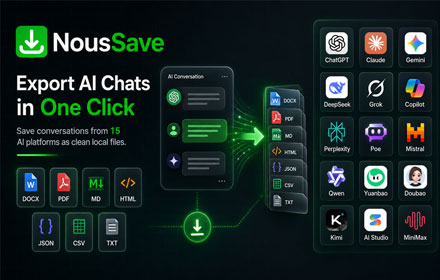
NousSave: Export ChatGPT, Gemini, DeepSeek, Claude and Grok Chats to PDF
Effortlessly export AI chats to PDF, Word, Markdown, HTML & more. Features 'Deep Research' support and collapsible long messages.
2.0K
★ 4.5

AI Chat Export: ChatGPT Claude Gemini PDF
Export ChatGPT, Claude & Gemini chats to searchable PDF, Markdown & HTML. 100% private & local.
102
ChatEngram - Search & Autosave ChatGPT, Claude & Gemini chat history
Save and search ChatGPT, Claude, Gemini, and DeepSeek chats. Export to Obsidian, Notion, and Google Drive.
130
★ 3.5

Universal AI Navigator
Navigation sidebar for Gemini, ChatGPT, Claude, and Perplexity.
18
★ 5.0
Data sourced from the Chrome Web Store · last verified Jun 6, 2026.