
Note Keeper
Create and manage notes with rich text editing and custom icons
As of May 2026, Note Keeper has 41 users and a 5.00/5 rating from 6 reviews in the Workflow & Planning category.
Usersdown 12.8 percent−12.8%
41
41
Ratingno change0%
5.00
6 reviews
Reviewsno change0%
6
Version
1.0
Manifest V3
History
4 snapshotsTracking since Apr 1, 2026.
View as table
| Date | Users | Rating | Reviews | Version |
|---|---|---|---|---|
| Apr 1, 2026 | 47 | 5.00 | 6 | 1.0 |
| Apr 21, 2026 | 44 | 5.00 | 6 | 1.0 |
| May 6, 2026 | 42 | 5.00 | 6 | 1.0 |
| May 18, 2026 | 48 | 5.00 | 6 | 1.0 |
| Now | 41 | 5.00 | 6 | 1.0 |
Permissions & access
- Permissions
- storage
- Host access
- None declared
Screenshots



About
Note Keeper Chrome Extension:
A compact Chrome extension for creating and managing notes with rich text editing and custom icons.

Features:
- Compact design that fits more functionality into a smaller space
- Custom animal icons that let you choose from a variety of cute designs for your notes
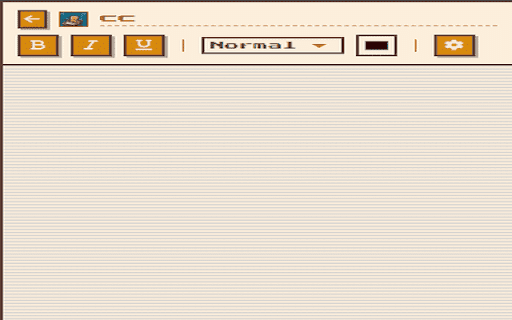
- Rich text editing with support for bold, italic, underline, font sizes, and colors
- Dark mode toggle for switching between light and dark themes
- Built-in search to quickly find your notes
- Export functionality for saving individual or multiple notes as text files
- Auto-save so your changes are stored as you type
- Responsive layout optimized for efficient space usage

Creating Notes:
1. Click the extension icon in your browser toolbar
2. Click the "New" button
3. Enter a title for your note and select an icon
4. Click "Create Note" to start editing

Editing Notes:
- Use the formatting toolbar to apply bold, italic, or underline styling. You can also change font size and color using the dropdown menu and color picker. All changes are automatically saved.

Managing Notes:
- Click the back button to return to the home screen. Use the search box to find specific notes. Each note has a settings menu where you can delete or export it.

Exporting Notes:
- To export a single note, open the settings menu and choose "Export Note." For exporting multiple notes, use the export dialog to select and save them together.

Customization:
- The extension includes a dark mode that can be toggled on or off using the moon/sun icon in the header.
Technical
- Version
- 1.0
- Manifest
- V3
- Size
- 53.01KiB
- Min Chrome
- 88
- Languages
- 1
- Featured
- No
Metadata
- ID
- kaldjgcnkamnanaenkekcaokakgklpie
- Developer ID
- u5a2f615d873154020d4199aace19bfc3
- Developer Email
- [email protected]
- Created
- May 18, 2025
- Last Updated (Store)
- May 18, 2025
- Last Scraped
- May 18, 2026
- Website
- —
- Support URL
- https://github.com/braaaeeedyn
- Privacy Policy
- —
Similar extensions
Alternatives to Note Keeper, ranked by description similarity.

SimplyWrite
Take Quick and Minimalistic Notes
3

Power Notes: Add Sticky notes to your browser
Easily take notes, organize tabs, and keep everything saved locally in your browser.
12
★ 5.0

Notes Online
The in-page notepad for taking notes online directly on any web page. No login, autosave, 1-click install, and full privacy
5.0K
★ 4.3

Web Notes
Add customizable sticky notes to any webpage!
21

Note Taker- Natty
Notes taker. Evernotes free alternative. With Complete Privacy. Natty- Your Personal Listener
33
★ 5.0

Notes
A clean and simple browser extension for managing notes.
243

Quick Notes
A simple note-taking app for Chrome
20

Smart Sticky Notes
Enhance productivity with smart sticky notes! Save quick notes, access references effortlessly while you work.
34
★ 5.0
Data sourced from the Chrome Web Store · last verified May 18, 2026.