
Clear cookies for one site
Clear cookies for one site with one click. Easily clear browser cookies for the current site.
As of May 2026, Clear cookies for one site has 10,000 users and a 4.28/5 rating from 29 reviews in the Workflow & Planning category.
Usersno change0%
10.0K
10,000
Ratingno change0%
4.28
29 reviews
Reviewsno change0%
29
Version
1.1.1
Manifest V3
History
1 snapshotsTracking since Apr 25, 2026.
View as table
| Date | Users | Rating | Reviews | Version |
|---|---|---|---|---|
| Apr 25, 2026 | 10.0K | 4.28 | 29 | 1.1.1 |
| Now | 10.0K | 4.28 | 29 | 1.1.1 |
Permissions & access
- Permissions
- cookiesstorage
- Host access
- <all_urls>
Screenshots

About
Clear cookies for one site – your essential Chrome extension for seamlessly and efficiently deleting cookies tailored to your needs. This extension empowers you to effortlessly clear cookies for a specific site, enhancing your browsing experience and privacy. Dive into the ultimate solution that combines simplicity, customization, and speed.

🍪 3 ways to clear browser cookies with Clear cookies for one site extension
1️⃣ Icon click: start by clicking on the extension icon in the Chrome tray. This instantly triggers the delete cookies for the current site.
2️⃣ Keyboard shortcut: for a faster option, utilize the Alt+C (Option+C  on macOS) key combination. A quick keystroke, and remove cookies, giving you immediate control over your browsing data.
3️⃣ Floating artifact: enable the floating artifact at the bottom of the page for seamless, one-click access. Click the artifact, and voila – delete site cookies, and the page reloads without a hitch.

💪 Advantages of Clear cookies for one site Extension
1. Safeguard your online privacy by clear browser cookies for specific sites, preventing unwanted tracking and data collection.
2. Enjoy a seamless online journey with the extension's user-friendly interface and quick-access features. No more unnecessary clicks or complex procedures.
3. Boost your productivity with the extension's swift, one-click solutions. Save time navigating through settings and menus, allowing you to focus on what matters most.
4. Tailor your cookie management experience according to your liking. Choose between automatic or manual page reloading and decide whether to display the floating artifact – it's all about personalized control.
5. Ideal for SEO specialists, the extension seamlessly integrates into your research workflow, providing targeted delete cookies for specific sites without disrupting your tasks.

💪 Key benefits of utilizing Manifest V3 in browser extensions
✔️ Using Manifest V3.
✔️ Improved performance.
✔️ Reduced impact on browser resources.
✔️ Automatic updates.
✔️ Enhanced privacy controls.

👉 Optimized online experience
➤  Ensure a clean, distraction-free browsing environment, enhancing concentration on important tasks without compromising data privacy.
➤ Manage cookies on e-commerce sites effortlessly, ensuring a smoother shopping experience and avoiding unnecessary clutter in your browsing data.
➤ Focus on your studies or research without concerns about cookie clutter. Maintain a clean digital slate for accurate information gathering.
➤ Embrace a customizable browsing experience with the ability to control automatic reloads and access quick cookie clearance at your fingertips.
➤ Maintain privacy on shared computers or public devices by easily managing cookies for the sites you use, ensuring a secure online experience wherever you go.

👀 Frequently Asked Questions (FAQ)

📌  What does Clear cookies for one site do?
-  It's a Chrome extension that swiftly clears cookies for the current site, enhancing privacy and providing a cleaner online experience.

📌  How do I access the extension?
-  Simply click the extension icon in the tray, use the Alt+C shortcut, or enable the floating artifact for quick, one-click access.

📌  Can I customize the extension according to my preferences?
-  Absolutely! Tailor your experience by toggling settings like automatic page reloading and the display of the floating artifact to suit your browsing style.

📌  Does it save time?
-  Yes! Enjoy time-saving efficiency with a straightforward, one-click solution – no more navigating through complex menus.

📌  Can I control when the page reloads after clear browser cookies?
-  Absolutely! Adjust the settings to toggle automatic page reloading on or off, giving you full control over your browsing experience.

📌  Is the extension regularly updated?
-  Yes! Expect constant optimizations and updates to keep the extension in sync with the ever-evolving online landscape.

📌  What sets Clear cookies for one site apart?
-  Its focus on targeted cookie management, time-saving efficiency, privacy enhancement, adaptability to user preferences, and a commitment to continuous improvement make it a standout choice for browsing control.

🚀 Clear cookies for one site goes beyond just deleting cookies – it's about empowering users with control, efficiency, and a tailored approach to online privacy.
Technical
- Version
- 1.1.1
- Manifest
- V3
- Size
- 192KiB
- Min Chrome
- 88
- Languages
- 52
- Featured
- Yes
Metadata
- ID
- kajgpmmnnohnlajonknigghinhjmmehc
- Developer ID
- u87295dfcab16acb768bec6570707b3cb
- Developer Email
- [email protected]
- Created
- Feb 5, 2024
- Last Updated (Store)
- Sep 1, 2024
- Last Scraped
- May 22, 2026
- Website
- —
- Support URL
- —
Similar extensions
Alternatives to Clear cookies for one site, ranked by description similarity.

Broom Cookie Cleaner & Cookie Editor
Broom Cookie Cleaner & Cookie Editor - Your best FREE solution for cookies and history cleaning. Free Download and easy to use.
2.0K
★ 4.3

CyberGhost Cookie Cleaner
CyberGhost Cookie Cleaner is a plugin designed to give you control of your online preferences, personal data, and private details.
50.0K
★ 4.4
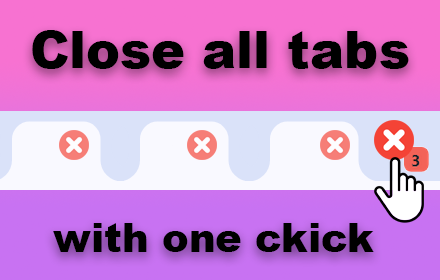
Clear all tabs
Clear all tabs except the current one with a single click. An easy way to close all tabs except for pinned and grouped tabs.
2.0K
★ 5.0

Cookie Deleter
Delete cookies and site data for specific sites using flexible cleanup rules.
956
★ 3.3

One Click History Cleaner
✨ Clean your browsing history instantly with a single click! ✨
One-Click History Cleaner delivers the fastest, most effortless way…
1.0K
★ 4.4
Cleaner
Cleaner Extension
2.0K
★ 3.7

Quick Clear
Powerful, user-friendly browser data management, right from your toolbar.
1
Close & Clean
Close all tabs and windows and clean up Chrome in one single click
10.0K
★ 4.3
Data sourced from the Chrome Web Store · last verified May 22, 2026.